
DIGSOM Gaming Mouse Pad
4.7Editor score
Atmospheric minimalist pattern
Water-resistant coating
Smooth stitched edges
Choosing the right gaming mousepad for your GTA 6 PC setup is essential for precision and comfort. A large surface area allows for low sensitivity movements while providing space for keyboard and mouse peripherals.
We compared ten top-rated extended mousepads based on surface texture, base stability, size, and additional features like RGB lighting. Each option offers unique benefits for different play styles and desk configurations.
Each pick in this guide highlights specific strengths such as durability, tracking accuracy, or aesthetic design. Please note that product availability and pricing may change over time so check current details before buying.
4.7Editor score

4.7Editor score

4.7Editor score
As an Amazon Associate we earn from qualifying purchases.
The following comparison table details the specifications and key features of the ten selected gaming mousepads. Use this overview to quickly identify the size, surface type, and special characteristics of each product.






The BladeHawks RGB Gaming Mouse Pad stands out with its extensive lighting options and large surface area. Rated highly by users, it provides a stable platform for both mouse and keyboard while adding visual flair to your setup.
We may earn a commission when you buy through this link, at no additional cost to you.
Its micro-textured cloth surface ensures precise mouse control while the waterproof coating protects against spills. The LED backlight offers seven static and seven dynamic modes that can be toggled easily with a single button.
A minor trade-off is the need for a USB connection to power the lights which may limit desk space slightly. However, the power-off memory function ensures you do not lose your preferred lighting mode when disconnecting.
This mousepad is ideal for gamers who want a customized aesthetic without sacrificing performance. Choose this option if you value visual customization alongside reliable tracking and durability.
The RGB system supports multiple modes including breathing and static colors to match your room ambiance.
Liquid spills bead up on the surface allowing for quick cleanup without damaging the pad.
We may earn a commission when you buy through this link, at no additional cost to you.
The SteelSeries QcK XXL is a legendary choice among esports professionals and casual gamers alike. With over 10 million units sold it offers a reliable surface for precision tracking and stable performance.
We may earn a commission when you buy through this link, at no additional cost to you.
Its ultra-durable micro-woven cloth surface is optimized for both optical and laser sensors ensuring consistent accuracy. The base is designed to grip the desk firmly preventing unwanted movement during intense gameplay sessions.
While it lacks RGB lighting the sheer size and quality of materials make it a top contender for serious players. The smooth surface allows for fluid swipes and controlled movements without lifting the mouse.
Buy this mousepad if you prioritize performance and durability over visual features. It is an excellent choice for competitive gaming setups where consistency is key.
SteelSeries products have won more prize money than any other brand validating their reliability.
The XXL size accommodates keyboard and mouse simultaneously creating a clean desk setup.
We may earn a commission when you buy through this link, at no additional cost to you.
The Razer Gigantus V2 delivers pixel-precise accuracy calibrated for a wide range of mouse sensors. Its micro-weave surface facilitates easy gliding allowing for quick and controlled movements during gameplay.
We may earn a commission when you buy through this link, at no additional cost to you.
High-density rubber foam ensures the mat remains flat even on uneven surfaces. This uniformity prevents tracking errors and provides a stable platform for consistent mouse movements throughout your session.
Although it is priced higher than some competitors the quality and sensor calibration justify the cost. The non-slip base adds stability ensuring the pad stays in place during aggressive maneuvers.
Choose this pad if you want top-tier tracking performance and build quality. It is ideal for gamers who demand precision and reliability from their peripherals.
Calibrated to reduce the need for lifting and repositioning the mouse during high-leverage games.
The thick foam layer maintains uniformity over imperfect desk surfaces.
We may earn a commission when you buy through this link, at no additional cost to you.
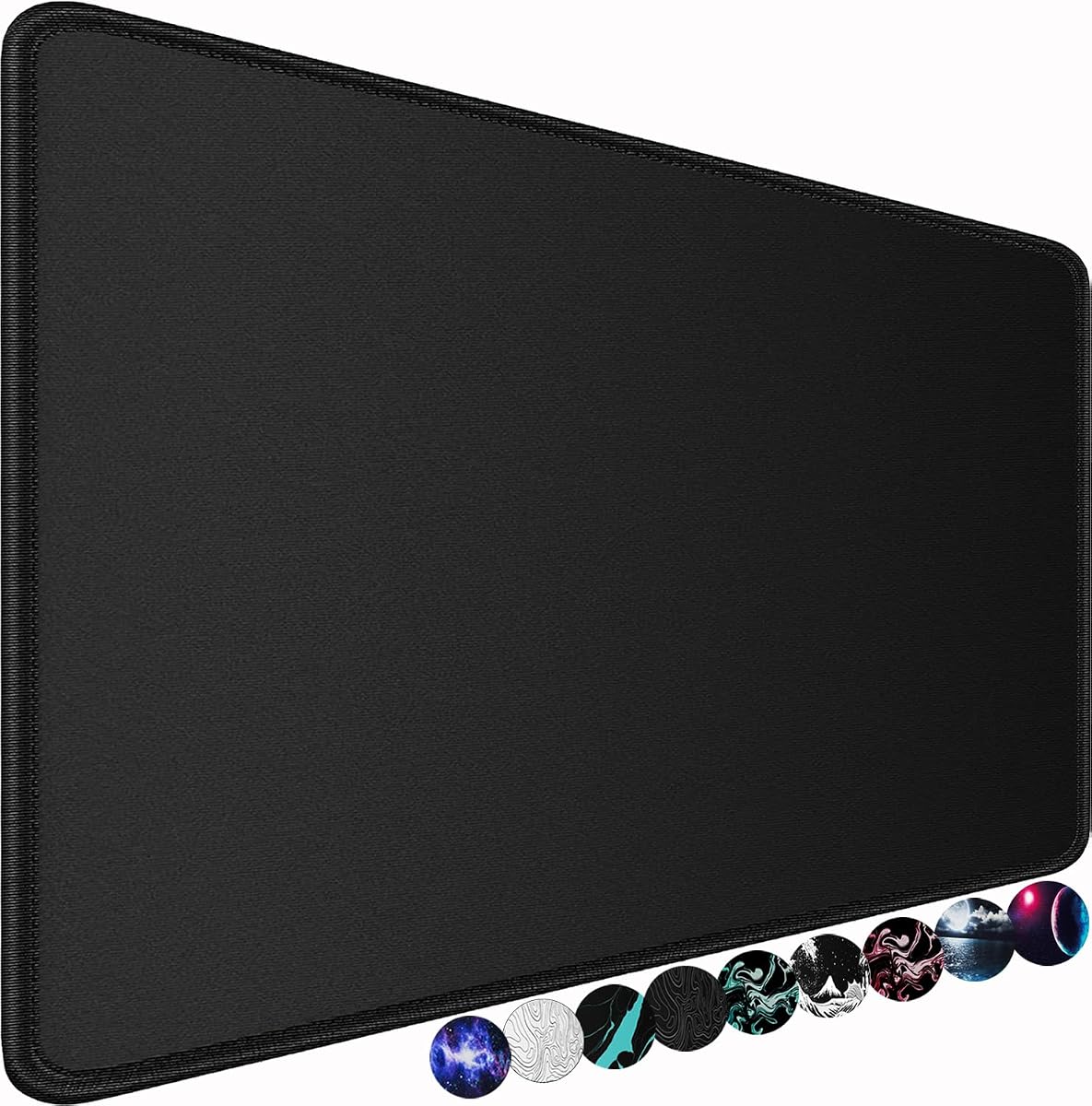
The DIGSOM Gaming Mouse Pad combines a minimalist topographic design with reliable functionality. Its atmospheric pattern adds a stylish touch to your desk while maintaining a smooth surface for precise control.
We may earn a commission when you buy through this link, at no additional cost to you.
Made with 3mm thick soft fabric and a fine spill-proof coating it protects your desk from accidental spills. The stitching around the edges prevents fraying ensuring the pad lasts through extended use.
While slightly narrower than XXL pads it still offers ample space for keyboard and mouse setups. The non-slip rubber bottom provides strong grip preventing the pad from sliding during gameplay.
This pad is perfect for users seeking a balance of style and performance at an affordable price. Choose it if you value design aesthetics without compromising on tracking quality.
Superior printing technology ensures vibrant color longevity for long-term use.
Spills can be wiped off quickly with a damp cloth keeping the surface clean.
We may earn a commission when you buy through this link, at no additional cost to you.
This Large Gaming Mouse Pad features a highly stitched edge design that prevents fraying and peeling over time. The waterproof coating ensures spills slide off easily maintaining hygiene and surface integrity.
We may earn a commission when you buy through this link, at no additional cost to you.
The terrain line pattern adds visual interest while the soft fabric provides a comfortable glide for your mouse. It is flexible enough to be rolled up making it portable for travel to LAN parties or offices.
Users appreciate the ability to wash the pad when it gets dirty which extends its lifespan. The non-slip rubber bottom secures the pad firmly allowing for stable and precise control.
Select this pad if you need a durable and easy-to-clean surface for daily use. Its practical features make it a reliable choice for both gaming and work environments.
Advanced cloth textile is tested for durability and can be rolled up without creasing.
Spills can be wiped away or the pad can be washed in water without fading.
We may earn a commission when you buy through this link, at no additional cost to you.
The RGB Mousepad Led Mouse Pad offers an impressive fourteen lighting modes including colorful dynamic breathing patterns. It creates a warmer atmospheric gaming environment that enhances your visual experience.
We may earn a commission when you buy through this link, at no additional cost to you.
Its microfiber material allows for precise mouse movement and is waterproof to protect against spills. The USB-powered design allows for plug and play functionality without the need for drivers.
Brightness and mode changes are handled by a simple button interface ensuring ease of use. The power-off memory function saves your last selection so you do not have to reset it every time.
Choose this mousepad if you want vibrant RGB effects without sacrificing functionality. It is an excellent choice for streamers or gamers who value customization and style.
Includes monochrome static modes and dynamic breathing effects for a customized setup.
A single button controls color changes, brightness adjustments, and power toggles.
We may earn a commission when you buy through this link, at no additional cost to you.
The Rinaze Extra Large Gaming Mouse Pad provides full desk coverage to accommodate keyboard, mouse, and accessories comfortably. Its black topographic design offers a professional aesthetic for both home and office setups.
We may earn a commission when you buy through this link, at no additional cost to you.
Strong soft fibers resist wrinkling and shrinking while flat-stitched edges prevent fraying. The non-slip rubber base keeps the pad stable ensuring a smooth silent glide for your mouse.
Cleaning is effortless since spills can be wiped off with a damp cloth or scrubbed at a sink. The product comes with a 180-day money-back guarantee ensuring purchase confidence.
Select this pad if you need extensive desk protection and a reliable surface. It is ideal for users seeking a large footprint that keeps their workspace tidy and organized.
Flat-stitch and anti-fray edges ensure long-term performance and durability.
Maintenance is easy by wiping with a damp cloth or scrubbing at a sink.
We may earn a commission when you buy through this link, at no additional cost to you.
The Large Extended Gaming Mouse Pad boasts a high elasticity natural rubber base for secure grip. Its waterproof coating prevents damage from spills allowing for easy cleaning and maintenance.
We may earn a commission when you buy through this link, at no additional cost to you.
Nylon stitched edges make the pad durable and longer-lasting while the smooth surface ensures accurate control. It is non-toxic and safe for use making it ideal for daily gaming or office tasks.
The pad can be easily rolled up without getting wrinkled which aids in storage or transport. Its optimized surface maintains speed and control during both work and gaming sessions.
Choose this mousepad if you want a reliable and non-toxic option with excellent tracking. It is a great choice for users prioritizing safety and durability.
Non-toxic natural rubber ensures safety for use during daily tasks.
Nylon stitched edges prevent fraying and extend the lifespan of the pad.
We may earn a commission when you buy through this link, at no additional cost to you.
This Large Gaming Mouse Pad features a comfortable lycra surface that is breathable and smooth for tracking. Its thick material helps to muffle noise when you type heavily on the pad adding comfort.
We may earn a commission when you buy through this link, at no additional cost to you.
Professional edge stitching combined with waterproof material prevents fraying and extends the lifespan. The anti-slip rubber base provides heavy grip preventing sliding or movement during intense sessions.
Users appreciate the durable and comfortable material which enhances the overall experience. The surface maintains excellent speed and control allowing for precise movements.
Buy this mousepad if you want a soft and comfortable surface that also offers stability. It is ideal for long sessions where comfort and durability are paramount.
The thick material helps muffle typing noise adding to the comfortable experience.
Lycra breathable material ensures comfort during extended use.
We may earn a commission when you buy through this link, at no additional cost to you.
The Mouse Pad Gaming features vivid dye-sublimation printing delivering crisp fade-resistant colors for a stylish desk mat. Its low-friction fabric surface makes it ideal for precise mouse control and gaming.
We may earn a commission when you buy through this link, at no additional cost to you.
Designed as a full keyboard and mouse pad it helps keep your workspace tidy and organized. The heavy-duty rubber base and double-stitched edges ensure it stays firmly in place and lasts.
It serves well as a desk mat for home and office setups adding a modern touch to your desktop. The versatile design adapts smoothly to work-from-home and gaming needs.
Choose this pad if you want a versatile and stylish option for both work and play. It is perfect for users seeking a functional desk mat with eye-catching artwork.
Advanced dye-sublimation printing delivers crisp fade-resistant colors and striking design.
Adapts smoothly to work-from-home and gaming setups as a multi-purpose mat.
We may earn a commission when you buy through this link, at no additional cost to you.
Selecting the right mousepad involves considering surface texture, size, base stability, and additional features to match your play style.
The surface texture of the mousepad affects how the mouse glides and tracks. Cloth surfaces are popular for balancing speed and control while hard surfaces prioritize speed for competitive games. For GTA 6 a smooth cloth surface provides the precision needed for driving and combat.
Look for micro-woven or micro-textured fabrics that offer consistent tracking across the entire pad.
Gaming mousepads come in various sizes from small to extended XXL. An extended pad allows room for keyboard and mouse movements which is ideal for low sensitivity settings. Ensure the dimensions fit comfortably on your desk.
Choose a size that covers enough area for your peripherals without cluttering your workspace.
A stable base prevents the pad from sliding during gameplay which is crucial for accuracy. Rubber bases are common and provide strong grip on smooth desks. Check for non-slip features to maintain stability.
Prioritize a rubber base with texture or grip for secure placement on your desk.
Durability is key for long-term use especially with frequent gaming sessions. Look for stitched edges that prevent fraying and high-quality fabric that resists wear. Waterproof coatings protect against spills and make cleaning easier.
Select a pad with reinforced edges and protective coatings to ensure longevity.
Some mousepads offer RGB lighting to match your gaming aesthetic. These pads require USB power and may limit desk space. If you value style and customization RGB options can enhance your setup significantly.
Decide if RGB lighting is a priority or if a classic black surface suits your preference better.
Ensure the pad works well with your mouse sensor type whether optical or laser. Most modern pads are optimized for both but some are specifically calibrated for better tracking. Check product details for compatibility claims.
Choose a pad optimized for your specific sensor to avoid tracking issues.
Mousepads often feature unique designs like topographic lines or patterns that add visual interest. These designs can personalize your setup and add a modern touch to your desk. Select a design that matches your style.
Look for vivid printing that ensures colors remain vibrant over time.
If you travel to LAN parties or work from different locations a portable pad is beneficial. Flexible materials that roll up without creasing make transport easier. Check if the pad can be easily folded or rolled.
Opt for a flexible pad that fits in a bag for convenient travel.
To maximize the lifespan of your mousepad keep it in a dry and cool environment. Avoid placing it in direct sunlight to prevent fading of colors and materials. Regularly wipe the surface with a damp cloth to remove dust and debris.
If your pad becomes dirty you can gently hand wash it using mild soap and water. Ensure the pad is completely dry before placing it back on your desk to prevent mold or mildew. Do not use harsh chemicals or machine wash unless specified.
For RGB pads ensure the USB connection is secure and avoid bending the cable excessively. Clean the USB connector periodically to maintain power efficiency. Always store RGB cables neatly to prevent tangling or damage.
Measure your desk dimensions to ensure the mousepad fits without cluttering the space. Extended pads offer more room for keyboard and mouse movements which is beneficial for low DPI settings.
Cloth surfaces generally offer a balance of speed and control suitable for most gamers. Hard surfaces provide faster movement but may be harder on wrist joints.
Waterproof coatings protect against accidental spills making cleanup easier. This feature is useful if you frequently drink near your gaming setup.
Wipe the surface with a damp cloth and mild soap for regular cleaning. For deep cleaning hand wash the pad and let it air dry completely before use.
Most RGB mousepads are plug and play requiring no drivers. Control is typically handled via onboard buttons or simple software if included.
Rubber bases provide the most stability and grip on desks. Textured rubber bases further enhance stability to prevent sliding.
Selecting the right gaming mousepad enhances your experience by providing precision comfort and stability. The top picks cover a range of needs from RGB customization to durability and affordability.
Prioritize features that match your play style and desk setup. Consider size texture and stability as primary factors to ensure optimal performance during gameplay.
Always check current product details and pricing before making a final decision. This guide provides a comprehensive overview to help you choose the best mousepad for your needs.