
Highwings 8K HDMI 2.1 Cable 2-Pack
4.7Editor score
Certified Ultra High Speed
48Gbps Bandwidth
2-Pack Value
This guide compares the top 10 HDMI cables for Roku Ultra, evaluating speed, durability, and certification to help you choose the right high-speed connection.
Choosing the right HDMI cable for your Roku Ultra is essential for unlocking the full potential of your streaming device. A high-quality cable ensures you get crisp 4K resolution, smooth frame rates, and immersive audio without signal drops or compatibility issues.
We have carefully selected and reviewed ten top-rated HDMI cables that meet the rigorous standards required for modern streaming and gaming. Each product was evaluated based on its bandwidth capabilities, build quality, certification status, and real-world performance with Roku devices.
Each pick in this guide highlights specific strengths, from budget-friendly options to premium certified cables. Please note that product availability and pricing can change frequently, so always check the current details before making your final purchase decision.
4.7Editor score
4.8Editor score

4.7Editor score
Here is a side-by-side comparison of the top ten HDMI cables suitable for Roku Ultra users, highlighting their key specifications and unique features to help you make an informed decision.

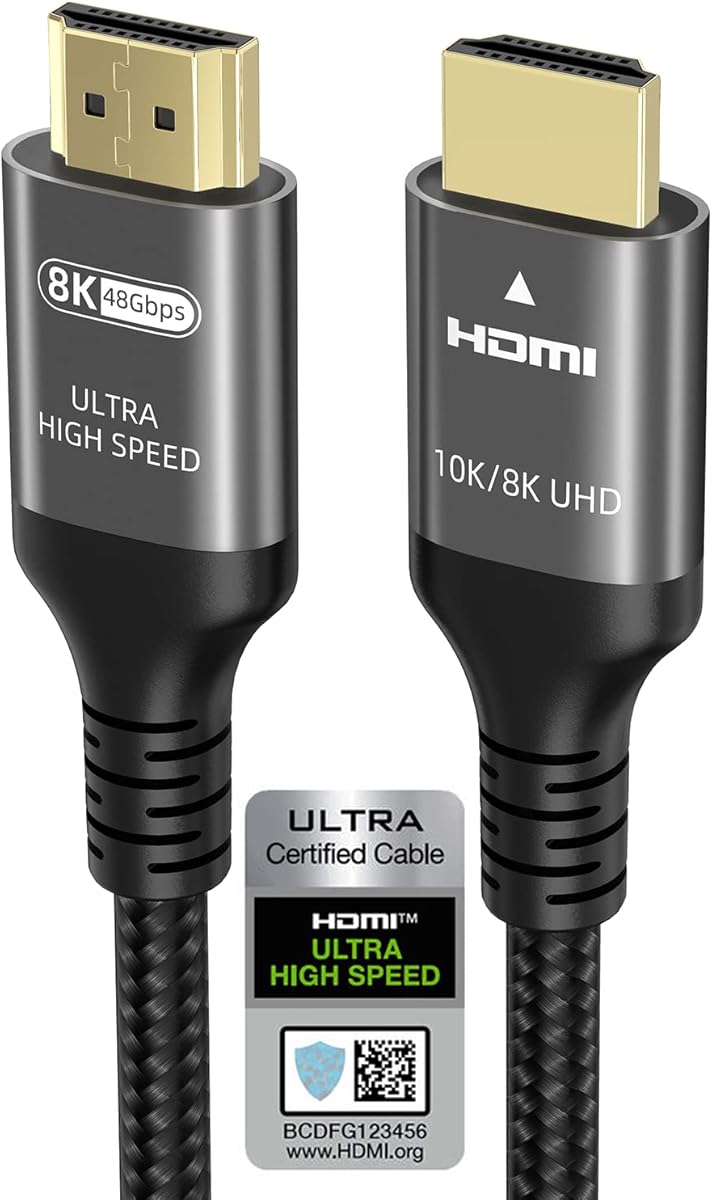





The Highwings 8K HDMI Cable stands out as a top contender for Roku Ultra users seeking high performance without breaking the bank. With a rating of 4.7 stars, this cable delivers 48Gbps bandwidth and supports 8K@60Hz resolution ensuring a smooth viewing experience.
We may earn a commission when you buy through this link, at no additional cost to you.
Its standout features include support for Variable Refresh Rate which helps maximize GPU value for smoother visuals. The military grade tensile nylon material extends the lifespan of the cable significantly. The anti-bending design at the tail adds durability against daily wear and tear.
While it lacks some premium aesthetic choices, the performance is undeniable. The cable is rigorously tested to ensure no dropped frames. It is a reliable choice for those prioritizing function and durability over extra frills.
This cable is ideal for Roku Ultra owners who want a certified high-speed connection. It handles 4K@120Hz gaming and streaming with ease. We recommend it for general home theater setups looking for reliable performance.
This cable uses the latest 2.1 standard to ensure clear displays and accurate signal processing for your device.
The classic style has been upgraded with anti-bending design and military grade nylon to extend life.
We may earn a commission when you buy through this link, at no additional cost to you.
This 2-Pack option from Highwings offers an incredible value for households with multiple streaming setups. It maintains the high quality of the single pack but provides two cables for the price of one premium single cable.
We may earn a commission when you buy through this link, at no additional cost to you.
The upgraded revolution to HDMI 2.1 ensures a leap from 18Gbps to 48Gbps. This means no stuck or dropped frames when watching video. The aluminum alloy shell adds strength and the tail design prevents bending.
The game mode supports variable refresh rate to elevate the gaming experience. Each cable passes rigorous performance tests in the laboratory to ensure perfection. It is a smart buy for anyone needing redundancy or setup in another room.
We recommend this for families setting up multiple Roku Ultra devices. It provides consistent performance across both cables. The bundle price makes it a clear winner for budget conscious buyers.
The cable is compatible with 10K, 8K 60Hz and 4K 240Hz to accurately process every signal source.
Supports 4K@120Hz and 8K@60Hz to maximize the value of graphics cards for a smoother picture.
We may earn a commission when you buy through this link, at no additional cost to you.
The Ubluker 10K 8K HDMI Cable is an excellent choice for users who demand official certification. The package includes an official HDMI certification label confirming compliance with the Forum's strict requirements.
We may earn a commission when you buy through this link, at no additional cost to you.
It supports the latest features including SBTM, ALLM, QMS, and QFT. The bandwidth is a robust 48Gbps supporting resolutions from 8K@60Hz down to 720p. It also handles advanced audio formats like Dolby Atmos and TrueHD.
The deep color support ensures vibrant visuals for compatible displays. It is widely compatible with gaming PCs, consoles, and streaming devices like Roku. This makes it a versatile addition to any entertainment system.
We suggest this cable for those who want verified performance without paying a premium brand price. It meets the high standards needed for modern 4K and 8K content delivery effectively.
It works with Gaming PCs, PS5, Xbox Series X, and all Apple TV or Roku TV devices.
Supports eARC and ARC along with high-bitrate audio formats like DTS Master and Dolby Atmos.
We may earn a commission when you buy through this link, at no additional cost to you.
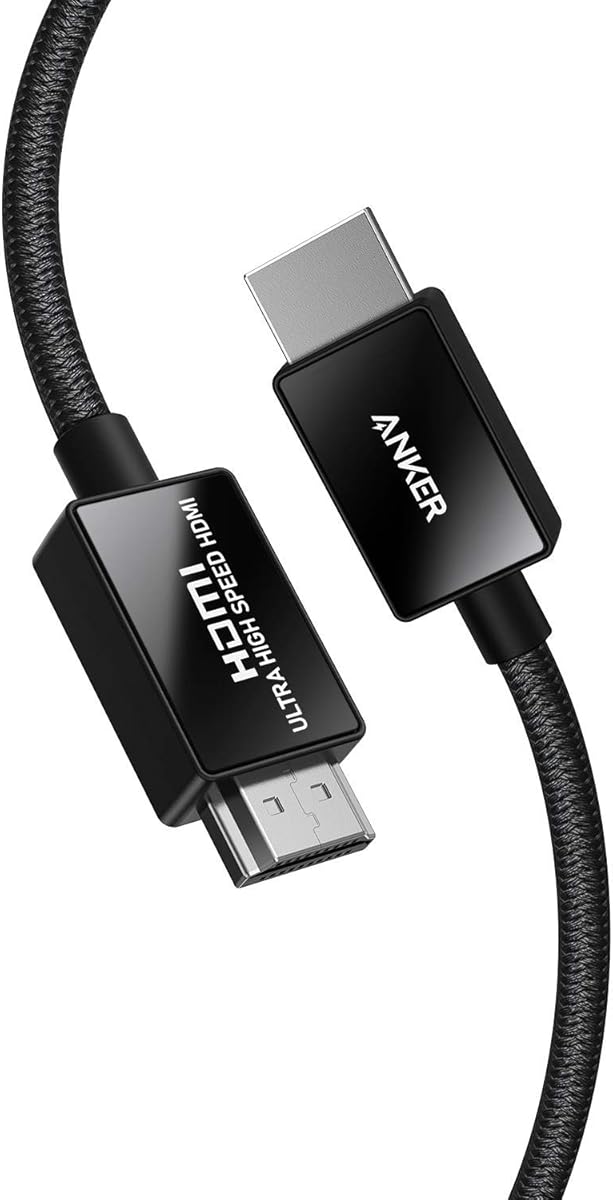
Anker is a trusted name in tech accessories and this HDMI 2.1 cable lives up to the reputation. It is among the first to be officially certified as an Ultra High Speed HDMI cable ensuring reliability.
We may earn a commission when you buy through this link, at no additional cost to you.
The cable features carbon steel connectors and gold connector pins for superior conductivity. A double-braided nylon finish adds robustness. It is designed to withstand 10,000 plugging cycles without issues.
It is engineered for enhanced gaming and streaming with support for 8K@60Hz and 4K@120Hz. The cable is shielded against electromagnetic interference to protect your wireless devices. This makes it a safe choice for complex setups.
We recommend this for users who want a trusted brand with proven durability. It offers a premium feel and reliable performance for Roku Ultra and other high-end devices.
Experience next level visual clarity with 48 Gbps bandwidth ensuring needs are met for years.
Crafted with premium materials including double-braided nylon to ensure it lasts longer.
We may earn a commission when you buy through this link, at no additional cost to you.
Silkland offers a cable that emphasizes durability through its Exclusive E-Braid Technology. Only 1% of HDMI cables pass the 2.1 certification and this one does using a QR code for verification.
We may earn a commission when you buy through this link, at no additional cost to you.
The gaming features are robust supporting 4K@120Hz for consoles and 4K@144Hz for PCs. It uses copper cores and ferrite magnetic beads to ensure uninterrupted signals. This eliminates black screens and flickering which can ruin immersion.
The audio support includes DTS:X and Dolby Atmos for a full immersive experience. Dynamic HDR reveals nuanced brightness for a cinematic adventure. It is built to handle the demands of high-end gaming systems.
We suggest this for gamers who need reliability and low latency. The customer care team is dedicated to resolving concerns quickly. It is a strong choice for PS5 or Xbox Series X users.
Elevate your experience with smooth 4K@120Hz gameplay and ultra-responsive rates for PC.
Double-layer fishnet winding and nylon braiding ensure unprecedented durability.
We may earn a commission when you buy through this link, at no additional cost to you.
Acer delivers a solid HDMI 2.1 cable that fits well into home theater environments. It supports 8K@60Hz and 4K@240Hz delivering sharp and detailed visuals for TVs and monitors.
We may earn a commission when you buy through this link, at no additional cost to you.
The 48Gbps bandwidth ensures stable video and audio transmission. A high-purity copper core inside the braided jacket helps resist EMI. This durability helps it resist bending and daily wear effectively.
It supports eARC and ARC for immersive audio on compatible devices. VRR helps reduce screen tearing for smoother gameplay on consoles. It is a versatile cord for office and entertainment use.
We recommend this for users who want a reliable brand at a fair price. It handles soundbars and home theaters with ease. The build quality is consistent with the premium expectations of the brand.
Supports 4K@240Hz and 8K@60Hz for PS5 and Xbox Series X with VRR support.
Supports eARC, Dolby Vision, and Dolby Atmos on compatible devices for rich sound.
We may earn a commission when you buy through this link, at no additional cost to you.
The UGREEN 8K HDMI Cable is certified for 10K and 8K resolution which makes a remarkable improvement in image clarity. It delivers uncompressed video with high-speed transmission without signal loss.
We may earn a commission when you buy through this link, at no additional cost to you.
It is 2.6 times faster than HDMI 2.0 which allows for quicker media switching. The auto low latency mode uses VRR to eliminate black periods during mode switches. This ensures a smooth user experience for movies and games.
The cable is built with a robust aluminum alloy case and nickel-plated connectors. A durable nylon braided jacket withstands frequent bending tests. This enhanced durability ensures a longer lifespan for the cable.
We recommend this for users who value high-quality images and fast switching. It works well with 8K UHD TVs and soundbars. The performance is consistent with its certified status.
The cables pass HDMI 2.1 Certified ensuring higher resolution and image sharpness.
Features Dynamic HDR to let you capture more details with 12-bit color accuracy.
We may earn a commission when you buy through this link, at no additional cost to you.
The Zeskit Certified 2.1 HDMI Cable comes in a convenient 5ft length perfect for close connections. It is certified as an Ultra High Speed HDMI cable with a hologram sticker for verification.
We may earn a commission when you buy through this link, at no additional cost to you.
The 48Gbps bandwidth supports the latest features including HDR and Dynamic HDR. It also supports DTS:X and Dolby Vision which enhances the audio and visual experience. The cable is backward compatible with earlier HDMI versions.
It is a strong choice for Roku and Apple TV setups where short cables are preferred. The support for HDCP 2.2 and 2.3 ensures effortless access to streaming platforms. The design is streamlined for modern devices.
We suggest this for users who need a compact and reliable cable. It handles 4K120Hz and 8K60 resolution without issues. The certification gives confidence in the quality of the signal.
At 1.5m or 5ft it is ideal for short connections to devices like Roku.
Supports QFT, QMS, VRR and eARC for a seamless entertainment experience.
We may earn a commission when you buy through this link, at no additional cost to you.
The Stouchi Ultra High Speed HDMI Cable is designed with a slim profile to fit easily into tight spaces. It adheres to the latest HDMI 2.1a specification for high-resolution formats like 8K@60Hz.
We may earn a commission when you buy through this link, at no additional cost to you.
Its robust construction includes gold-plated connectors and triple tin shielding to minimize interference. A 30AWG copper wire ensures stable transmission. The nylon braided cable ensures superior durability with frequent plugging.
It supports SBTM and Variable Refresh Rate to elevate viewing enjoyment. The Dynamic HDR support reveals nuances for OLED displays. It is compatible with streaming devices and laptops.
We recommend this for users who value a sleek design without sacrificing performance. It is a solid choice for Roku Ultra owners who need a short and sturdy connection.
Features enhanced Audio Return Channel and is compatible with advanced audio technologies.
Say goodbye to screen tearing with Variable Refresh Rate and Quick Media Switching.
We may earn a commission when you buy through this link, at no additional cost to you.
The BlueRigger 8K HDMI Cable stands out for its impressive 15-foot length which is perfect for larger rooms. It supports HDMI 2.1 with 48Gbps bandwidth and 8K 60Hz resolution.
We may earn a commission when you buy through this link, at no additional cost to you.
It is built with solid copper wires and 24K gold-plated connectors to resist corrosion. This maximizes stable signal strength over long distances. The cable has a lifespan of over 25,000 bends.
The lifetime warranty and US-based customer support add significant value. It is backward compatible with older standards for broader compatibility. The high-quality construction ensures it lasts for years.
We recommend this for users who need to run cables across a room. It delivers unparalleled video quality with no lag. It is the premium choice for demanding home theater setups.
Supports HDMI 2.1, 8K 60Hz and 4K 120Hz up to 15FT with 48Gbps bandwidth.
Built with solid copper wires and 24K gold-plated connectors that resist corrosion.
We may earn a commission when you buy through this link, at no additional cost to you.
When selecting an HDMI cable for your Roku Ultra, there are several technical and practical factors to consider to ensure you get the best performance and durability.
The bandwidth of the HDMI cable determines how much data can be transmitted per second. For 4K and 8K content, you need a cable with at least 48Gbps bandwidth which is standard for HDMI 2.1. This ensures you get smooth 120Hz refresh rates without dropped frames.
Always look for cables labeled as Ultra High Speed to guarantee this bandwidth capability.
Official certification from the HDMI Forum ensures the cable meets strict quality and performance standards. Certified cables are rigorously tested to prevent signal loss and interference. This gives you confidence that the cable will work reliably with high-end devices like the Roku Ultra.
Check for certification labels or hologram stickers to verify authenticity before purchasing.
Choosing the right length depends on your physical setup. Shorter cables can reduce signal loss and are often cheaper but may not reach from a console to a TV across a room. Longer cables like 15 feet offer flexibility but require high-quality materials to maintain signal integrity.
Measure your space carefully and buy a cable that is slightly longer than needed to avoid tension.
Build quality impacts how long the cable will last. Look for cables with braided nylon jackets and reinforced tails to prevent fraying or bending. Connectors made of gold-plated brass resist corrosion and ensure a secure connection over time.
Durable materials help withstand daily plugging and unplugging without breaking.
Modern cables should support advanced audio formats like Dolby Atmos and DTS:X. Look for eARC (Enhanced Audio Return Channel) support to transmit high-quality audio to soundbars. This ensures your audio experience matches the video quality of your streaming device.
Ensure the cable supports at least HDCP 2.2 or 2.3 to access protected streaming content.
If you plan on gaming on your Roku or other connected consoles, look for gaming-specific features like Variable Refresh Rate (VRR) and Auto Low Latency Mode (ALLM). These features reduce screen tearing and input lag for a smoother gameplay experience.
While Roku is primarily for streaming, these features ensure future compatibility with gaming devices.
Price should be balanced with the features offered. While expensive cables often promise better durability, many mid-range options provide excellent performance for a fraction of the cost. Look for bundles or 2-packs if you need multiple cables to maximize value.
A higher price does not always mean better performance for standard streaming needs.
A good warranty indicates the manufacturer stands behind their product. Look for companies that offer at least a one-year warranty or even lifetime coverage. Customer support is also important in case you need technical assistance with your setup.
Choose brands with a reputation for responsive service and clear return policies.
To ensure your HDMI cable performs at its best, connect it firmly to both the HDMI port on your Roku Ultra and your TV. Make sure the connection is fully seated to avoid signal dropouts caused by loose connections.
Avoid sharp bends or pinching the cable behind your TV or furniture. Excessive bending can damage the internal copper wires and lead to signal degradation over time. Use cable organizers or clips to keep the path straight and tidy.
If you are not using the Roku Ultra for extended periods, consider unplugging the cable from the device to protect the connector pins. Periodic cleaning of the connector tips with a dry cloth can prevent dust buildup that might interfere with contact.
Yes, for the best experience with 4K and HDR content you need a high-speed cable. While standard cables may work, an Ultra High Speed HDMI cable ensures you get full bandwidth for 4K@60Hz or 120Hz content. This prevents compression artifacts and dropped frames.
HDMI 2.1 cables offer significantly higher bandwidth up to 48Gbps compared to 18Gbps on 2.0. This allows for higher resolutions like 8K and higher refresh rates like 4K@120Hz. If you want future-proof performance, a 2.1 cable is the better choice.
For standard copper HDMI cables, the limit is typically around 15 feet without active boosting. Beyond this length, signal degradation can occur leading to dropouts. For longer runs, consider active optical cables or extenders to maintain quality.
A cheap cable is unlikely to damage the device directly but may cause connectivity issues. Poor shielding can lead to interference and weak contacts can cause short bursts. However, certified cables provide a safer connection for your electronics.
Yes, HDMI 2.1 cables are backward compatible with older versions like HDMI 2.0 or 1.4. They will work with older Roku models but will only deliver up to the speed supported by those devices. You do not lose functionality by using a newer cable.
An 8K cable is fully capable of handling 4K video and is recommended for future-proofing. Since they cost little more than standard high-speed cables, it makes sense to buy one now. It ensures you are ready for upgrades without buying a new cable.
Certified cables often come with a hologram sticker or a label on the packaging. You can scan a QR code on the label to verify authenticity on the HDMI Forum website. This verification ensures the cable meets strict performance standards.
Yes, longer cables are more prone to signal loss and interference due to resistance. Higher quality cables with better shielding minimize this issue but length still matters for maximum performance. Try to use the shortest cable necessary for your setup.
We have reviewed ten of the best HDMI cables available for Roku Ultra users in November 2026. From the budget-friendly Highwings packs to the premium BlueRigger options there is a choice for every need and budget.
Prioritize bandwidth and certification when making your decision to ensure you get the most out of your streaming device. Features like eARC and HDR support are essential for a high-quality home theater experience.
Prices and availability change frequently so always check the current deal on the links provided before buying. With the right cable you can unlock the full potential of your Roku Ultra and enjoy crisp 4K and 8K content seamlessly.