
Harvopu Keyboard Case
4.4Editor score
7-color backlight
Detachable design
Multi-angle stand
Choosing the right keyboard case for your iPad Pro 13 M4 transforms it into a versatile workstation. The best options offer responsive keys, precise trackpads, and robust protection without adding bulk.
We compared ten top-rated models based on compatibility, build quality, and user feedback. Our analysis covers magnetic designs, detachable layouts, and various stand configurations for every workflow.
Each pick highlights unique strengths to help you decide. Note that availability and pricing may change, so verify details before purchasing to ensure the best fit for your needs.
4.4Editor score

4.3Editor score

3.7Editor score
As an Amazon Associate we earn from qualifying purchases.
This side-by-side comparison highlights key features across all ten models to help you quickly identify the right option for your specific usage patterns and preferences.


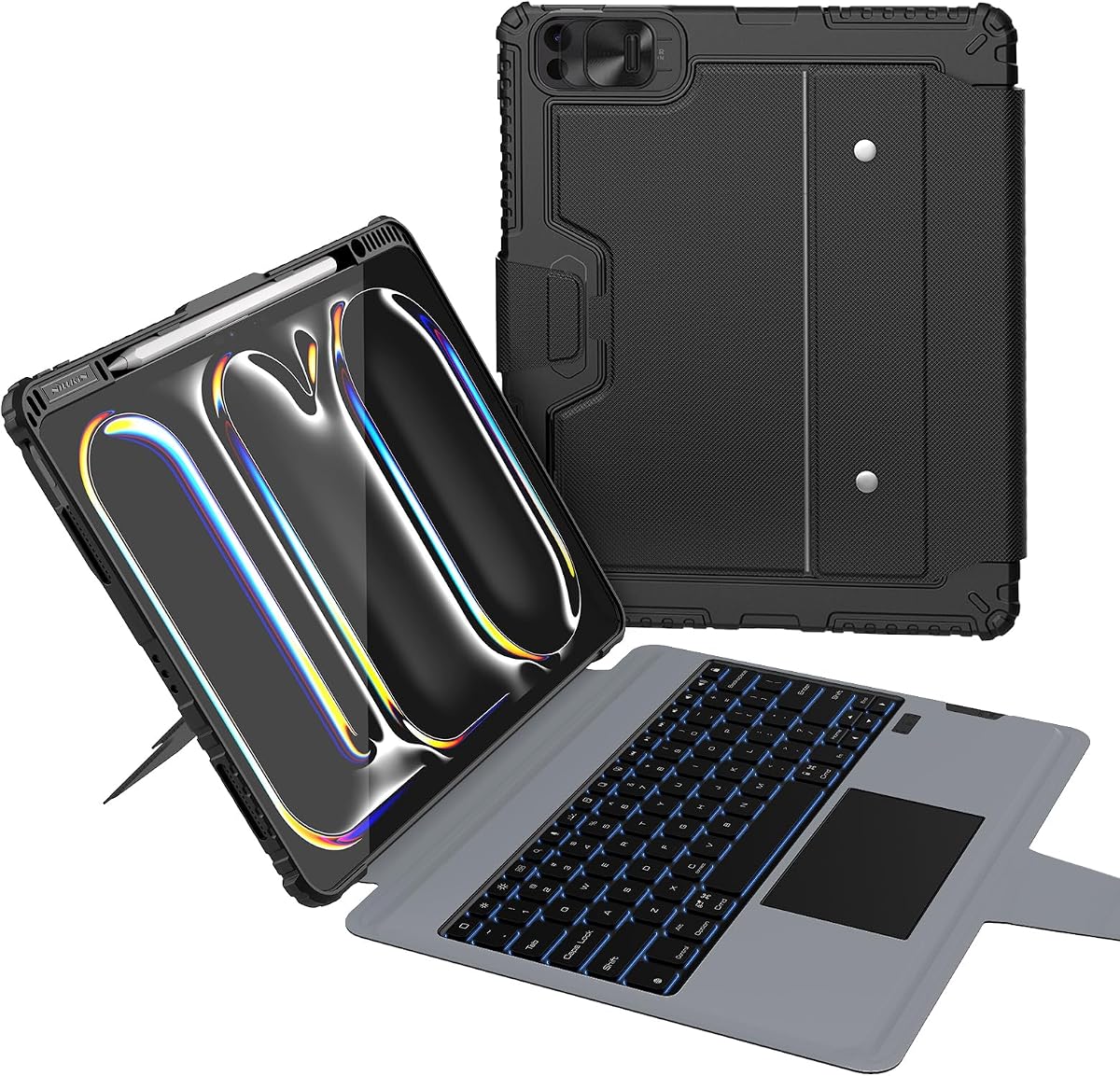

This case stands out for its premium typing experience and functional design. It delivers laptop-like functionality with a responsive trackpad and solid build quality.
We may earn a commission when you buy through this link, at no additional cost to you.
The scissor mechanism keys provide excellent tactile feedback. The trackpad supports Multi-Touch gestures, making navigation intuitive and efficient for daily tasks.
While the price is higher, the durability and feature set justify the cost. It offers full protection without compromising portability or performance.
Ideal for professionals needing reliable performance. If you value typing comfort and seamless integration, this is the top recommendation.
The key layout mimics desktop keyboards, reducing fatigue during long sessions.
Haptic feedback allows for precise cursor control similar to a laptop.
We may earn a commission when you buy through this link, at no additional cost to you.
This model focuses on versatility. The magnetic design allows quick transitions between work and creative modes without tools.
We may earn a commission when you buy through this link, at no additional cost to you.
The stand adjusts easily for typing or media. The detachable back gives freedom to use the iPad as a slate for drawing or reading.
Some users may find the connection strong but occasionally difficult to align. It offers great protection while remaining relatively lightweight for travel.
Best for users who switch tasks often. If you need a tablet for both productivity and art, this flexibility is valuable.
Magnets align automatically, saving time when switching between modes.
Multiple angles support everything from typing to media consumption comfortably.
We may earn a commission when you buy through this link, at no additional cost to you.
Stability is the key strength here. The stand offers a wide range of angles to suit various ergonomic needs.
We may earn a commission when you buy through this link, at no additional cost to you.
The larger trackpad improves navigation efficiency. Combined with protective corners, it balances utility with physical safety for the device.
Detaching the keyboard for drawing is simple. However, the size might be too heavy for casual handheld use or tight bags.
Suitable for desk-based work or steady setups. If you need reliable support and extra protection, this is a strong contender.
The adjustable stand adapts to different sitting positions and room setups.
The expanded surface area allows for more complex gestures and control.
We may earn a commission when you buy through this link, at no additional cost to you.
Portability is the main focus of this design. It maintains a sleek profile that fits easily into smaller bags or cases.
We may earn a commission when you buy through this link, at no additional cost to you.
The backlighting is versatile for different environments. The magnetic closure ensures security while keeping the device accessible.
Although lightweight, it still offers solid protection. The trackpad is responsive, though it may not offer the same range as larger models.
Great for travelers or students. If weight is a priority but you still need keyboard functionality, this is an excellent choice.
The slim design reduces bulk while maintaining full functionality and protection.
Adjustable brightness helps reduce eye strain in various lighting conditions.
We may earn a commission when you buy through this link, at no additional cost to you.
This option uses the Smart Connector for power, eliminating battery worries. It integrates well with iPadOS for a cohesive workflow.
We may earn a commission when you buy through this link, at no additional cost to you.
The kickstand offers a wide range of angles. The large trackpad supports complex gestures, enhancing productivity without additional peripherals.
Its weight is a consideration for handheld use. However, for desk work, it provides a robust and reliable solution.
Best for power users needing a laptop replacement. If connectivity is your priority, this model stands out.
Drawing power from the iPad removes the need for external charging cables.
The structure is sturdy enough to handle daily transport and heavy typing.
We may earn a commission when you buy through this link, at no additional cost to you.
This model delivers strong value without compromising on key features. It offers a full keyboard and trackpad at an accessible price.
We may earn a commission when you buy through this link, at no additional cost to you.
The backlight is customizable to suit personal preferences. The detachable design adds flexibility for different usage scenarios.
The battery life is commendable, lasting weeks on a single charge. Some may find the key feel less refined than premium options.
Ideal for budget-conscious buyers. If you need reliable functionality without high costs, this is a top pick.
Efficient power management ensures you rarely need to recharge the keyboard.
Multiple colors allow you to match the look to your personal style.
We may earn a commission when you buy through this link, at no additional cost to you.
Unique support for portrait mode sets this apart. It allows natural reading or browsing in a vertical orientation.
We may earn a commission when you buy through this link, at no additional cost to you.
The wingshell back case offers protection without bulk. The magnetic connection is robust, ensuring stability during typing.
The trackpad is larger than average, aiding navigation. However, it is specifically designed for the latest iPad Pro models.
Best for users who read vertically. If you need a slim, versatile case for varied orientations, this fits well.
The design accommodates vertical use for reading or content creation.
The back case is minimal yet provides essential protection for the device.
We may earn a commission when you buy through this link, at no additional cost to you.
This model features a unique rotating stand for ultimate flexibility. You can adjust the screen to any angle for comfortable use.
We may earn a commission when you buy through this link, at no additional cost to you.
The transparent back keeps the device look intact. The trackpad is responsive, making navigation smooth and intuitive.
The clear design shows off the device but may show smudges. It is a stylish option for those who want visibility.
Ideal for creative use. If you need maximum screen positioning freedom, this is a standout choice.
The stand rotates fully, allowing for unique setups and viewing angles.
Transparency lets you appreciate the original look of your iPad.
We may earn a commission when you buy through this link, at no additional cost to you.
Protection is the priority here. The rugged design ensures the iPad can withstand drops and rough handling.
We may earn a commission when you buy through this link, at no additional cost to you.
The privacy camera cover is a unique feature. The stand allows for nearly any angle, offering extreme versatility.
It is heavier than typical cases, which might reduce portability. However, for jobs requiring durability, it is unmatched.
Best for field work or heavy use. If protection is the main concern, this model delivers.
The rugged build ensures safety even in challenging environments.
The camera cover adds an extra layer of privacy and lens protection.
We may earn a commission when you buy through this link, at no additional cost to you.
Style is the main focus of this case. The clear design highlights the device while offering modern protection.
We may earn a commission when you buy through this link, at no additional cost to you.
The rotating base supports different usage modes. The keyboard offers solid connectivity for productive tasks.
Like other clear cases, it may show fingerprints easily. It is an attractive option for those who value design.
Ideal for users prioritizing looks. If you want a stylish accessory that functions well, this is a good choice.
The clear design and futuristic look enhance the device's appearance.
The stand allows for versatile positioning to suit different tasks.
We may earn a commission when you buy through this link, at no additional cost to you.
Selecting the right case involves balancing protection, typing feel, and price.
Always verify that the case matches your iPad model numbers exactly. The M4 and M5 models have specific port placements.
Check the product page to confirm fit before purchasing.
A large, responsive trackpad enhances navigation and reduces touch use. Look for multi-touch support and accurate cursor movement.
Prioritize models with larger surfaces for better control.
The key mechanism impacts comfort during long work sessions. Scissor switches usually offer better tactile feedback than membrane keys.
Test reviews to ensure the feel matches your expectations.
Some cases have built-in batteries requiring charging, while others draw power from the iPad. Built-in batteries offer independence but add maintenance.
Decide if you want to charge the accessory separately.
Protective corners and sturdy hinges extend the life of the case. Look for reinforced materials if you travel often.
Choose designs with tested impact resistance for safety.
Weight and bulk affect how easy the iPad is to carry. Lighter cases are better for travel, while rugged ones offer more security.
Weigh your need for protection against weight.
Ensure magnets align correctly to avoid scratches on your device before attaching.
Charge Bluetooth models periodically to maintain optimal performance and lifespan.
Wipe the keyboard and case regularly to prevent dust buildup in key crevices.
Yes, most cases are designed for both M4 and M5 models due to identical dimensions. Always verify model compatibility on the product page before purchasing.
Not all cases do. Some use the Smart Connector for instant connection without pairing. Others rely on Bluetooth, which requires initial setup via settings.
Most modern cases include a holder or magnet for the Apple Pencil. Ensure the case does not block the charging area if you plan to charge wirelessly.
Most cases fit standard screen protectors. Check the thickness of the protector to ensure it does not interfere with the keyboard attachment.
Use a soft, lint-free cloth to wipe down surfaces. Avoid harsh chemicals to prevent damage to coatings and plastic parts of the case.
Many models include a USB-C pass-through port. This allows charging while the case is attached without needing to remove the keyboard.
We have reviewed ten models covering different needs from budget options to premium choices.
Focus on the features that matter most to your workflow, such as trackpad size or durability.
Always verify current pricing and availability before making a purchase to ensure you get the best deal.