
Mount-It! Standing Keyboard Tray
4.4Editor score
1.7 to 15.6 inch height range
No assembly required
Lifetime manufacturer warranty included
Finding the right keyboard tray for standing desk setups is essential for maintaining comfort during long work hours. A well-designed tray supports proper posture and reduces strain on your wrists and shoulders while typing.
We evaluated ten highly-rated products based on compatibility, adjustability, build quality, and user feedback. Each option offers unique features tailored to different desk types and ergonomic preferences for optimal performance.
Each pick highlights key strengths, ideal use cases, and potential limitations to guide your decision. Please note that product availability and pricing may change over time, so verify details before purchasing.
4.4Editor score
4.4Editor score
4.4Editor score
As an Amazon Associate we earn from qualifying purchases.
The following table provides a side-by-side comparison of the top ten keyboard trays designed for standing desks, highlighting key specifications and unique features for easy evaluation.


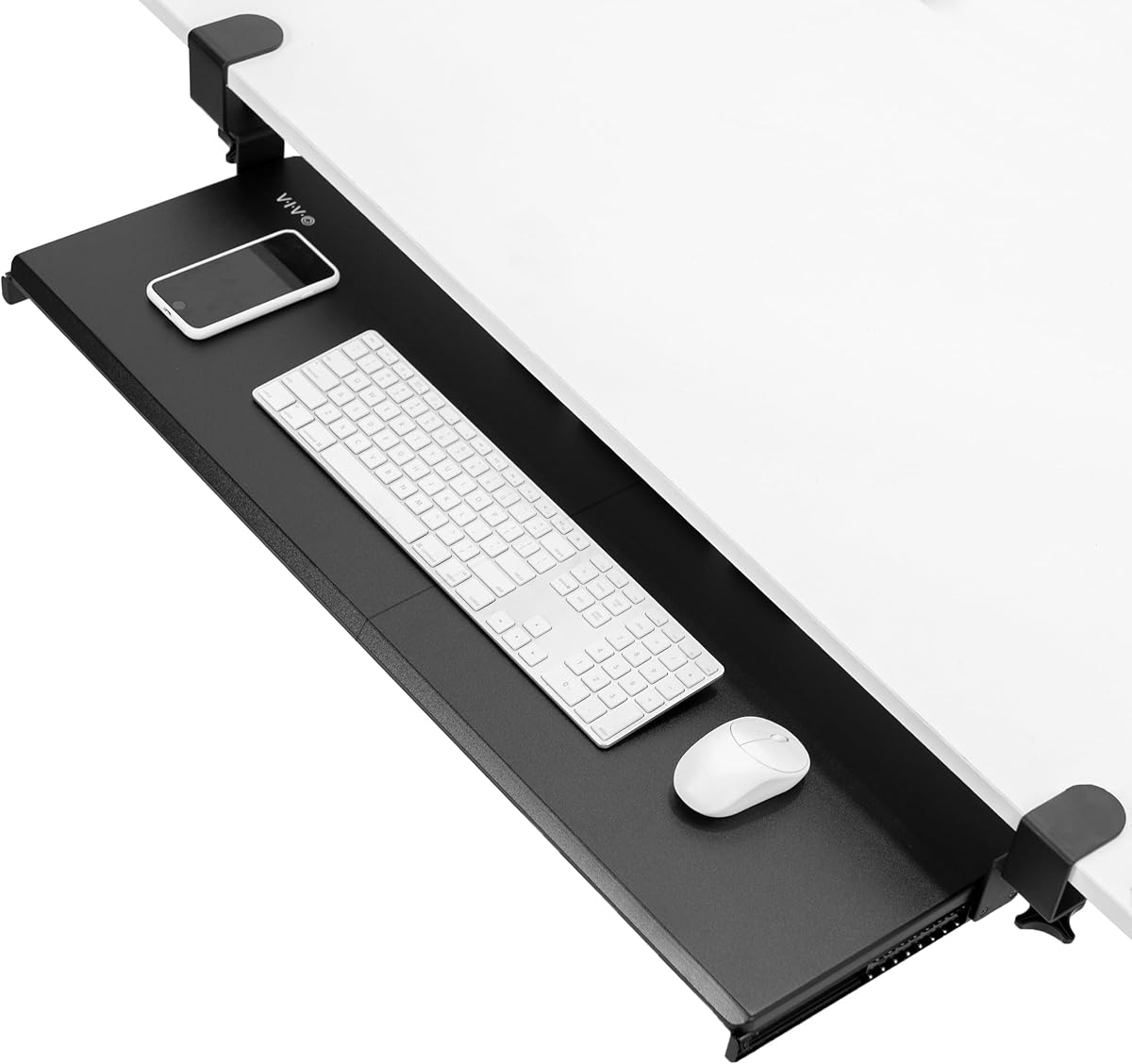
The VIVO Black Extra Large Clamp-on keyboard tray stands out as a top contender for standing desk users seeking ample workspace. With a 34 by 11 inch surface, it comfortably holds full-size keyboards, mice, and accessories while freeing up valuable desktop space for other tools and documents.
We may earn a commission when you buy through this link, at no additional cost to you.
Its sturdy C-clamp system ensures a secure attachment to desks up to 1.25 inches thick without causing damage. The tray slides smoothly in and out, allowing you to adjust typing positions easily. The ergonomic angles help reduce wrist and shoulder strain during extended work sessions, promoting better posture and comfort.
While the tray offers excellent functionality, it requires flat desk edges for proper installation, excluding beveled surfaces. Additionally, the total length from clamp to clamp is 39.4 inches, so measuring your desk width is essential to avoid fitment issues. These trade-offs are acceptable given the robust build and spacious design.
This tray is ideal for users with standard office desks who prioritize durability and space. Whether you work from home or manage an office setup, the VIVO tray provides a reliable solution for ergonomic typing. We recommend it for those seeking a balance of size, stability, and ease of use.
The large 34 by 11 inch platform accommodates full-size keyboards and mice side by side, ensuring room for accessories without cluttering your desktop surface.
Solid C-clamps attach firmly to your desk edge, providing stability without drilling holes or causing permanent damage to your workstation.
We may earn a commission when you buy through this link, at no additional cost to you.
The HUANUO Under Desk Keyboard Tray is uniquely designed to accommodate both flat-bottom and cross-beam desks, making it versatile for various workstation types. Its specialized brackets allow secure installation on electric standing desks with beams up to 2 inches in height, solving a common compatibility issue.
We may earn a commission when you buy through this link, at no additional cost to you.
Equipped with a high-quality metal roller track system, the tray offers effortless sliding tested for 20,000 cycles, ensuring long-term durability. Users can adjust height by 6.3 inches, swivel 180 degrees, and tilt for optimal ergonomic comfort. This flexibility supports both seated and standing typing positions effectively.
Installation requires attention to desk dimensions, particularly depth and under-desk width for full swivel. The need for minimum 35 inches width for 360-degree swivel may limit smaller setups. However, these constraints are reasonable for the added versatility and smooth operation it provides.
Ideal for users with complex desk structures like electric standing desks, this tray offers a tailored solution. Its advanced technology and flexible adjustments make it a strong choice for those needing adaptability in their workspace. We recommend verifying desk specifications before purchase.
Specially-designed brackets enable installation on desks with cross beams, expanding options for electric standing desk users who face mounting challenges.
The metal roller track system ensures silent, reliable sliding tested for extensive cycles, maintaining performance over years of frequent use.
We may earn a commission when you buy through this link, at no additional cost to you.
The Mount-It! Standing Keyboard Tray offers an exceptional height adjustment range from 1.7 to 15.6 inches, accommodating both seated and standing typing comfortably. Unlike many risers that bottom out high, this tray goes low enough for seated use, making it versatile for dynamic workstyles without needing full desk conversion.
We may earn a commission when you buy through this link, at no additional cost to you.
It arrives fully assembled with a lifetime warranty and US-based support, providing peace of mind for long-term use. The 23.6 by 11.8 inch platform supports up to 11 lbs, fitting full keyboards and mice. Its scissor-lift mechanism allows smooth height changes that stay locked in position during typing.
While highly functional, the tray may require specific desk conditions for optimal fit, and the price reflects its premium features. Some users might find the height range excessive for standard desks, but this ensures adaptability. The trade-offs are minor given the robust build and warranty support.
This tray is perfect for professionals seeking top-tier ergonomic support without assembly hassles. It works well for shared workstations, classrooms, or home offices needing reliable height adjustment. We recommend it for those prioritizing comfort and durability in their typing setup.
The 1.7 to 15.6 inch range ensures comfortable typing heights for both seated and standing positions, reducing strain across different work modes.
Backing the product with a lifetime warranty and US-based support ensures long-term reliability and quick assistance if any issues arise.
We may earn a commission when you buy through this link, at no additional cost to you.
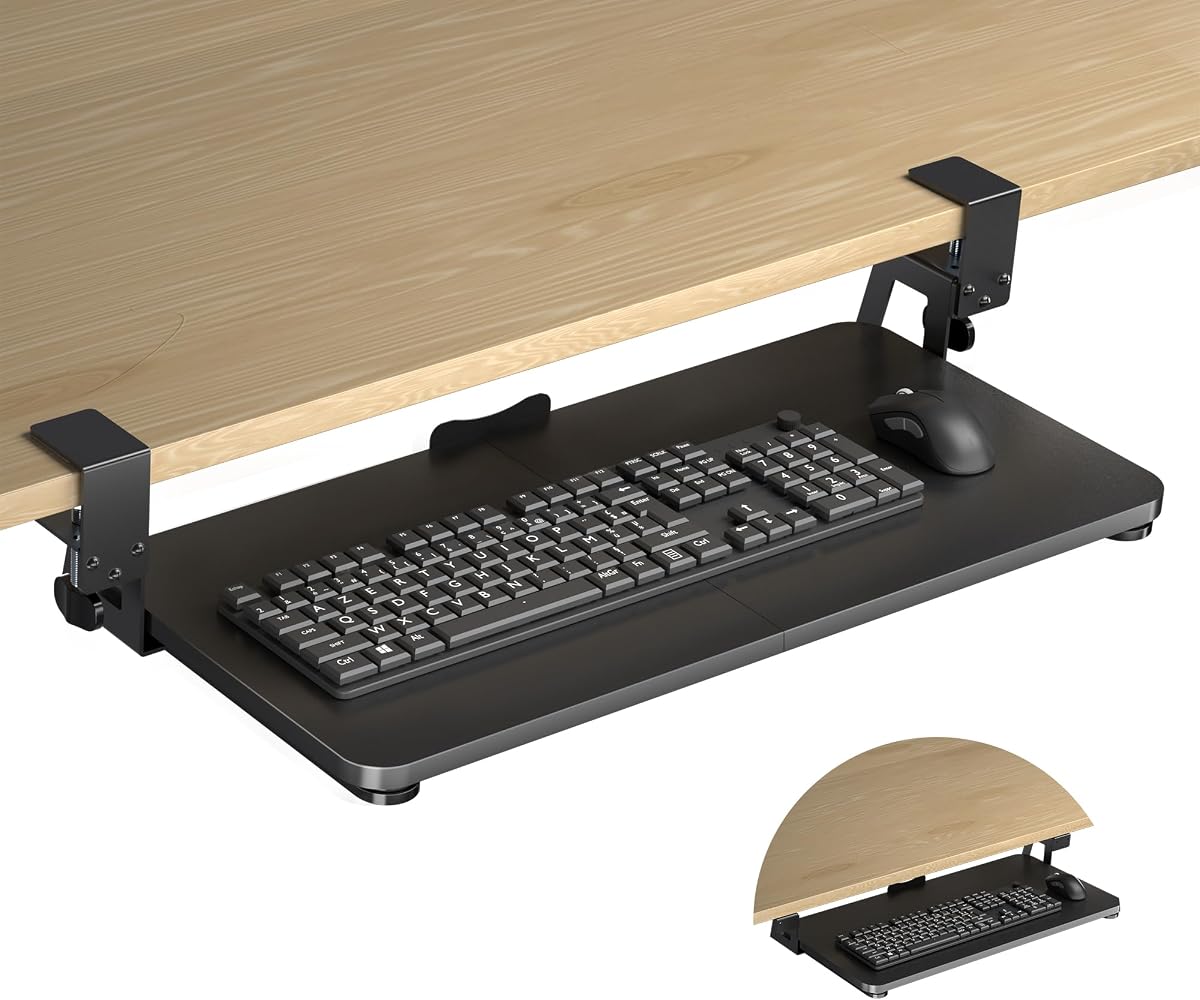
The XINLEI Keyboard Tray Under Desk provides excellent value with its spacious 25.6 by 11.8 inch platform, ideal for keyboard and mouse placement. Designed to save desk space, it slides out smoothly on high-quality metal rails, ensuring quiet operation during use. The back baffle prevents accidental keyboard slips, adding safety.
We may earn a commission when you buy through this link, at no additional cost to you.
Its C-clamp system secures to desks up to 1.63 inches thick, with an alternative screw mounting option for thicker surfaces. This flexibility accommodates various desk types without permanent modification. The ergonomic typing angles help reduce wrist strain, making it suitable for extended work sessions.
While cost-effective, the tray lacks an included wrist rest, requiring separate purchase for added comfort. Height clearance may also vary based on desk thickness, so measuring is essential. These limitations are minor compared to the affordable price and reliable performance it offers.
This tray suits budget-conscious users needing a functional under-desk solution. Whether for home offices or shared workspaces, it delivers stability and ease of use. We recommend it for those seeking a simple, effective upgrade without high costs.
The under-desk placement frees up valuable desktop space, allowing room for monitors and documents while keeping essentials accessible.
C-clamps and screw mounting provide flexible installation, ensuring stability on various desk thicknesses without damage.
We may earn a commission when you buy through this link, at no additional cost to you.
The VIVO Black Clamp-on 23 to 30 tray offers customizable width adjustment from 8.8 to 10 inches, allowing tailored placement for different keyboard sizes. With five height set points and 2.4 inches total adjustment, users can fine-tune typing positions for ergonomic comfort. The included wrist and mouse pads add convenience.
We may earn a commission when you buy through this link, at no additional cost to you.
Its sturdy C-clamps support desks up to 3.4 inches thick, providing robust attachment without damage. The tray extends 8.5 inches from the desk edge, keeping essentials within reach while maintaining a tidy workspace. Assembly is straightforward with all hardware provided for quick setup.
Compatibility is limited to flat desk edges, excluding beveled surfaces which may restrict some setups. The clamp span requires sufficient desk width for proper installation. These constraints are manageable for standard desks, offering significant flexibility in positioning for varied user needs.
This tray is ideal for users needing adjustable setups with added accessories. It suits home offices and professional environments seeking ergonomic improvements. We recommend it for those wanting a versatile, well-supported typing platform.
Width and height adjustments allow personalized typing positions, reducing strain and enhancing comfort during long work hours.
Wrist and mouse pads come included, providing immediate comfort and convenience without extra purchases.
We may earn a commission when you buy through this link, at no additional cost to you.
The BONTEC Under Desk Keyboard Tray offers a convenient no-drill installation using sturdy C-clamps with protective pads to prevent desk damage. Its 25.6 by 11.8 inch platform comfortably fits standard keyboards and mice, providing a spacious typing area. The pull-out design allows easy access and retraction for a tidy workspace.
We may earn a commission when you buy through this link, at no additional cost to you.
Installation secures to desks up to 1.97 inches thick without permanent modification, ideal for renters or shared spaces. The ergonomic position supports natural wrist posture, reducing strain during extended use. Protective pads enhance grip and surface safety during clamping.
Compatibility requires flat, unobstructed desk undersides, excluding curved or beveled edges. The minimum width requirement of 31.3 inches may limit smaller desks. These constraints are specific but ensure stability, making it suitable for standard office setups.
This tray is perfect for users seeking quick, damage-free mounting. It works well in home offices and work-from-home setups needing ergonomic support. We recommend it for those prioritizing simplicity and preservation of desk surfaces.
Secure C-clamps allow fast installation without drilling, preserving desk integrity and enabling easy removal when needed.
The elevated platform promotes natural wrist positioning, helping prevent strain and discomfort during prolonged typing sessions.
We may earn a commission when you buy through this link, at no additional cost to you.
The VIVO Black Under Desk 25 tray provides full side to side rotation for flexible typing positions and ergonomic comfort. Its 25 by 10 inch platform accommodates most keyboards and mice, with 5 inches of height adjustment to suit different desk heights. Rubber padding supports wrists during use.
We may earn a commission when you buy through this link, at no additional cost to you.
Installation is straightforward with included mounting hardware, though spacer brackets may be needed for adjustable desks with crossbars. The compact design fits well in standard office setups, enhancing posture by lowering typing surfaces. Weight capacity is moderate for typical use.
Compatibility may require additional parts for specific desk frames, and weight limits are standard. These factors are minor considerations for a versatile tray. The rotation feature adds significant value for varied typing angles.
This tray is ideal for users needing rotational flexibility and basic ergonomic support. It suits home offices and workspaces seeking improved posture. We recommend it for those wanting a reliable, adaptable under-desk solution.
Full side to side rotation allows easy access to different desk areas, enhancing workflow and reducing reach strain.
Rubber padding provides comfortable wrist support, reducing strain during long typing sessions and promoting better posture.
We may earn a commission when you buy through this link, at no additional cost to you.
The HUANUO Under Desk Keyboard Tray features full motion with 180-degree swivel and tilt options for enhanced typing comfort. Its 25 by 9.84 inch platform fits most keyboards, with 6.3 inches of height adjustment to support seated and standing positions. An included wrist rest adds convenience.
We may earn a commission when you buy through this link, at no additional cost to you.
Installation requires attention to clearance, with specific width needs for rotation and height clearance for standing desks. The tray slides under the desk when not in use, saving space. Users must tighten knobs to secure the platform during typing.
Constraints like width requirements and knob tightening add minor steps but ensure stability. The motion features provide significant ergonomic benefits, making it worth the attention. It works well for dynamic work environments.
This tray suits users needing versatile motion and height adjustment. It is ideal for work-from-home setups seeking ergonomic improvements. We recommend it for those wanting flexible typing positions with included comfort features.
Swivel and tilt features allow customized typing angles, reducing strain and improving comfort during extended use.
Sliding under the desk when not in use keeps the workspace tidy and maximizes available surface area for other tasks.
We may earn a commission when you buy through this link, at no additional cost to you.
The Klearlook Upgraded Adjustable Keyboard Tray offers versatile above and under desk use with 360-degree horizontal rotation for flexible positioning. It includes a built-in drawer, phone slot, and headphone hanger, keeping your workspace organized. The ergonomic riser reduces neck strain with adjustable typing angles.
We may earn a commission when you buy through this link, at no additional cost to you.
Its robust construction ensures stability, minimizing wobbling during typing. The platform accommodates various keyboard and mouse combinations, with integrated mouse pads for smooth control. Installation may take time due to multiple adjustable parts, but results in a highly functional setup.
The complexity and cost reflect its all-in-one features, which may be overkill for simple needs. However, for users seeking organization and versatility, these are valuable trade-offs. It suits diverse work styles and preferences.
This tray is ideal for professionals needing a comprehensive workspace organizer. It works well for home offices and gaming setups requiring multifunctional support. We recommend it for those prioritizing organization and ergonomic flexibility.
Built-in drawer, phone slot, and headphone hanger keep essentials organized, reducing clutter and improving accessibility during work.
Adjustable positioning for above and under desk use caters to varied preferences, enhancing comfort across different work scenarios.
We may earn a commission when you buy through this link, at no additional cost to you.
The Mount-It! Keyboard Tray Under Desk boasts an extra-wide 30-inch tray, accommodating full-size keyboards, wrist rests, and mice with room to spare. Its C-clamp system fits desks up to 1.77 inches thick, offering more than most competitors. The steel rails ensure wobble-free sliding action for stability.
We may earn a commission when you buy through this link, at no additional cost to you.
Installation is no-drill, with silicone-padded clamps protecting desk surfaces. A lifetime warranty and US-based support add reliability. The ergonomic drop promotes neutral wrist angles, reducing strain. Clear instructions and video guides aid setup.
Limitations include incompatibility with beveled edges and crossbars, and some users report fit issues. These constraints require careful desk measurement but are offset by the warranty and build quality. It remains a strong choice for standard setups.
This tray is ideal for users needing wide surface area and thick desk compatibility. It suits home offices and professional environments seeking durability. We recommend it for those prioritizing width and warranty support.
The 30-inch tray accommodates large keyboards and mice comfortably, ensuring ample room without crowding your desk surface.
Reinforced steel construction ensures long-term stability and daily use performance, resisting wear and wobble effectively.
We may earn a commission when you buy through this link, at no additional cost to you.
Selecting the right keyboard tray for standing desk setups involves considering compatibility, adjustability, and build quality. This guide outlines key factors to evaluate for optimal ergonomic support and functionality.
Ensure the tray fits your desk type, including flat or cross-beam designs, and measure thickness and edge shape for proper clamping. Verify width and depth requirements to avoid fitment issues.
Always check product specifications against your desk dimensions before purchasing to ensure secure installation.
Look for trays with sufficient height range to support both seated and standing positions comfortably. Adjustable mechanisms like scissor-lift or slide rails provide ergonomic flexibility.
Prioritize models with clear height adjustment ranges matching your typical working posture needs.
Choose a platform large enough to hold your keyboard, mouse, and accessories without crowding. Weight capacity should support your equipment reliably during use.
Match tray dimensions to your keyboard setup for efficient space usage.
Consider no-drill C-clamp options for damage-free installation or screw mounting for thicker desks. Secure clamps ensure stability during typing.
Select mounting methods compatible with your desk material and thickness.
Smooth roller tracks or metal rails provide quiet, effortless pull-out action. Durability testing like cycle counts indicates long-term performance.
Opt for systems with proven reliability to prevent binding or noise.
Features like tilt, swivel, and wrist rests enhance comfort and reduce strain. Adjustable angles promote neutral wrist positioning during typing.
Prioritize ergonomic options aligned with your comfort priorities.
Check for lifetime or long warranties and US-based customer support. Reliable service ensures assistance if issues arise over time.
Choose products with robust backing for peace of mind.
Models arriving pre-assembled or with clear instructions simplify setup. Look for included hardware and video guides for quick installation.
Select trays matching your comfort with assembly tasks.
Install the tray by securing clamps firmly to the desk edge, ensuring they align with flat surfaces. Adjust height and angles to match your typing posture before regular use.
Clean the tray surface and rails periodically with a soft cloth to prevent dust buildup. Avoid harsh chemicals that could damage finishes or lubrication.
Check clamp tightness occasionally to maintain stability, especially after moving the desk. Re-tighten if sliding becomes loose or noisy over time.
Most trays between 25 and 30 inches width accommodate standard keyboards and mice. Always measure your desk width and depth to confirm compatibility before purchase.
Some models include brackets for cross-beam installation. Verify compatibility in product specs, as many trays only fit flat-bottom desks.
A range of 6 inches or more allows both seated and standing typing comfortably. Models with wider ranges offer greater flexibility for dynamic workstyles.
Many trays use no-drill C-clamps for damage-free mounting. However, thicker desks may need screw options for secure attachment.
Most trays require flat edges for clamping. Beveled or curved edges often prevent proper installation without custom adapters.
Regularly clean rails and apply light lubricant if needed. Avoid overloading the tray to prevent strain on sliding mechanisms.
The top picks offer diverse solutions from budget-friendly to premium ergonomic designs. Each model balances size, adjustability, and compatibility for specific workstation needs.
Prioritize desk compatibility and height range to ensure the tray supports your unique standing desk setup effectively.
Verify current pricing and availability before purchasing as these may change over time for accurate decisions.