
ASUS TUF F16 RTX 4050
4.0Editor score
Intel Core 5 210H Processor
NVIDIA RTX 4050 Graphics
32GB DDR5 RAM
Selecting the right laptop for Fusion 360 requires careful attention to processor speed, graphics performance, and memory capacity. CAD applications demand robust hardware to handle complex assemblies, rendering tasks, and real-time simulation without lag. Whether you are an engineering student or a professional designer, choosing a machine with balanced specs ensures smooth workflow efficiency. This guide evaluates ten real options available today to help you make an informed decision based on performance needs and budget constraints.
We compared these laptops based on core specifications like CPU core count, GPU type, RAM size, and display quality. Fusion 360 benefits significantly from multi-core processors and dedicated graphics cards for faster regeneration and rendering. We analyzed user reviews, technical benchmarks, and official specifications to rank these devices accurately. Our goal is to highlight machines that offer reliable performance for CAD modeling while considering portability and battery life for mobile professionals.
Each pick in this list shows specific strengths, such as gaming-oriented hardware, business durability, or budget-friendly designs. While some models excel in raw power, others prioritize screen accuracy or thermal management during long sessions. Prices and availability can change frequently, so always verify the latest details before purchasing. Use this guide to narrow down your options and find a laptop that supports your creative and technical projects effectively.
4.0Editor score

4.5Editor score
4.0Editor score
As an Amazon Associate we earn from qualifying purchases.
This side-by-side comparison highlights the key specifications of all ten laptops reviewed in this guide. We focus on processor type, graphics capability, memory, storage, and display resolution to help you see differences at a glance. Use this table to quickly identify which models meet the minimum requirements for running Fusion 360 efficiently.




This HP Victus laptop stands out as a powerful option for running Fusion 360 and other demanding CAD software. With a 8. Intel i5 processor and dedicated NVIDIA RTX 3050 graphics, it handles complex 3D models and simulations with ease. The 32GB of RAM ensures that you can keep multiple design files open alongside web browsers and communication tools without slowdowns.
We may earn a commission when you buy through this link, at no additional cost to you.
The 144Hz display provides smooth visuals that are helpful when rotating complex models or during real-time rendering. The numeric keypad is a practical addition for entering precise measurements and data quickly. Windows 11 Pro offers enterprise-level features that support secure work environments and remote access tools. This machine is well-suited for students and professionals who need reliable performance for engineering tasks.
While the gaming aesthetic might be bold for conservative office settings, the performance benefits are significant for CAD work. The laptop runs cool under normal use but may fan up during intensive rendering. Battery life is decent for general tasks but expect shorter durations when running power-intensive applications. Overall, the hardware balance makes it a strong contender for Fusion 360 users.
If you need a laptop that can handle both design work and multimedia tasks, this is an excellent choice. The large storage capacity means you do not need external drives immediately for your project files. Consider this model if you prioritize raw performance over portability or a minimalist look. It offers a solid foundation for growing your design skills and managing larger projects.
The RTX 3050 GPU accelerates rendering and viewport navigation, making complex assemblies feel responsive during daily work.
With 32GB of RAM, you can run Fusion 360 alongside other applications without experiencing memory bottlenecks or slowdowns.
We may earn a commission when you buy through this link, at no additional cost to you.
The ASUS TUF F16 offers top-tier specifications for users who need maximum performance for Fusion 360. The Intel Core 5 processor combined with RTX 4050 graphics ensures smooth handling of complex CAD assemblies and real-time rendering. DDR5 RAM provides faster data throughput compared to previous generations, which helps when working with large projects. The 16-inch display gives you more screen real estate for tool palettes and model views.
We may earn a commission when you buy through this link, at no additional cost to you.
This laptop includes a bundle with a notebook cooler, which is a thoughtful addition for thermal management during long rendering sessions. The keyboard features RGB backlighting and a numeric keypad, making data entry comfortable. Windows 11 Pro supports productivity layouts and collaboration tools that enhance workflow efficiency. The chassis is built to military standards, offering durability for travel or daily commuting.
While the price is higher than average, the included accessories and high-end components justify the cost for professionals. The gaming-oriented design includes RGB elements that might not fit all corporate environments. Battery life is moderate given the powerful hardware, so expect to carry a charger for full-day work. This machine is ideal for those who want the latest tech and robust build quality.
Choose this laptop if you demand the best performance available for engineering software. The extra screen space and DDR5 memory future-proof your investment for upcoming software updates. It is also a good fit for users who value durability and portability in a powerful machine. Assess your budget and needs to confirm this premium model aligns with your goals.
DDR5 RAM offers higher bandwidth, improving performance when switching between large files and multiple applications.
The included laptop cooler helps maintain optimal temperatures, ensuring consistent performance during extended CAD sessions.
We may earn a commission when you buy through this link, at no additional cost to you.
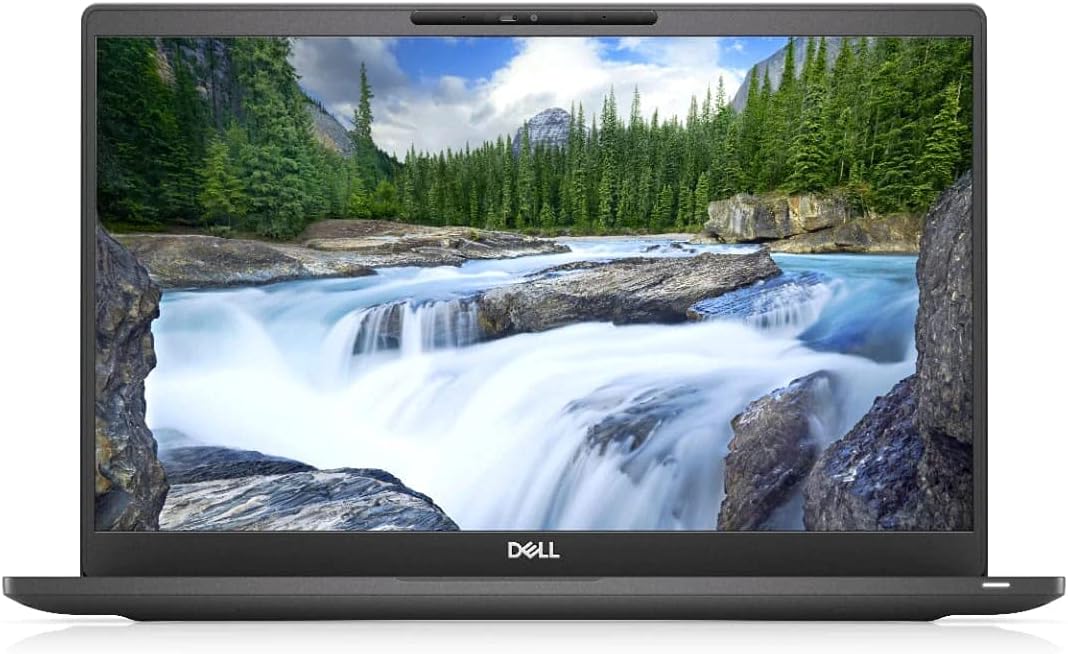
The Dell Latitude 7400 is a compelling budget-friendly option for Fusion 360 users who prioritize RAM and CPU performance. With 32GB of RAM and an i7 processor, it can manage complex projects and multitasking effectively. The professional design fits well in office settings, avoiding the gaming aesthetic of other models. It comes with Windows 11 Pro, offering secure and feature-rich operating system capabilities.
We may earn a commission when you buy through this link, at no additional cost to you.
While it lacks a dedicated GPU, the integrated graphics can still handle basic 3D modeling and drafting tasks. The FHD display provides clear visuals for precision work. The 256GB SSD ensures fast boot times and application loading. This laptop is a smart choice for students or freelancers who need reliable performance without a high price tag.
The older processor generation means it may not match the speed of newer models in heavy rendering. However, for general CAD work and learning, it remains capable. The renewed status offers significant savings while maintaining quality standards. Check the specific renewed condition before purchasing to ensure it meets your expectations.
Opt for this model if you are working within a tighter budget but still need strong memory and CPU. It is ideal for entry-level engineering tasks or remote work. The professional look and solid build make it suitable for corporate use. Verify the renewed warranty terms to protect your investment.
This model delivers 32GB RAM and an i7 CPU at a fraction of the cost of high-end machines.
The business-oriented chassis blends well into office environments and offers a polished, durable appearance.
We may earn a commission when you buy through this link, at no additional cost to you.
This ASUS TUF gaming laptop combines rugged design with capable hardware for Fusion 360. The i7 processor and GTX 1650 graphics provide enough power for modeling and rendering. The 144Hz display ensures smooth motion when navigating complex 3D scenes. The MIL-STD-810G certification means it can withstand bumps and drops during travel.
We may earn a commission when you buy through this link, at no additional cost to you.
While the 8GB RAM is functional, upgrading to 16GB would improve performance for large assemblies. Windows 10 is included, but upgrading to Windows 11 may be beneficial for compatibility. The keyboard is responsive and backlit for use in low light. This laptop is a solid choice for those who value durability and performance at a reasonable price.
The design is geared toward gaming but works well for engineering tasks. The cooling system keeps temperatures in check even under load. Battery life is average given the hardware. Check if RAM upgrades are possible on this specific model to maximize its longevity.
Select this if you need a tough machine for field work or classroom use. The balance of power and affordability makes it attractive for students. It is suitable for light to moderate CAD work. Verify RAM upgrade options before purchasing to ensure future-proofing.
Built to meet rigorous standards, this laptop resists shocks and vibration for reliable use in varied environments.
The 144Hz screen reduces motion blur, making viewport navigation smoother during design sessions.
We may earn a commission when you buy through this link, at no additional cost to you.
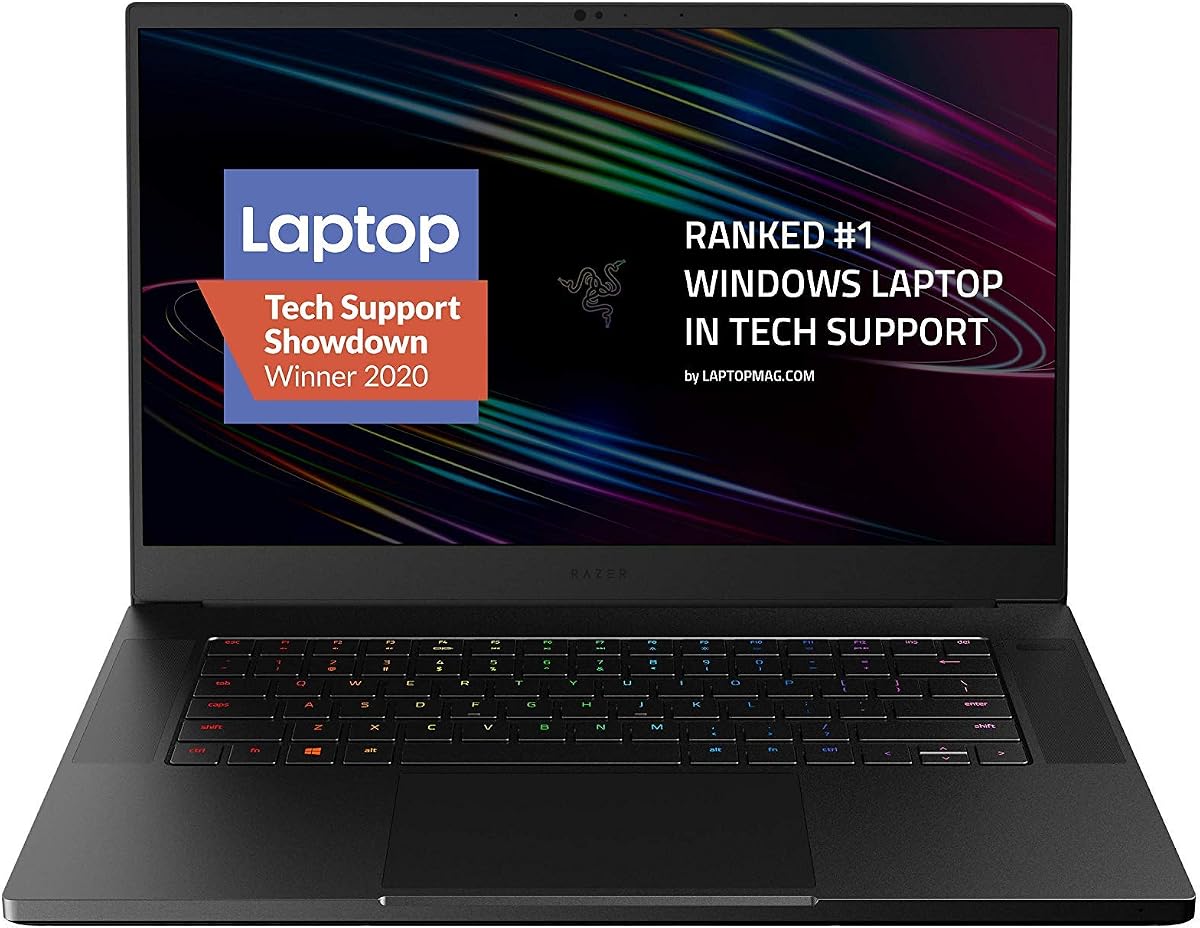
The Razer Blade 15 offers premium build quality and performance for Fusion 360. Its CNC aluminum chassis is thin and durable, making it portable for professionals on the go. The RTX 2070 Super graphics handle rendering tasks efficiently. The 300Hz display provides incredibly smooth visuals for detailed design work.
We may earn a commission when you buy through this link, at no additional cost to you.
Thunderbolt 3 allows fast data transfer and external GPU support if needed. The RGB lighting adds a unique touch but can be customized or turned off for professional settings. The 512GB SSD provides quick access to files. This laptop is ideal for those who value design and power equally.
The 16GB RAM is standard but might be limiting for very large assemblies. Consider upgrading RAM if your workflow requires extensive multitasking. Battery life is moderate due to the powerful components. It is best suited for desktop replacements or short-term mobile use.
Choose this laptop if you want a stylish machine with strong CAD capabilities. It is well-suited for creative professionals who also use it for presentation purposes. The high refresh screen is a standout feature. Verify current availability as this is a 2020 model.
The unibody aluminum construction provides a sleek, durable chassis that is ideal for professional environments.
A 300Hz screen ensures fluid motion, which is helpful when manipulating complex 3D views.
We may earn a commission when you buy through this link, at no additional cost to you.
This HP X360 is a budget option for light CAD work or learning Fusion 360 basics. The touchscreen and convertible hinge offer flexible viewing angles for collaboration. It runs Windows 11, ensuring access to modern features. The compact size makes it easy to carry for students or casual users.
We may earn a commission when you buy through this link, at no additional cost to you.
However, the limited storage and basic processor mean it is not suited for heavy 3D modeling. It is best for viewing files or simple edits. The renewed status provides savings. Check the renewed condition details before buying. Use this as a secondary device rather than a primary workstation.
The screen resolution is lower than FHD, which may impact detail. The 8GB RAM is adequate for general tasks. Battery life is decent for basic use. Consider upgrading storage via cloud or external drives. This is a practical choice for tight budgets with simple needs.
Select this if you need an inexpensive machine for occasional design tasks. It is portable and versatile but lacks power for complex projects. Verify specs match your expectations. It works well for education or home use where budget is a priority.
The 360-degree hinge allows tablet mode, useful for quick annotations or presentations.
Low cost makes this accessible for students or those needing a secondary device.
We may earn a commission when you buy through this link, at no additional cost to you.
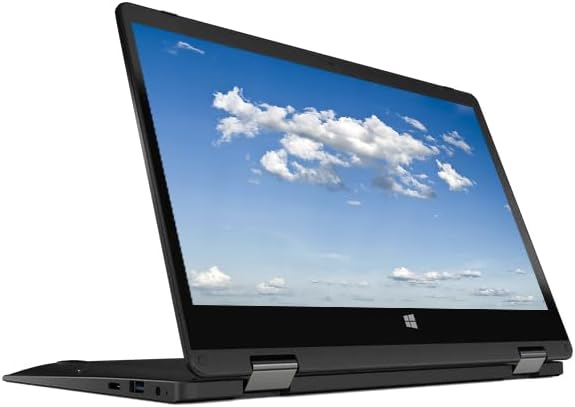
The Acer Gateway is an entry-level device for basic computing tasks. The IPS touchscreen and convertible hinge provide flexibility for viewing content. It is lightweight and portable. The 4GB RAM is minimal for modern applications. This is not recommended for Fusion 360 as it will struggle with 3D tasks.
We may earn a commission when you buy through this link, at no additional cost to you.
Use this for web browsing, document editing, or video streaming. The small storage fills quickly, so rely on cloud storage. The renewed status lowers cost further. Ensure it meets your minimal needs. It might work for viewing PDFs or lightweight apps.
Screen resolution is standard HD. Performance is slow for heavy multitasking. Battery life may vary. This model is best for children or secondary tasks. Verify the condition of the renewed unit before purchasing. It lacks power for professional design work.
Choose this only if your needs are extremely basic. It is not viable for CAD modeling. Use for media consumption or light office tasks. Confirm RAM and storage limitations match your requirements before buying.
Suitable for simple office tasks, web browsing, and media consumption.
Hardware is insufficient for running Fusion 360 or similar 3D software.
We may earn a commission when you buy through this link, at no additional cost to you.
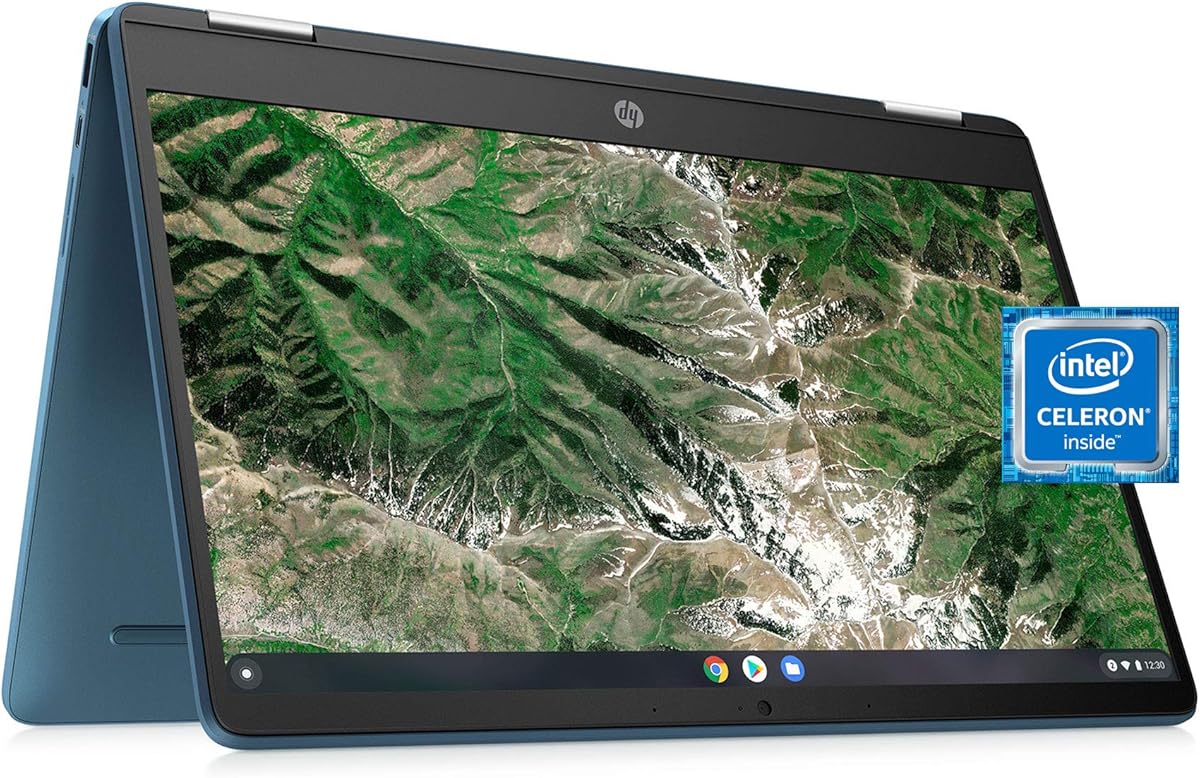
This Chromebook runs ChromeOS and is great for lightweight tasks. It has a touchscreen and 360-degree hinge. While it cannot run the full desktop Fusion 360, you can use web-based apps or Android apps for simple work. It is fast for browsing and document editing. The renewed model is affordable.
We may earn a commission when you buy through this link, at no additional cost to you.
For Fusion 360, you would need to use Fusion 360 for personal use on Android if supported. Otherwise, this is not suitable for professional CAD. It is ideal for students who need a secondary device for notes. Battery life is generally good. The screen is HD and clear for media.
Storage is minimal and cloud-dependent. The Celeron processor is efficient for basic use. It lacks the power for heavy design tasks. Ensure compatibility with web tools. This works for light collaboration and file access.
Select this for portability and budget needs. It is not a replacement for a Windows machine for CAD. Use for web tasks and media. Verify Android app support before relying on it for any design work.
ChromeOS offers quick boot and secure browsing for everyday tasks.
Designed for internet-based apps, relying on cloud storage for files.
We may earn a commission when you buy through this link, at no additional cost to you.
This HP Chromebook features an FHD IPS screen and 8GB RAM, improving multitasking. It has a backlit keyboard and convertible hinge. The N200 processor handles basic tasks well. It uses UFS storage for faster access. This is a polished Chromebook for media and web use.
We may earn a commission when you buy through this link, at no additional cost to you.
Like other Chromebooks, it cannot run desktop Fusion 360. For 3D work, you must rely on web-based tools or Android apps. It is excellent for collaboration and file viewing. Battery life is strong. The renewed unit offers good value. Verify app compatibility for design needs.
Performance is smooth for typical ChromeOS tasks. The screen quality is good for reading and browsing. It lacks power for engineering software. Consider for use as a secondary device. The design is modern and sleek for office use.
Choose this for everyday tasks and portability. It is not a CAD machine. Use for web-based design apps if supported. Check Android app availability before relying on it for any 3D work.
UFS technology provides quicker data access for apps and media.
Full HD IPS screen ensures clear visuals and wide viewing angles.
We may earn a commission when you buy through this link, at no additional cost to you.
The Acer Chromebook Spin 513 is compact and portable with a Gorilla Glass screen. It has a backlit keyboard and convertible design. The Snapdragon chip offers efficiency and long battery. It runs ChromeOS for fast startup. This is ideal for travel and basic computing.
We may earn a commission when you buy through this link, at no additional cost to you.
It is not suitable for Fusion 360 due to OS and hardware limitations. Use for web apps and Android tools only. The screen is FHD which is good for viewing. The 4GB RAM is minimal. Check support for specific design apps before purchasing.
Battery life is strong for full-day use. The build is sturdy and travel-friendly. Performance is limited for heavy tasks. It is a secondary device or for students needing notes. Verify cloud compatibility for file storage.
Choose for portability and web tasks. Not for CAD work. Use for media or light office tasks. Confirm OS limitations match your workflow.
Small size and long battery make this ideal for commuting or mobile work.
Corning Gorilla Glass adds scratch resistance and durability for daily use.
We may earn a commission when you buy through this link, at no additional cost to you.
Choosing the right laptop for Fusion 360 involves balancing performance specs with budget and portability. Below are key factors to consider.
Fusion 360 relies heavily on CPU power for modeling and regeneration. Look for processors with multiple cores and high clock speeds to handle complex assemblies efficiently. Intel Core i5 or i7, or AMD Ryzen equivalents are recommended for smooth performance.
Prioritize a modern multi-core processor to reduce wait times during design iterations.
Dedicated graphics cards significantly improve rendering and viewport navigation. NVIDIA RTX or GTX GPUs are ideal for CAD workloads. Integrated graphics may suffice for simple tasks but struggle with large projects.
Choose a dedicated GPU for better rendering speed and stability in 3D views.
Memory affects how many programs you can run simultaneously. 16GB is the minimum for comfortable multitasking, while 32GB provides headroom for large files. Insufficient RAM leads to slowdowns during heavy use.
Ensure at least 16GB RAM, preferably 32GB, for smooth operation with multiple applications.
A high-resolution display is critical for precision work. FHD (1920×1080) or higher ensures you can see fine details. A good color accuracy helps with material rendering.
Select a FHD screen or better to maintain clarity when modeling intricate parts.
Solid State Drives (SSD) provide fast access to files and applications. Aim for 512GB or more to store projects without external drives. NVMe SSDs are faster than SATA.
Opt for an NVMe SSD with 512GB minimum to ensure quick loading and ample space.
Portability matters for professionals working on the go. While powerful laptops drain battery faster, look for models that offer at least 6 hours for general tasks. Always carry a charger for intensive work.
Balance performance with battery life; expect shorter life under CAD loads.
Fusion 360 runs on Windows, macOS, and Linux. Windows offers the widest compatibility. Ensure the OS supports the latest software updates. Chromebooks are generally not suitable for the desktop version.
Use Windows or macOS for full access to Fusion 360 features.
Larger laptops with more power are heavier. Decide if you need a desktop replacement or a mobile solution. Smaller machines may lack cooling for sustained heavy tasks.
Choose a size that fits your workflow needs and carrying habits.
Keep your laptop clean by using compressed air to remove dust from vents. This helps maintain cooling efficiency and prevents overheating during long modeling sessions. Avoid placing it on soft surfaces like beds when running heavy tasks.
Regularly update your graphics drivers to ensure compatibility with Fusion 360 features. Use the laptop manufacturer's website to find the latest software. This can improve performance and fix bugs in the graphics pipeline.
Store your project files in the cloud or on an external drive to free up internal storage. Regular backups protect against data loss. Organize folders to manage different projects efficiently.
Generally, no. Fusion 360 requires Windows, macOS, or Linux. Chromebooks cannot run the desktop version. Some limited web-based tools may be available but are not fully functional. Consider a Windows laptop for full access.
For basic tasks, 8GB may work but performance will be limited. 16GB is recommended for comfortable use. If you work with large assemblies, 32GB is ideal to avoid slowdowns during regeneration.
While integrated graphics can handle simple modeling, a dedicated GPU significantly improves rendering and smoothness. For professional use, an NVIDIA RTX or GTX is strongly recommended to avoid lag in complex views.
A resolution of at least 1920×1080 is ideal. Higher resolutions help with precision and multitasking. A larger screen offers more workspace but may reduce portability. Balance size and clarity for your needs.
Yes, an SSD is essential for fast application loading and file access. Traditional hard drives are too slow for modern CAD workflows. Aim for at least 512GB of storage to manage your project files efficiently.
Some laptops allow RAM upgrades, but others have soldered memory. Check the specific model's service manual before purchasing. This ensures you can expand memory later if needed for larger projects.
This guide reviewed ten laptops suitable for various needs and budgets. The HP Victus and ASUS TUF models offer strong performance for demanding tasks. The Dell Latitude provides a professional and affordable option for students.
Prioritize CPU speed, RAM, and GPU for smooth workflow. Consider portability if you work outside home or office. Balance cost with features to match your project complexity.
Remember to check current prices and availability as they change often. Use verified retailers to ensure warranty and support. Invest in a machine that grows with your design skills.