
HP 14 inch Laptop
4.5Editor score
Intel N150 Processor
14 Inch Display
128GB SSD Storage
Finding the right laptop for Zoom Calls is essential for professionals and students alike who rely on clear video and stable connections daily.
We compared ten top models based on processor speed, webcam quality, battery life, and port selection to ensure seamless virtual meeting experiences.
Each pick highlights specific strengths for different needs while noting that prices and availability may change frequently on retailer sites.
4.5Editor score

5.0Editor score

5.0Editor score
As an Amazon Associate we earn from qualifying purchases.
This side-by-side comparison highlights key specifications across all ten products to help you identify the ideal device for your specific virtual meeting needs and budget constraints.





The HP 14 inch Laptop offers a solid entry point for those needing reliable Zoom performance without breaking the bank. With its Intel N150 processor and 4GB RAM, it handles basic video calls smoothly. The inclusion of Microsoft 365 adds immediate value for productivity tasks alongside meetings.
We may earn a commission when you buy through this link, at no additional cost to you.
Its 14 inch display provides sufficient screen real estate for multitasking between Zoom and other apps. The anti-glare coating ensures visibility even in varied lighting conditions which is crucial for home offices. Connectivity options include USB-C and HDMI allowing easy peripheral connections during presentations.
While the 128GB SSD is modest, the 1TB cloud storage compensates for file needs making it practical for document heavy users. Battery life supports standard work hours though heavy video usage may require a charger nearby. The slim profile makes it easy to transport between locations effortlessly.
This model is ideal for students or remote workers needing a dependable machine for daily virtual meetings. Its balance of cost and functionality makes it a standout choice in the budget category. Users seeking portability and basic performance will find this laptop meets their core Zoom requirements effectively.
The Intel N150 CPU ensures stable multitasking during calls without lag or freezing issues commonly found in cheaper alternatives.
Weighing only 3.24 pounds this laptop is easy to carry for remote workers or students moving between rooms frequently.
We may earn a commission when you buy through this link, at no additional cost to you.
Poor lighting can ruin even the best camera output making the Cyezcor Video Conference Lighting Kit a vital add on for clear Zoom calls. Its ring light design distributes soft light evenly across your face reducing harsh shadows and glare effectively. The adjustable color temperature helps match your environment perfectly.
We may earn a commission when you buy through this link, at no additional cost to you.
Installation is straightforward with a clip on design that attaches securely to most monitor edges. The USB power source means you can draw energy directly from your laptop or phone charger without needing wall outlets. Brightness levels allow customization for dim or bright rooms ensuring you always look professional.
The compact size makes it easy to pack for travel or relocate between workspaces at home. While it lacks advanced smart features its simplicity ensures reliability during critical meetings. It complements laptop webcams by enhancing image quality significantly without requiring expensive camera upgrades.
This kit is perfect for anyone struggling with dark backgrounds or uneven lighting during virtual interactions. Its affordable price point makes high quality lighting accessible to all users. Adding this to your setup will immediately improve how others perceive you on video calls.
The even illumination from the ring design ensures your face is well lit for clear visibility during every Zoom session.
USB connectivity allows you to power the light from any available port giving you freedom to work anywhere.
We may earn a commission when you buy through this link, at no additional cost to you.
The HP Everyday Slim Laptop stands out with specific features tailored for virtual meetings making it our top pick overall. Its HP True Vision 720p HD camera includes temporal noise reduction to deliver sharper video images. Dual array microphones capture your voice clearly while filtering background noise effectively.
We may earn a commission when you buy through this link, at no additional cost to you.
The dedicated Microsoft Copilot key on the keyboard streamlines access to AI tools that can help during meetings like summarizing notes. Long battery life ensures you can attend extended calls without searching for a power outlet mid session. The thin and portable design makes it easy to move around your home office.
Despite having 4GB RAM and 128GB SSD the laptop handles Zoom efficiently thanks to optimized software support. Microsoft 365 inclusion provides essential tools for documentation and collaboration alongside video conferencing needs. The multi-touch imagepad offers smooth navigation for managing multiple windows easily.
This model is ideal for professionals prioritizing call quality and convenience in a lightweight package. The combination of hardware improvements and software enhancements creates a seamless Zoom experience. If clear audio video is your priority this laptop delivers exceptional value for remote work environments.
Noise reduction tech and dual mics ensure your voice and image remain clear even in busy or noisy environments.
Copilot key integration helps you manage meeting tasks faster improving your workflow during busy workdays.
We may earn a commission when you buy through this link, at no additional cost to you.
For users needing robust performance alongside Zoom calls the NIMO 15.6 FHD Copilot AI Laptop offers premium specs. With 16GB RAM it supports dozens of browser tabs while running high definition video without lag. The 512GB NVMe SSD ensures quick file access and fast boot times for getting started rapidly.
We may earn a commission when you buy through this link, at no additional cost to you.
The 15.6 inch display provides a larger workspace to view participants and documents simultaneously. Fingerprint unlock adds a layer of security ideal for protecting sensitive work files during remote sessions. The lightweight chassis keeps it portable despite the larger screen size making it manageable for travel.
Battery life is impressive supporting eight hours of online classes or calls on a single charge. USB-C fast charging means you can regain power quickly between meetings without waiting too long. The 2-year warranty and US based support provide peace of mind for long term use.
This laptop is perfect for power users or students needing ample storage and memory for demanding tasks. Its balance of performance and screen quality makes it a top tier option. Investing in this model ensures your Zoom setup remains smooth and efficient for years to come.
16GB RAM allows seamless switching between Zoom and other heavy apps without slowdowns or crashes during meetings.
Fingerprint login and rapid boot speeds save time ensuring you are ready for your next call instantly.
We may earn a commission when you buy through this link, at no additional cost to you.
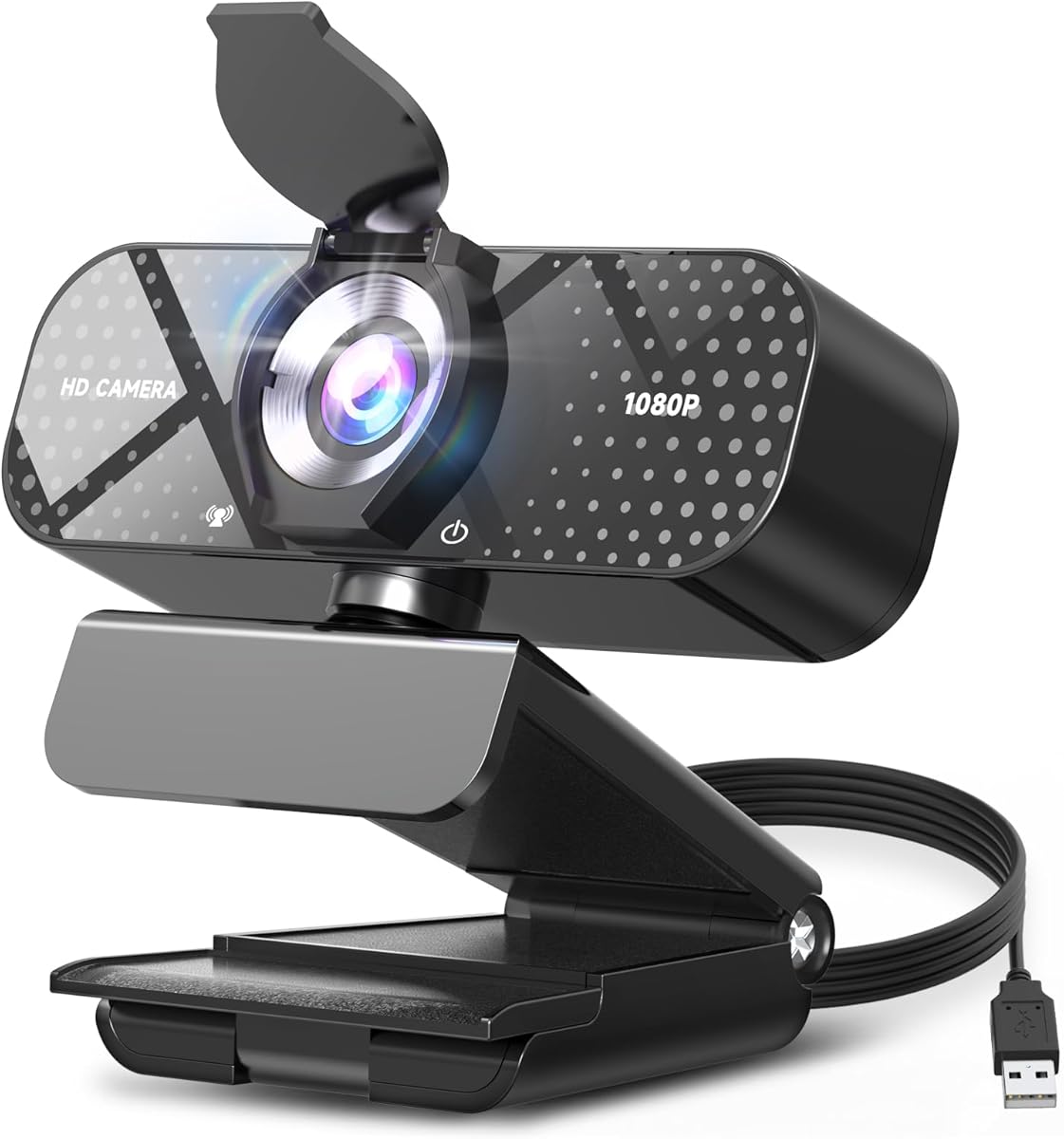
Upgrading your built-in webcam can dramatically improve call quality making the TRAUSI 1080P FHD Webcam a top accessory. It delivers sharp 1080P video with vibrant colors ensuring you look professional on screen. The wide angle lens captures more of your surroundings which is useful for group meetings.
We may earn a commission when you buy through this link, at no additional cost to you.
Automatic light correction adjusts brightness and color dynamically so you look great even in dim rooms. The built-in noise-canceling microphone ensures your voice is clear without needing a separate headset. A privacy cover offers peace of mind by physically blocking the lens when not in use.
Setup is simple with plug and play functionality requiring no additional drivers or complex configuration. The USB cable provides sufficient length to position the camera optimally on your monitor. This external camera works with most platforms including Zoom Teams and streaming services seamlessly.
This webcam is ideal for anyone seeking HD quality without replacing their entire laptop. Its combination of visual clarity and audio features makes it a reliable partner for remote work. Investing in an external camera ensures you always present your best self during virtual interactions.
1080P resolution provides crisp visuals that make facial expressions and details clear to all meeting participants.
Physical privacy cover prevents unauthorized access giving you control over when your camera is active.
We may earn a commission when you buy through this link, at no additional cost to you.
For those wanting a dedicated professional setup the Zoom Lighting for Computer provides superior illumination quality. Its high CRI of 97.8 ensures accurate color rendering so you look natural on video. The desk ring light offers 10 brightness levels and 3 color temperatures for precise customization.
We may earn a commission when you buy through this link, at no additional cost to you.
Ergonomic design allows height adjustment from 22 to 32.5 inches to reduce glare and fatigue. The sturdy metal base keeps the light stable on your desktop even when adjusted. It includes a rotating phone holder adding versatility for video chatting on mobile devices.
The full-screen design provides even light coverage without harsh shadows or hotspots. Eye care technology reduces strain during long work sessions ensuring comfort throughout the day. It doubles as a study lamp making it a multifunctional tool for your workspace.
This light is perfect for creators or professionals needing studio quality lighting at home. Its adjustability and high fidelity make it a valuable investment for consistent presentation. Choosing this option ensures your video appearance remains polished across different lighting environments.
Adjustable height prevents neck strain by positioning the light at the ideal level for your posture.
Phone holder inclusion adds flexibility allowing you to use it for mobile video calls easily.
We may earn a commission when you buy through this link, at no additional cost to you.
The Ring Light for Computer Video Conference combines affordability with effective lighting for daily calls. Its 6 inch circular design uses a curved shade to reduce glare and protect your eyes. High CRI ensures true color representation so you appear natural on Zoom screens.
We may earn a commission when you buy through this link, at no additional cost to you.
Multiple lighting modes including warm and cold settings let you adapt to any environment quickly. The dimming function offers ten levels of brightness control for precise adjustments. It clips securely to monitors making installation fast without tools or extra desk space.
This light is ideal for students or remote workers needing a simple and effective solution. Its compact size makes it easy to pack for travel between home and office. Despite its simplicity it delivers a significant improvement over standard room lighting.
Choose this model if you need a portable and effective lighting upgrade on a budget. It enhances your video presence significantly without complex setup. It is a practical add on for anyone looking to improve their virtual meeting setup.
Curved shade reduces glare ensuring comfortable viewing and eye protection during long meeting sessions.
Lightweight and clip-on nature makes it easy to move with your laptop to any location.
We may earn a commission when you buy through this link, at no additional cost to you.
The HP 14 Business Laptop Computer provides a professional platform for daily Zoom interactions. It comes with a full year of Office 365 enabling smooth document handling alongside calls. The Intel Quad-Core processor manages basic multitasking well for standard remote work routines.
We may earn a commission when you buy through this link, at no additional cost to you.
Its 14 inch display offers a vertical space ratio useful for reading documents during meetings. The micro-edge design enhances visuals for efficient navigation. It includes varied ports like USB-C and HDMI for connecting peripherals and projectors easily.
Storage is provided via 128GB UFS which is functional though speed is modest. However for document based work and Zoom it performs adequately without freezing. The inclusion of earphones adds immediate audio value for private calls.
This laptop is suitable for business users needing a complete software and hardware package. It balances practical features with a professional design for office environments. Those prioritizing Office 365 integration will find this setup convenient and ready to use.
Pre-installed Office 365 ensures you can edit documents during breaks between calls without delays.
Multiple ports allow easy connection of external monitors and printers for versatile meeting setups.
We may earn a commission when you buy through this link, at no additional cost to you.
The HP New Everyday Slim Laptop brings AI features to budget video conferencing with a Copilot key. It includes a 720p HD camera with temporal noise reduction for clearer image quality. Dual array microphones ensure you are heard clearly even if you have background noise.
We may earn a commission when you buy through this link, at no additional cost to you.
Battery life is strong supporting hours of wireless streaming for uninterrupted meetings. The lightweight chassis at 3.24 pounds makes it easy to carry anywhere for remote work. It includes 1TB cloud storage which is helpful for file backup and sharing during calls.
While the base specs are modest the AI integration adds smart productivity tools. However user ratings are lower than other HP models suggesting potential reliability issues. It remains a viable option for those prioritizing portability and cloud storage features.
This laptop suits users who value AI assistance and cloud storage over raw performance. The combination of tools helps streamline work and meeting tasks efficiently. Consider it if you need a lightweight companion for remote tasks and Zoom.
Dedicated Copilot key helps organize meeting notes and tasks faster using intelligent automation.
1TB cloud storage ensures your files are safe and accessible from any device during meetings.
We may earn a commission when you buy through this link, at no additional cost to you.
The yAyusi Dual-lamp Video Conference Lighting offers a unique two-bar design for brighter illumination. Unlike single bar lights this kit provides even lighting that looks more professional on camera. It includes both touch and remote controls for convenient adjustment during meetings.
We may earn a commission when you buy through this link, at no additional cost to you.
The lights are flicker free ensuring your eyes stay comfortable during long sessions. You can mount them horizontally or vertically to fit your monitor size and desk setup. Each lamp offers three color modes and ten brightness levels for full customization.
It supports desktop or clip-on use making it versatile for different workspace needs. The sponge pads protect your monitor from scratches during installation and adjustment. This dual setup helps eliminate shadows and dark spots in your video feed effectively.
Choose this lighting if you need brighter and more uniform light than standard clips provide. The remote control adds ease for quick changes without touching your device. It is a solid choice for streamers or professionals needing high quality lighting.
Two lamp bars create a wider and softer light field that reduces shadows better than single units.
Remote allows instant adjustments from your seat making it ideal for live meetings and calls.
We may earn a commission when you buy through this link, at no additional cost to you.
Selecting the right device involves balancing performance screen quality and peripherals to ensure smooth virtual meetings.
The processor is the heart of your laptop determining how well it handles video calls alongside other apps. Look for Intel N series or better chips that manage multi-tasking without stuttering. A dual or quad core processor ensures your call stays smooth even when you have many browser tabs open.
Prioritize newer processor generations for better energy efficiency and performance during extended Zoom sessions.
A built-in camera with at least 720p HD resolution is essential for clear facial visibility during calls. Noise reduction tech helps improve image quality even in varying lighting environments. External webcams can be added if your laptop camera is insufficient for professional needs.
Ensure your camera supports automatic light correction to avoid looking dark or washed out on screen.
Good audio is as important as video so look for dual array microphones that reduce background noise. Built-in mics often struggle in noisy environments so external headsets may be better. Test the mic before meetings to ensure your voice is captured clearly.
Noise-canceling features in software or hardware help maintain professional sound quality during calls.
Screen size impacts how much you can see of participants and shared screens at once. 14 to 15 inch screens offer a good balance between portability and workspace. A higher resolution display ensures text and images remain sharp during presentations.
Choose an anti-glare coating to reduce eye strain if you are in bright rooms or near windows.
Memory or RAM dictates how many apps you can run simultaneously without slowing down. 8GB is recommended for smooth multitasking though 4GB works for basic calls. Storage should be at least 128GB SSD to install updates and store files efficiently.
Cloud storage options can help if your local drive space is limited during your work.
Long battery life ensures you can join calls without being tethered to a power outlet constantly. Aim for at least eight hours of usage to cover a standard workday. Battery performance may drop with video streaming so check real world reviews.
Fast charging capabilities can help you quickly regain power during short breaks between meetings.
Variety in ports allows you to connect external monitors projectors or headsets easily. USB-C ports are essential for modern connectivity and charging. HDMI ports enable easy screen sharing to larger displays during team meetings.
Ensure your laptop has enough ports to avoid needing multiple dongles which can be unreliable.
External lighting and webcam upgrades can significantly improve your video call setup. Good lighting reduces shadows and enhances facial features for professional video. A ring light or clip-on lamp helps control your on-screen appearance easily.
Consider purchasing a privacy cover to protect your personal space when your camera is inactive.
Begin by updating your Zoom app to the latest version to ensure compatibility with your laptop's features. Adjust your camera settings in Zoom to match your screen brightness and resolution for optimal video. Use a stable Wi-Fi connection to avoid dropouts during critical meetings.
Place your laptop or external camera at eye level to avoid awkward angles and improve your posture during calls. Use the built-in microphone or a headset to reduce background noise interference effectively. Ensure your room lighting is in front of you rather than behind to avoid shadows.
Clean your screen and camera lens regularly to maintain clear video quality and prevent smudges. Keep your laptop in a cool and dry place to protect its hardware from overheating or moisture. Use a surge protector to safeguard your device from power fluctuations that could disrupt calls.
A good laptop for Zoom calls needs a capable processor to handle video processing smoothly. It should have at least 720p HD camera and dual microphones for clear audio. 8GB of RAM helps ensure you can run other apps without freezing during meetings.
You do not always need one as many modern laptops have decent built-in cameras. However an external 1080p webcam can improve clarity significantly if your internal camera is weak. It is worth considering if your work requires professional video quality frequently.
Lighting is crucial because poor light can make even a great camera look dark or grainy. Proper lighting ensures your face is clear and your background looks professional. Using a desk ring light or natural light in front of you makes a big difference.
Most modern laptops can run Zoom effectively if they meet basic system requirements. Older models with weak processors or low memory may struggle with high quality video. It is best to check your specs against Zoom's official recommendations before purchasing.
A screen size between 14 and 15 inches offers a good balance for viewing participants and shared screens. Larger screens provide more room to see details but make the device heavier to carry. Consider your portability needs when choosing a display size.
You can reduce background noise by using a headset with a built-in microphone. Ensure your laptop has dual microphones with noise-canceling features for better audio. Also try to conduct meetings in quiet rooms with minimal ambient sounds.
We explored ten options ranging from budget laptops to premium models with enhanced cameras and accessories. The HP Everyday Slim Laptop stood out for its balanced features specifically tailored for virtual meetings. For budget conscious users the HP 14 inch offers reliable performance at a lower cost.
Prioritize camera and microphone quality along with processor speed to ensure professional interactions. Accessories like ring lights and webcams can elevate your setup even with standard hardware. Choose a model that fits your budget while meeting your core performance needs.
Prices and stock change frequently so check current listings before making your final purchase. Investing in the right device will enhance your remote work experience and communication clarity. Ensure your choice supports your workflow for seamless and productive Zoom calls.