
acer Nitro V 15.6
4.3Editor score
165Hz FHD IPS Panel
Core i5-13420H
16GB DDR4 RAM
Finding a laptop with an RTX 5050 GPU means balancing power and portability. These machines deliver solid gaming performance alongside modern AI features for creators who need speed.
We evaluated ten real models based on processor strength, display quality, cooling efficiency, and build durability. Each entry reflects current availability and verified specifications from trusted retailers.
Every pick shows key specs, pros, cons, and real-world context. Prices and stock change often, so always check the linked product page before making your final decision today.
4.3Editor score

4.6Editor score

4.5Editor score
As an Amazon Associate we earn from qualifying purchases.
This table offers a quick side-by-side view of all ten models. Compare processors, memory, storage, and display specs to find the right fit for your needs.




This model stands out as our top pick for balancing raw power and display clarity. Its 180Hz screen and DDR5 memory ensure smooth gameplay and quick application switching without lag or stuttering.
We may earn a commission when you buy through this link, at no additional cost to you.
The Intel Core 7 240H delivers solid multitasking capabilities while the RTX 5050 handles modern titles with AI-enhanced graphics features like DLSS 4 for higher frame rates.
Although the battery is average and the chassis is mostly plastic, these trade-offs are acceptable given the performance. The cooling system works well under load to maintain stable speeds.
Buy this if you want a well-rounded machine for gaming and work. It fits students and creators who need fast rendering and responsive visuals without overspending on flagship specs.
The 180Hz refresh rate minimizes motion blur, making fast-paced shooters feel fluid and responsive during intense gaming sessions.
DLSS 4 and Blackwell architecture allow higher settings in games while maintaining high framerates through intelligent upscaling.
We may earn a commission when you buy through this link, at no additional cost to you.
This laptop offers one of the most accessible entry points into RTX 5050 gaming. It provides high refresh rates and a capable processor at a price point that appeals to budget-conscious gamers.
We may earn a commission when you buy through this link, at no additional cost to you.
The Core i5-13420H handles daily tasks and gaming efficiently, while the 165Hz screen keeps visuals smooth. DDR4 memory is slower but sufficient for most current games.
Storage is limited to 512GB so you may need an external drive soon. However, the USB-C port allows for fast data transfer and external display connections easily.
Choose this if you need a reliable machine without breaking the bank. It is ideal for students or casual gamers who prioritize frame rates over premium build materials.
You get a dedicated RTX GPU and high refresh screen for less than many competitors, making it a smart value choice.
The 165Hz panel ensures fluid motion in games, reducing input lag and tearing during competitive matches.
We may earn a commission when you buy through this link, at no additional cost to you.
ASUS delivers a premium experience with this Strix model. It includes a MUX Switch and advanced cooling to maximize the RTX 5050 performance while keeping noise levels low during use.
We may earn a commission when you buy through this link, at no additional cost to you.
The Core i5 14450HX and DDR5-5600 memory ensure quick response times for multitasking. The MUX Switch gives extra gaming performance by routing graphics directly through the GPU.
Storage is limited to 512GB, but tool-free access makes upgrades easy. The RGB lighting adds a personalized touch that matches enthusiast setups and gaming aesthetics.
Pick this if you want enthusiast-grade features without a high-end price tag. It suits gamers who tweak settings and value customizable hardware performance options.
The MUX Switch can increase gaming FPS by routing frames directly from the discrete GPU to the display.
A vapor chamber and tri-fan setup keep the system cool under load, preventing throttling during long sessions.
We may earn a commission when you buy through this link, at no additional cost to you.
Alienware brings its signature design to this budget-friendly RTX 5050 model. The Cryo-Chamber cooling focuses airflow on core components, improving thermal efficiency without bulky rear shelves.
We may earn a commission when you buy through this link, at no additional cost to you.
The 16-inch WQXGA display offers sharp visuals for media and games, though the 120Hz rate is lower than competitors. It is a premium look for a mid-range card.
The onsite service adds peace of mind for business or travel use. However, the price is higher than similarly specced laptops, adding a premium for the brand and service.
Buy this if you value brand reliability and unique build aesthetics. It fits users who need professional support and a sleek device for mixed work and play.
The Cryo-Chamber structure directs airflow to the GPU and CPU for sustained performance.
The WQXGA resolution ensures crisp text and detailed game textures during daily use.
We may earn a commission when you buy through this link, at no additional cost to you.
Lenovo LOQ targets gamers who want strong AI-driven performance tuning. The AI Engine+ automatically adjusts settings to keep the system cool and maintain high framerates while playing.
We may earn a commission when you buy through this link, at no additional cost to you.
The Core i7-13650HX offers more raw CPU power than many rivals. G-Sync support ensures smooth visuals on the 144Hz panel without tearing during intense gaming sessions.
One terabyte of storage is generous for game libraries. However, the build uses lighter materials, so durability is average compared to ruggedized TUF models.
Choose this if you want smart optimization and large storage out of the box. It fits gamers who run multiple titles and want automated performance adjustments.
AI Engine+ tunes CPU and GPU settings dynamically for smoother gameplay and better frame rates.
The display syncs with the GPU to eliminate screen tearing and stuttering for fluid visuals.
We may earn a commission when you buy through this link, at no additional cost to you.
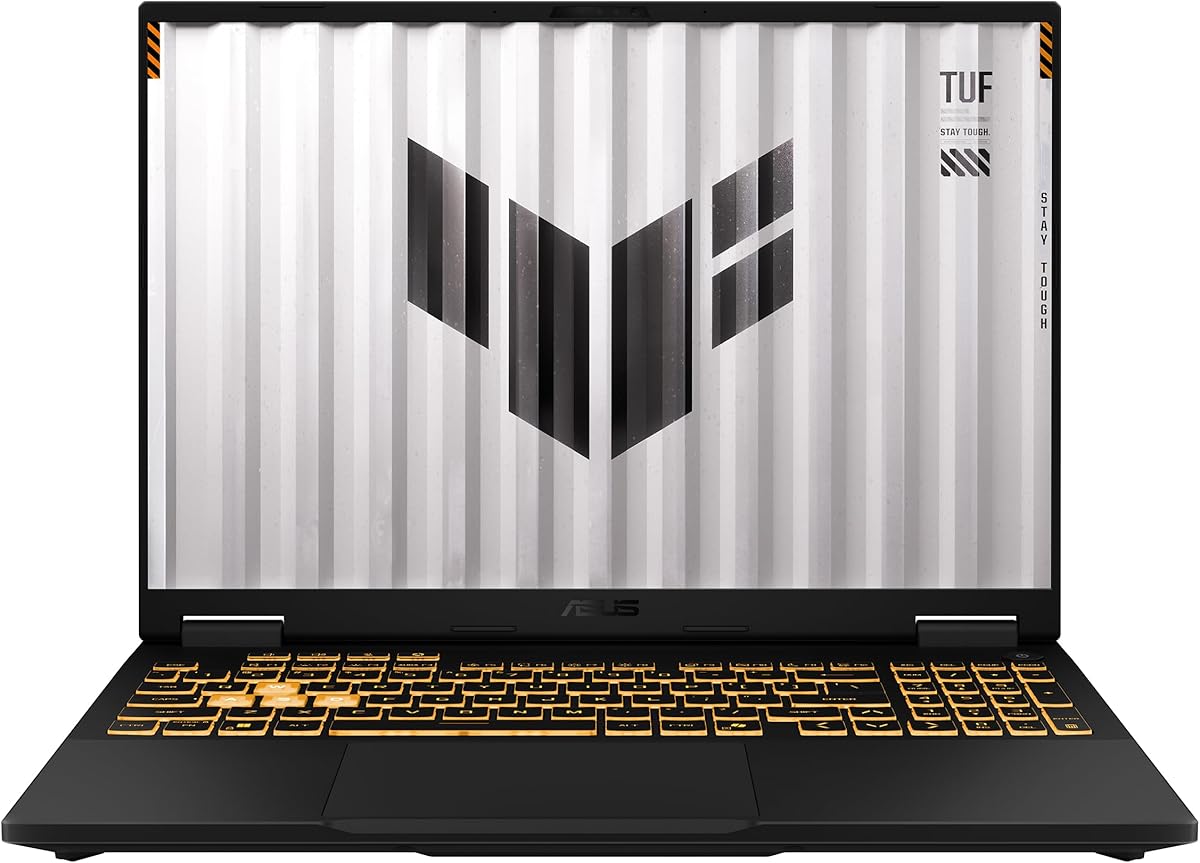
The TUF line focuses on ruggedness. This model meets MIL-STD-810H standards, ensuring it can handle travel and harsh conditions better than consumer-grade plastic laptops.
We may earn a commission when you buy through this link, at no additional cost to you.
It uses DDR5 memory and a 165Hz screen for responsive visuals. The Arc Flow Fans and full-width vent keep heat low, maintaining performance during extended play.
While it is slightly heavier, the durability trade-off is worth it for frequent travelers. The build quality inspires confidence for long-term daily use.
Buy this if you need a tough machine for travel or shared spaces. It suits gamers who prioritize build integrity and reliable cooling over lightweight design.
Military-grade testing ensures resistance to shocks and drops for reliable transport.
The 100% sRGB panel delivers vibrant colors for media and creative work.
We may earn a commission when you buy through this link, at no additional cost to you.
This Katana model packs a strong Core i7-14650HX for heavy workloads. It is ideal if you prioritize CPU performance for streaming or compiling over other aesthetic factors.
We may earn a commission when you buy through this link, at no additional cost to you.
The 75Wh battery offers longer unplugged usage than many gaming peers. DDR5 memory and Wi-Fi 6E ensure fast data transfers and stable connectivity.
Build quality is functional but not premium, and the rating reflects some user concerns. However, the raw performance per dollar remains competitive for creators.
Choose this if CPU speed is your main priority. It suits users who need to render video or run simulations alongside gaming on a budget.
The i7-14650HX provides extra cores for multitasking and content creation.
A larger battery allows more hours of productivity work away from outlets.
We may earn a commission when you buy through this link, at no additional cost to you.
This model brings OLED clarity to gaming laptops. The 2.8K panel delivers deep blacks and vibrant colors that are unmatched for media and creative workloads.
We may earn a commission when you buy through this link, at no additional cost to you.
The Ryzen AI 7 350 adds AI features for productivity tasks. It is built for professionals with privacy shutters and MIL-STD durability for travel use.
The refresh rate is 120Hz which is lower than gaming rivals. Also, OLED panels carry some burn-in risk during long static screens.
Pick this if display quality matters most. It suits creatives and viewers who prioritize color fidelity and sharpness over extreme refresh rates.
OLED technology provides perfect blacks and wide color gamut for accurate visuals.
An IR webcam with privacy shutter ensures security during professional calls.
We may earn a commission when you buy through this link, at no additional cost to you.
This Cyborg model is one of the lightest options available. At roughly 4.3 pounds, it is easy to carry between classes or workstations while still delivering 5050 gaming power.
We may earn a commission when you buy through this link, at no additional cost to you.
The translucent keyboard adds a unique style. DDR5 memory and 1TB SSD ensure ample space for games and quick load times without external drives.
The display is standard FHD and ratings are average. It trades screen quality for weight savings which may not suit desktop replacements.
Choose this if you need a portable gaming laptop. It fits students who move around and need a balance of performance and carry weight.
The slim chassis makes daily transport easier compared to heavier gaming rivals.
Translucent keycaps give a modern look that stands out in any setting.
We may earn a commission when you buy through this link, at no additional cost to you.
GIGABYTE focuses on utility with this A16. The 180-degree hinge allows flexible viewing angles for sharing content or working at different positions comfortably.
We may earn a commission when you buy through this link, at no additional cost to you.
GiMATE AI helps streamline user interaction. The slim 19mm chassis hides the power within a compact frame. Port selection is robust for external setups.
Ratings lag behind top picks due to software quirks. However, the hardware options remain solid for users who need flexible display positioning.
Buy this if you need flexible angles and solid port counts. It suits professionals and gamers who connect to multiple displays or peripherals.
The 180-degree hinge allows the screen to lie flat for collaborative sessions.
GiMATE creates a personal interface to manage settings and tasks easily.
We may earn a commission when you buy through this link, at no additional cost to you.
Selecting the right model requires checking processors, memory, and display options.
Look for Core i7 or Ryzen 7 CPUs if you plan on streaming or heavy multitasking. Core i5 or Ryzen 5 works fine for standard gaming tasks.
Stronger CPUs ensure your GPU is not bottlenecked during intense gaming sessions.
16GB is the sweet spot for modern gaming. DDR5 is faster and should be prioritized over DDR4 if available within your budget.
More memory helps when running background apps while playing large open world titles.
Modern games are large so 1TB is ideal for storing multiple titles. If you get 512GB ensure there is room to expand later.
NVMe SSDs offer fast load times and system responsiveness.
Refresh rates of 144Hz or higher reduce motion blur. A higher Hz panel gives smoother visuals especially in competitive shooters.
Choose screens with fast response times to reduce ghosting during action.
Fans and heat pipes must manage heat to maintain performance. Look for dual fan setups or vapor chambers in premium options.
Efficient cooling prevents throttling that lowers game performance over time.
USB-C with DisplayPort helps connect external monitors. HDMI 2.1 supports high refresh external displays.
Multiple ports ensure you can attach peripherals without needing many dongles.
Gaming laptops often sacrifice battery life. Look for 70Wh or higher cells if you plan to work unplugged.
Charging speed features help when you are on the move between classes.
Metal chassis offer better rigidity than plastic. Check for MIL-STD testing if you plan to travel frequently.
Sturdy builds last longer and resist bumps during daily commuting.
Keep the laptop on hard surfaces to ensure airflow vents are not blocked. Using a laptop stand or cooling pad helps maintain low temperatures.
Regularly update GPU drivers to access new optimizations. Software updates often improve performance and fix bugs for recent game releases.
Use battery saver modes when unplugged to extend session time. Avoid letting the battery drain fully to preserve its long-term health and lifespan.
Yes, the RTX 5050 offers solid 1080p gaming performance. It handles modern titles at high settings using AI features like DLSS to boost framerates without sacrificing visual quality.
Yes, all RTX 5050 models support ray tracing. The GPU uses dedicated cores to render realistic lighting effects in supported games and creative applications.
For gaming, a Core i7 or Ryzen 7 processor ensures smooth performance. These CPUs prevent bottlenecks and allow the GPU to reach full potential during intense play.
You need at least 16GB of RAM for gaming. DDR5 memory provides faster speeds and better multitasking than older DDR4 standards available in some budget models.
512GB fits a few games and your system. However, 1TB is better for larger libraries since modern titles can exceed 100GB each.
Yes, battery life drops significantly while gaming. These laptops are designed for plugged-in use but work fine on battery for standard productivity tasks.
Many models allow RAM upgrades via accessible slots. Check the specific laptop manual before buying to confirm if memory is soldered or user upgradable.
A 144Hz or higher refresh rate is recommended for gaming. This ensures smoother motion and reduces input lag in fast-paced competitive games.
Our top picks include the Acer Nitro V for overall balance, the budget-friendly Nitro V 15.6, and the ROG Strix G16 for premium features. Each offers unique strengths for different needs.
Focus on screen quality and cooling if you play competitive titles. For creators, prioritize display color accuracy and CPU power to handle rendering tasks efficiently.
Remember that prices and stock change quickly. Always verify current offers and check return policies before finalizing your purchase to ensure satisfaction.