
NIMO Light Gaming Laptop
4.4Editor score
AMD Ryzen 7 7735HS Processor
Radeon 680M Graphics
Dual DDR5 RAM Support
Choosing the right laptop for emulators requires balancing processing power, memory, and graphics capabilities to ensure smooth performance across various system types. Whether you are running classic console games or modern handheld simulations, the hardware must handle complex translation layers without introducing lag or stuttering during gameplay sessions.
We have evaluated ten distinct laptop models based on their processor architecture, RAM capacity, storage speed, and display quality. Each entry in this list offers unique strengths tailored to different emulation needs, from lightweight portable units to high-performance desktop replacements designed for intensive multitasking and visual fidelity.
Every product profile highlights key specifications and real-world usability factors to guide your decision-making process. While we focus on technical merits and user feedback, keep in mind that availability and specific configurations may vary over time as manufacturers update their lineups and regional stock levels shift.
4.4Editor score

4.2Editor score

5.0Editor score
As an Amazon Associate we earn from qualifying purchases.
The following comparison table breaks down the core specifications of each selected laptop to help you quickly identify which model aligns with your specific emulation requirements and budget constraints.

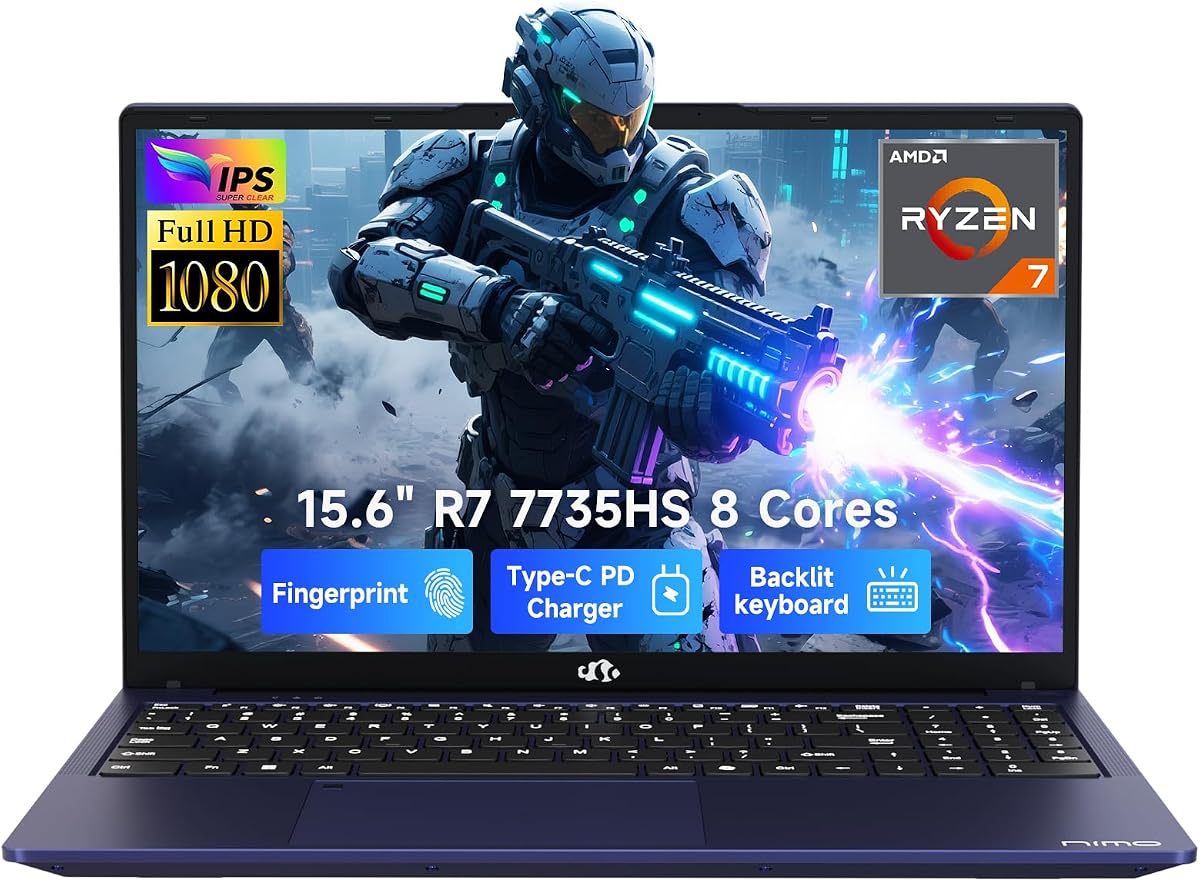


This laptop stands out as a compelling entry point for users seeking affordable emulation capabilities without sacrificing core processing power. The AMD Ryzen 7 7735HS processor provides sufficient headroom for running multiple emulator instances or handling background tasks while gaming. Its integrated Radeon 680M graphics deliver respectable frame rates for many popular retro and modern console emulators at 1080p resolution.
We may earn a commission when you buy through this link, at no additional cost to you.
Performance is further bolstered by the inclusion of dual DDR5 RAM slots and a PCIe 4.0 SSD which ensures fast load times and smooth system responsiveness. The display offers vibrant visuals suitable for detailed game assets and the 180-degree hinge facilitates easy sharing during collaborative sessions. Connectivity options like USB-C and HDMI 2.0 allow for flexible external monitor setups which enhances the emulation experience significantly.
While the device does not feature a dedicated graphics card it manages well within its thermal design power limits for typical emulation workloads. The compact form factor makes it portable yet the fan noise may become noticeable during extended high performance sessions. Users should ensure adequate cooling ventilation to maintain optimal performance levels over long gaming periods without thermal throttling affecting stability.
It is an ideal choice for students or hobbyists who need a versatile machine for both productivity and light to gaming. The two-year warranty and ninety-day return policy add significant peace of mind for buyers entering this price bracket. For those prioritizing value and modern connectivity standards this model delivers a balanced package that meets most basic emulation requirements effectively.
The combination of the Ryzen 7 7735HS and Radeon 680M provides a harmonious blend of CPU and GPU power that minimizes bottlenecks in emulation tasks.
Dual DDR5 slots and M.2 PCIe 4.0 support allow users to upgrade RAM and storage as emulation demands grow over time.
We may earn a commission when you buy through this link, at no additional cost to you.
The seventeen inch form factor combined with thirty two gigabytes of DDR5 RAM makes this machine exceptionally capable for running multiple emulators simultaneously. It excels at handling complex software stacks where memory usage can spike unexpectedly during texture loading or shader compilation. The spacious display provides ample room for emulator interface elements and video output side by side enhancing the overall usability for serious enthusiasts.
We may earn a commission when you buy through this link, at no additional cost to you.
Storage capacity is generous with a full terabyte of PCIe SSD space allowing users to store extensive game libraries without constant file management. The AMD Ryzen 5 6600H delivers consistent performance across cores which is vital for emulation threads that rely heavily on single and multi core balance. Fast charging capabilities ensure that even during travel you can quickly top up power to resume sessions without lengthy downtimes.
Portability is somewhat compromised due to the larger chassis and heavier build which may not suit daily commuting. The use of Wi-Fi 5 is adequate but falls slightly behind newer standards in terms of maximum throughput and latency reduction. For stationary or semi-stationary setups however these tradeoffs are acceptable given the significant gains in screen real estate and memory headroom provided.
This laptop is particularly well suited for power users who need to test or stream emulation content while managing other applications. The physical webcam shutter adds a layer of privacy during breaks which is a thoughtful touch for remote workers or streamers. Overall it strikes a strong balance between productivity and entertainment making it a top contender for versatile emulation needs.
Thirty two gigabytes of DDR5 RAM eliminate memory bottlenecks ensuring smooth operation even with heavy emulator mods or simultaneous applications.
The 17.3 inch display allows for better visibility of emulator menus and game details without needing to squint or zoom in excessively.
We may earn a commission when you buy through this link, at no additional cost to you.
This compact unit is designed for users who prioritize mobility without completely sacrificing performance. The AMD Ryzen 7 430U offers a solid base for lighter emulation tasks such as older console systems or handheld emulators. Its lightweight design makes it easy to slip into a backpack for use on the go which appeals to students or travelers who want gaming access anywhere.
We may earn a commission when you buy through this link, at no additional cost to you.
The inclusion of WiFi 6 ensures stable and fast internet connections essential for downloading game ROMs or streaming gameplay. The display features thin bezels that maximize the viewing area within a smaller footprint providing an immersive experience despite the modest size. DDR4 RAM helps maintain system responsiveness though it may not match the raw speed of newer DDR5 configurations in intensive scenarios.
Thermal management is a key consideration as the slim chassis limits airflow during extended high load sessions. Users should monitor temperatures to prevent potential throttling when running more demanding emulators that require sustained CPU performance. However for casual use and travel the balance between size and capability makes it a compelling choice for those on the move.
It is an excellent secondary machine for quick gaming sessions or a primary device for users with modest emulation requirements. The customer support promise adds a layer of reliability for buyers concerned about potential hardware issues. While not a powerhouse it delivers consistent performance within its design constraints making it a strong option for budget conscious mobile users.
The lightweight build and WiFi 6 support ensure you stay connected and portable while maintaining solid performance for travel.
Thin bezels provide a modern look and maximize screen space within a compact chassis for better immersion.
We may earn a commission when you buy through this link, at no additional cost to you.
This model combines a powerful Ryzen 7 7735HS processor with thirty two gigabytes of DDR5 RAM to deliver robust multitasking capabilities. It is well suited for users who need to run emulators alongside other productivity tools without performance degradation. The large SSD ensures that boot times and application launches are swift which is critical when switching between different emulation environments frequently.
We may earn a commission when you buy through this link, at no additional cost to you.
The Radeon 680M integrated graphics handle many common emulation scenarios efficiently while maintaining low power consumption. A fingerprint sensor adds convenience for quick logins enhancing security without compromising ease of use. The backlit keyboard ensures visibility in low light conditions making it comfortable for extended gaming sessions regardless of the environment.
Thermal performance is generally good but sustained loads may cause fan noise as the system manages heat dissipation. Users can expect consistent performance for most retro and modern console emulators though extreme cases may require tweaking settings. The balance of RAM and storage makes it a versatile option for those who want to keep a large library locally.
It is a solid choice for home use or office environments where productivity and gaming blend seamlessly. The two-year warranty provides reliable support for potential issues giving confidence in the purchase. For users seeking a middle ground between budget and premium options this laptop offers significant value through its high specification configuration.
Thirty two gigabytes of RAM and one terabyte of storage allow for extensive game libraries and smooth operation of multiple applications.
Fingerprint login speeds up access and adds a layer of security for personal files and gaming accounts.
We may earn a commission when you buy through this link, at no additional cost to you.
This premium offering delivers top tier performance with the AMD Ryzen 7 8745HS and sixty four gigabytes of DDR5 RAM. It is engineered for users who demand maximum headroom for demanding emulation tasks and creative workloads. The Radeon 780M graphics provide enhanced processing power suitable for higher resolution outputs and complex shader effects in modern emulation scenarios.
We may earn a commission when you buy through this link, at no additional cost to you.
The two terabyte SSD provides ample space for vast libraries and system files without the need for external drives. Fast charging ensures that power sessions are not interrupted by long recharge times making it practical for on the go use. The metal chassis adds durability and a premium feel while maintaining a relatively lightweight profile for its specification level.
Thermal management is robust though high performance will inevitably draw more power and generate heat. The system is designed to sustain peak performance under load which is essential for consistent frame rates in intensive applications. Users may notice fan activity during gaming but the cooling system effectively prevents significant throttling or performance drops.
It is an ideal choice for professionals or enthusiasts who need a powerful machine for both work and high fidelity emulation. The five star rating reflects high customer satisfaction and reliability across various use cases. For those willing to invest in top tier hardware this laptop sets a high benchmark for emulation capabilities in a portable form.
The Ryzen 7 8745HS and 64GB RAM ensure that even the most demanding emulation and creative tasks run without bottleneck.
Two terabytes of storage allow for extensive game libraries and media files without requiring external management.
We may earn a commission when you buy through this link, at no additional cost to you.
This model features the AMD Ryzen 7 5700U which provides efficient performance for everyday tasks and light gaming. It is designed for users who need a reliable machine for emulation of older systems and productivity work without excessive power consumption. The thin bezel display enhances the viewing experience and the integrated graphics handle most standard emulation needs effectively.
We may earn a commission when you buy through this link, at no additional cost to you.
Connectivity is a strong point with WiFi 6 and Bluetooth 5.2 ensuring stable connections for streaming and downloads. The slim design makes it easy to carry and the durable build ensures it can handle regular travel without issue. For those seeking a balanced laptop that does not compromise on portability this unit offers a compelling package.
While it lacks the raw power of higher end models it is sufficient for most retro console emulation and casual modern titles. The thermal design keeps noise levels low during typical use which is appreciated in quiet environments. Users should be mindful of the battery life when running demanding emulators as it may require more frequent charging.
It is a great choice for students or professionals who need a versatile device for work and light entertainment. The support promise adds value and ensures that any potential issues are resolved quickly. For budget conscious buyers looking for reliable performance this laptop delivers solid value in the portable gaming category.
The 5700U processor balances performance and power efficiency allowing for a slim design that is easy to carry.
WiFi 6 and Bluetooth 5.2 provide fast and reliable connections for streaming content and connecting peripherals.
We may earn a commission when you buy through this link, at no additional cost to you.
This laptop focuses on productivity with Windows 11 Pro and included Office software making it ready for business use out of the box. It also supports emulation needs through its Intel Core i7 processor which offers reliable multi core performance for various tasks. The lightweight design ensures it fits easily into work bags and travel kits for professionals on the move.
We may earn a commission when you buy through this link, at no additional cost to you.
The 16GB RAM and 512GB SSD provide a solid foundation for multitasking and storing necessary files efficiently. A backlit keyboard ensures usability in varied lighting conditions which is helpful during meetings or late night gaming sessions. The display offers clear visuals suitable for documents and entertainment alike balancing utility with entertainment needs.
While it is not a dedicated gaming machine it can handle many emulator titles with acceptable performance. The battery life is adequate for typical workdays but may require charging during extended heavy gaming sessions. The build quality is durable enough for daily commuting and the warranty provides reassurance for professional users.
It is an excellent choice for those who need a primary work laptop that can also serve as a gaming companion. The inclusion of Pro software and security features adds significant value for business environments. For users seeking a unified device for work and play this model offers a practical and reliable solution.
Windows 11 Pro and included Office software make this laptop ready for professional tasks immediately upon setup.
The hardware supports both work applications and emulation needs ensuring flexibility for diverse user requirements.
We may earn a commission when you buy through this link, at no additional cost to you.
This gaming laptop is built for performance with the Intel Core i7 14650HX and RTX 5060 graphics card. It delivers exceptional frame rates and smooth visuals which is critical for modern emulators that leverage hardware acceleration. The 165Hz display ensures fluid motion and reduced input lag making gameplay feel responsive and precise during competitive sessions.
We may earn a commission when you buy through this link, at no additional cost to you.
Advanced cooling technology keeps the system stable under load which is essential for sustained high performance without throttling. Wi-Fi 7 connectivity offers superior bandwidth and lower latency for streaming or downloading large game assets. The design includes customizable RGB lighting allowing users to personalize their setup to match their style preferences.
Battery life is limited when under heavy load but this is typical for high performance gaming machines. Users should plan for plugged in usage during intensive emulation sessions to maximize performance potential. The build quality is robust and the screen offers vivid colors and good contrast for immersive viewing experiences.
It is an ideal choice for enthusiasts who demand high fidelity and speed in their emulation experiences. The investment in dedicated graphics ensures that future emulators will also be supported effectively. For those seeking a premium gaming machine this model sets a high standard for performance and visual quality in the category.
The 165Hz FHD+ display provides ultra smooth motion and responsiveness that enhances the overall gaming experience.
Advanced cooling keeps components stable under load ensuring consistent performance during long gaming sessions.
We may earn a commission when you buy through this link, at no additional cost to you.
This laptop provides a large seventeen inch screen at an affordable price point making it accessible for many users. It is suitable for basic emulation tasks and media consumption with its AMD Ryzen 3 processor and Radeon 610M graphics. The long battery life ensures that you can work or play for extended periods without needing a power outlet nearby.
We may earn a commission when you buy through this link, at no additional cost to you.
Audio and video call quality is enhanced by advanced noise reduction and HDR camera features. The design includes a full size keyboard that is comfortable for typing and gaming input. Despite its budget focus it maintains a sleek look with a silver finish that suits both professional and casual settings.
Performance is adequate for older console emulators but may struggle with more demanding modern titles. The eight gigabytes of RAM limit multitasking capabilities compared to higher spec models. Users can expect smooth performance for light use but should manage expectations for heavy software or multitasking scenarios.
It is a great option for students or casual gamers who prioritize screen size and battery life over raw power. The value proposition is strong for those needing a portable machine that fits tight budgets. For basic emulation needs this laptop delivers a reliable experience without breaking the bank on hardware.
The 17.3 inch display and long battery life make this laptop ideal for viewing and travel without frequent charging.
Advanced noise reduction and HDR camera ensure clear video calls enhancing the overall usability for remote work.
We may earn a commission when you buy through this link, at no additional cost to you.
This laptop offers a balanced configuration with a Ryzen 7 430U and sixteen gigabytes of DDR4 RAM. It is designed to provide solid performance for everyday tasks and light gaming including older console emulators. The sixteen inch screen offers a good balance between portability and immersion providing enough space for detailed visuals and interface elements.
We may earn a commission when you buy through this link, at no additional cost to you.
A webcam cover slide adds privacy for users who frequently video chat or stream. Connectivity includes USB-C and WiFi 6 ensuring fast data transfer and stable wireless connections. The support team offers technical assistance and repair support which adds value and peace of mind for buyers.
Battery life is reasonable for typical use but may require charging during extended gaming sessions. The build quality is adequate and durable enough for daily use but may not withstand extreme conditions. Users should monitor system temperatures during heavy load to ensure optimal performance and longevity of components.
It is an excellent value choice for those seeking a reliable machine for light entertainment and work tasks. The combination of specs and support makes it a safe bet for cautious buyers. For users needing a versatile laptop with decent gaming capabilities this model delivers solid performance at a competitive price.
The included webcam cover and extensive repair support ensure privacy and reliability for long-term use.
The 16 inch FHD display offers vivid colors and sharp detail enhancing the viewing experience for media and games.
We may earn a commission when you buy through this link, at no additional cost to you.
Selecting the right laptop for emulation requires understanding how specific hardware components influence performance and usability.
The CPU is the most critical component for emulation as it handles the translation of game code. Look for processors with strong single-core performance and sufficient cores to handle background tasks without lag. Modern Ryzen 7 or Intel Core i7 variants generally provide the best balance for diverse emulator libraries.
Prioritize processors with higher base clock speeds and multi-core counts to ensure smooth operation across different systems.
RAM is essential for running emulators alongside other applications without bottlenecks. At least 16GB is recommended for comfortable multitasking while 32GB or more allows for heavy mods or multiple instances. DDR5 memory offers improved bandwidth which can help reduce stuttering during intensive loading phases.
Choose a laptop with at least 16GB of RAM and upgradeable slots to future-proof your setup.
Integrated graphics like Radeon 680M or 780M are sufficient for most retro emulation but dedicated GPUs excel in modern handheld and high-resolution setups. Ensure the GPU supports the necessary APIs for the emulators you plan to use and check thermal management to prevent throttling during long sessions.
Opt for stronger integrated graphics or dedicated GPUs if you plan to run demanding modern emulators.
Fast storage reduces loading times and improves overall system responsiveness. PCIe NVMe SSDs are standard and provide quick access to game files and save states. Capacity matters if you store large libraries locally so aim for 512GB minimum with room for expansion via additional slots or external drives.
Select a model with at least 512GB of NVMe SSD storage to ensure fast access to your library.
A good screen enhances the visual fidelity of games and makes menus easier to navigate. Look for Full HD resolution with IPS panels for accurate colors and wide viewing angles. Refresh rates above 60Hz can make gameplay feel smoother but are less critical for retro titles with fixed frame rates.
Aim for an IPS display with at least 1080p resolution for clear and vibrant visuals.
Ports like USB-A and USB-C are vital for connecting controllers, capture cards, and external storage. HDMI output allows for larger screen setups which can enhance immersion. Wireless standards like Wi-Fi 6 ensure stable connections for downloading games and streaming without interruptions.
Ensure the laptop has sufficient USB ports and modern Wi-Fi standards for peripheral connectivity.
Battery life varies significantly based on workload so plan for usage near power sources during heavy emulation sessions. Some models offer fast charging which helps reduce downtime during travel. Consider the battery capacity in Wh to estimate runtimes accurately under different usage profiles.
Check battery capacity and charging speed to ensure the laptop meets your mobility needs.
Reliable support can make a difference when issues arise especially for imported or niche brands. Look for at least a two-year warranty and accessible customer service channels. Return policies that allow testing the device before final commitment add significant value for cautious buyers.
Verify the warranty terms and support availability before purchasing to protect your investment.
Begin by installing the latest system updates and drivers to ensure compatibility with modern emulator software. Configure power settings to balance performance and battery life based on your current usage needs. Keep the workspace clean and well ventilated to prevent overheating during extended gaming sessions.
Use external controllers to improve the gaming experience and reduce strain on the built-in keyboard. Regularly back up save states and configuration files to external storage to prevent data loss. Avoid running too many background applications simultaneously to maintain optimal emulator performance.
Periodically clean the vents and fans to remove dust that can impede airflow and cause throttling. Monitor system temperatures during use to ensure they stay within safe limits for long-term reliability. If you notice performance drops check for software conflicts or thermal issues before contacting support.
For modern console emulators you typically need a multi-core processor like a Ryzen 5 or Intel Core i5 with at least 16GB of RAM. A dedicated GPU or strong integrated graphics such as Radeon 680M or higher will ensure smoother gameplay. Storage should be at least a 512GB SSD to handle large game assets efficiently.
Not necessarily for older or less demanding systems but a dedicated GPU helps with modern handheld and high-resolution setups. Integrated graphics like Radeon 780M can handle many popular titles well without the added cost of a discrete card. Consider your target emulation list to determine if a dedicated GPU is required.
Sixteen gigabytes of RAM is generally sufficient for running an emulator alongside a browser and communication apps. For heavy multitasking or multiple emulator instances consider upgrading to 32GB to avoid slowdowns. DDR5 memory provides better bandwidth which can improve overall system fluidity during use.
Most laptops have built-in cooling systems but you should ensure they are kept clean and unobstructed during use. External cooling pads can help maintain lower temperatures during long sessions to prevent thermal throttling. Avoid covering vents or using the laptop on soft surfaces that block airflow.
USB-A and USB-C ports are essential for connecting controllers and charging accessories. HDMI output allows you to connect to external displays for a larger viewing experience. Ensure the laptop has enough ports to accommodate your peripherals or consider a docking station for convenience.
Higher refresh rates like 120Hz or 165Hz can make motion appear smoother in games that support frame interpolation. However many retro emulators run at fixed frame rates so the benefit may be less noticeable than on native games. Focus on display quality and response time for the best visual experience.
We have reviewed ten distinct laptop models ranging from budget friendly options to premium machines designed for high performance. Each entry offers unique strengths whether you prioritize portability screen size or raw processing power. Selecting the right device depends largely on your specific emulation goals and usage habits.
For most users balancing performance and value is key to ensure a satisfying experience without overspending. Consider your typical workload and the specific emulators you plan to run before making a final decision. Investing in quality RAM and storage will pay dividends in system responsiveness and longevity.
Always check current prices and availability as hardware configurations may vary by region or time. We hope this guide helps you find a reliable partner for your next gaming adventure. With the right choice you can enjoy a seamless blend of productivity and retro gaming on the go.