
TP-Link Dual-Band BE3600 Wi-Fi 7 Router
4.2Editor score
Affordable Wi-Fi 7 performance
Multi-Link Operation support
2.5G Ethernet ports
This guide compares the top low latency WiFi routers for gaming and streaming, evaluating speed performance and security features to help you choose the best
Modern digital life demands networks that handle gaming streaming and video calls without lag. Choosing a router designed for low latency ensures your data packets arrive quickly and consistently across every connected device in your home.
We evaluated ten leading routers based on throughput latency stability and security. Our analysis focused on real-world performance metrics Wi-Fi generations supported and the specific features that matter most for responsive online experiences.
Each pick highlights key strengths and ideal use cases for different households. Note that prices change frequently so check current listings before purchasing to ensure you get the best value for your network upgrade needs.
4.2Editor score

4.6Editor score

4.3Editor score
Below is a side-by-side comparison of all ten routers featured in this guide. Each entry lists core specifications to help you quickly identify which model aligns with your bandwidth needs and budget constraints.

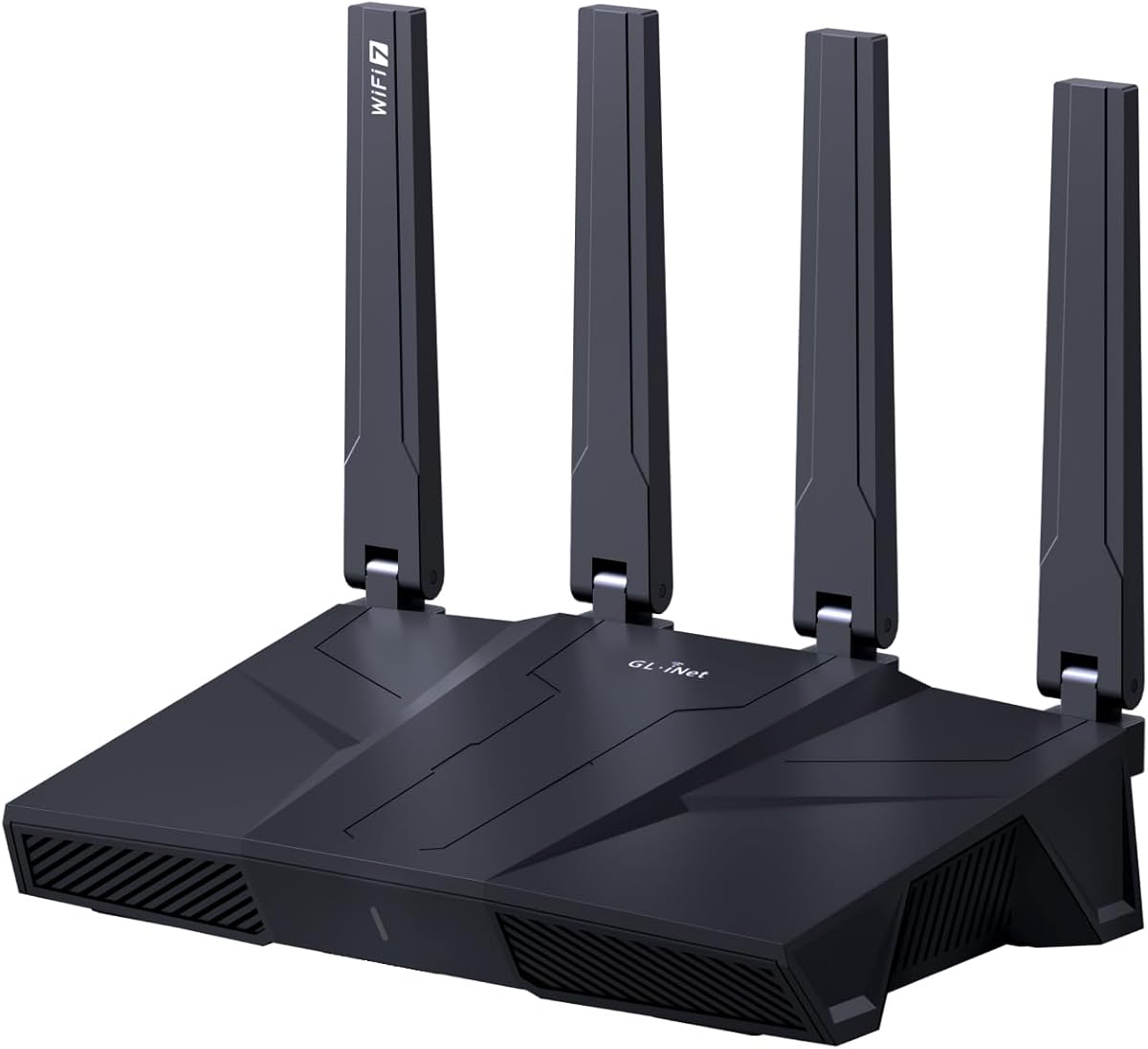


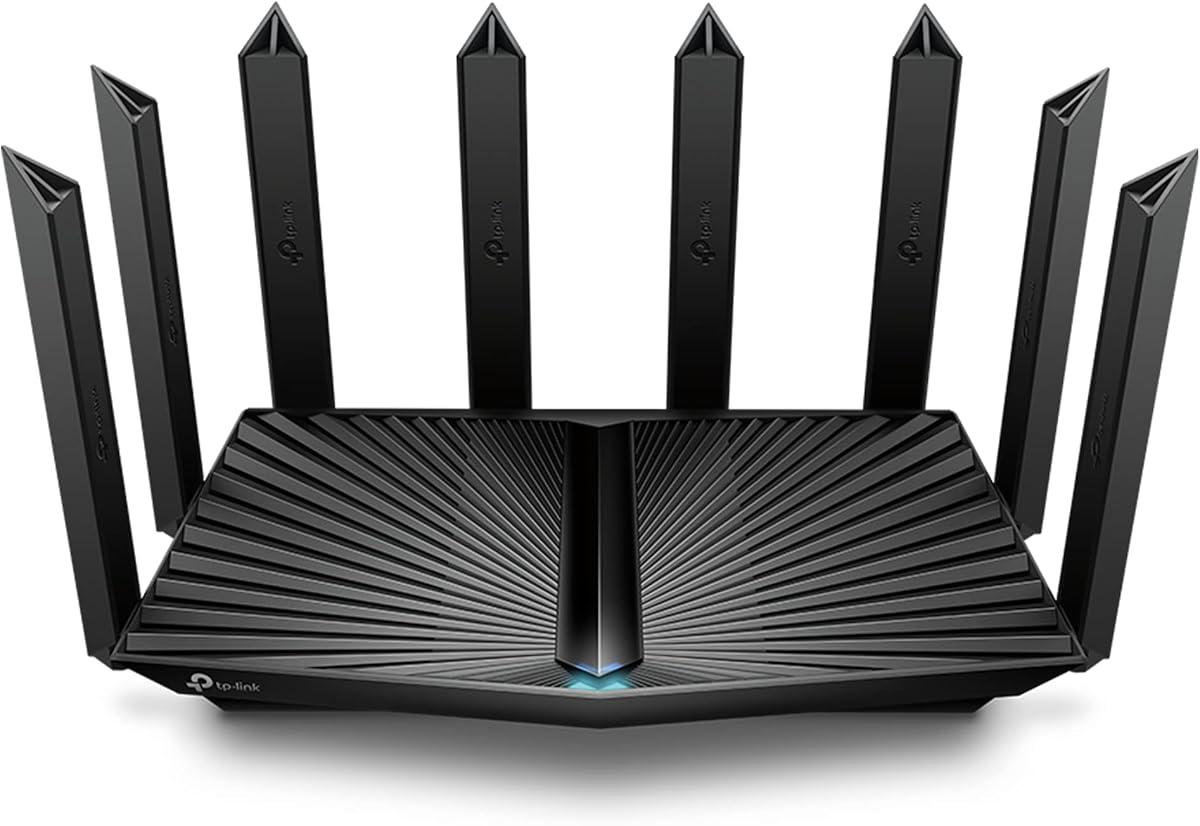

The GL.iNet GL-MT6000 Flint 2 earns the Editor's Choice badge for its balance of speed and privacy features. With a 4.6 rating it stands out for Wi-Fi 6 performance that keeps latency minimal even under heavy loads.
We may earn a commission when you buy through this link, at no additional cost to you.
This router delivers up to 6 Gbps speeds and features dual 2.5G ports for multi-gig internet connections. Its support for OpenVPN and Wireguard ensures secure connections without compromising gaming performance or streaming quality.
While the firmware update is required for optimal performance the resulting stability is worth the effort. Some users may find the initial setup complex but the admin panel offers deep control for advanced networking needs.
Gamers and privacy-conscious users should prioritize this model. It handles over a hundred devices and provides a clutter-free browsing environment with AdGuard Home. It remains one of the most capable routers for low latency applications.
The built-in OpenVPN and Wireguard capabilities allow users to route traffic securely without external hardware.
Support for over one hundred devices ensures every smart home gadget connects without slowing down your gaming session.
We may earn a commission when you buy through this link, at no additional cost to you.
The TP-Link Dual-Band BE3600 offers an affordable entry into Wi-Fi 7 technology. With a 4.2 rating it provides excellent value for households seeking future-proofing without the premium price tag associated with top-tier models.
We may earn a commission when you buy through this link, at no additional cost to you.
Featuring Multi-Link Operation and a powerful quad-core processor this router minimizes latency during data-heavy tasks. The dual 2.5G ports ensure wired connections keep up with your internet plan without bottlenecks.
It lacks the 6GHz band found in tri-band models but still delivers solid performance for most users. The lack of advanced features like built-in VPN is a trade-off for its lower cost and simpler interface.
Budget-conscious buyers wanting next-gen speeds should choose this model. It covers up to 2000 square feet and works well with EasyMesh extenders. It is a practical choice for streaming and gaming on a budget.
Brings Wi-Fi 7 benefits like Multi-Link Operation to a lower price point than competitors.
Dual 2.5G ports mean your router can handle multi-gig internet plans for years to come.
We may earn a commission when you buy through this link, at no additional cost to you.
The ASUS ROG Rapture GT-BE98 Pro is the ultimate choice for hardcore gamers seeking zero lag. Rated 4.3 it stands alone with its 30Gbps throughput and 10G wired ports that push network performance to the absolute limit.
We may earn a commission when you buy through this link, at no additional cost to you.
Its Quad-Band design and Multi-link Operation ensure stable connections even when dozens of devices compete for bandwidth. The Triple-Level Game Acceleration optimizes traffic every step of the way to reduce ping and packet loss.
The price point is significantly higher than other options making it difficult to justify for average users. The extensive coverage and speed are overkill for small homes but perfect for competitive gaming setups.
Enthusiasts and esports players should invest in this router. It offers massive capacity and the fastest wired connections available today. If budget is not a concern this device sets the benchmark for gaming network hardware.
With speeds up to 30 Gbps this router handles massive file transfers and streaming simultaneously.
Optimizes traffic from your PC to the game server to ensure the lowest possible latency.
We may earn a commission when you buy through this link, at no additional cost to you.
The GL.iNet GL-BE9300 Flint 3 combines Wi-Fi 7 speeds with advanced security features. Its 4.3 rating reflects its ability to provide ultra-low latency while maintaining robust control over network traffic and privacy settings.
We may earn a commission when you buy through this link, at no additional cost to you.
With five 2.5G ports and Tri-Band capability this router manages high-density environments effortlessly. The support for OpenVPN and Wireguard ensures that security protocols do not slow down your connection.
Firmware updates are essential for performance but may be a hurdle for less technical users. The price is higher than entry-level models but justified by the hardware specifications and security features included.
Users needing both security and speed will appreciate this router. It covers up to 2000 square feet and handles over a hundred devices. It is a strong choice for households prioritizing privacy and performance.
Integrated AdGuard Home and VPN support give you full control over ad blocking and data encryption.
MLO technology reduces latency by connecting multiple bands simultaneously for faster data transfers.
We may earn a commission when you buy through this link, at no additional cost to you.
The NETGEAR Nighthawk WiFi 7 Router delivers impressive range and speed for large households. With a 4.3 rating it ensures reliable connectivity across up to 2500 square feet without sacrificing latency performance.
We may earn a commission when you buy through this link, at no additional cost to you.
Its tri-band design and 9.3 Gbps speed provide ample bandwidth for streaming and gaming. The 2.5 Gig WAN port supports multi-gig internet plans ensuring your wired connections are not the bottleneck.
Setup is simplified through the Nighthawk app which makes management accessible for non-tech users. However, advanced security features require a subscription which adds to the long-term cost of ownership.
Large homes needing consistent coverage should choose this model. It is ideal for families with multiple smart devices and high-speed internet plans. The reliability and range make it a strong contender in the market.
Designed to cover up to 2500 square feet ensuring every room gets a strong reliable connection.
The free Nighthawk app allows you to manage your network and run speed tests from anywhere.
We may earn a commission when you buy through this link, at no additional cost to you.
The NETGEAR Nighthawk WiFi 7 RS90 offers a balanced approach to Wi-Fi 7 adoption. With a 4.3 rating it provides significant speed improvements over older generations while keeping costs reasonable for most households.
We may earn a commission when you buy through this link, at no additional cost to you.
Its dual-band design delivers up to 3.6 Gbps which is sufficient for 4K streaming and gaming. The 2.5 Gig WAN port unlocks multi-gig internet plans allowing you to take full advantage of your ISP speed.
While it lacks the extra bandwidth of tri-band models it performs well in most home environments. The Nighthawk app ensures management remains simple though the number of LAN ports is somewhat limited.
Families seeking a reliable mid-range upgrade should consider this router. It covers up to 2000 square feet and supports up to 50 devices. It is a practical choice for modern internet needs.
Combines next-gen Wi-Fi 7 technology with a price point that fits typical household budgets.
A 2.5 Gig WAN port ensures your router can handle high-speed internet plans without slowing down.
We may earn a commission when you buy through this link, at no additional cost to you.
The GL.iNet GL-BE6500 Flint 3e is designed for secure and low-latency gaming. With a 4.2 rating it excels at maintaining fast connections even when VPN protocols are active for privacy protection.
We may earn a commission when you buy through this link, at no additional cost to you.
Wireguard and OpenVPN speeds reach up to 1100 Mbps which is impressive for encrypted traffic. The MLO technology ensures that latency stays minimal during competitive gaming sessions or video calls.
Some features like parental controls and VPN setup require technical knowledge to configure properly. The signal strength covers up to 2500 square feet but users may need to adjust settings for optimal performance.
Gamers prioritizing security should choose this model. It handles over a hundred devices and supports Bark for parental control. It is a reliable choice for those who value privacy and performance.
High-speed Wireguard and OpenVPN support ensures your gaming data remains secure without lag.
Covers up to 2500 square feet ensuring strong signals reach the far corners of your home.
We may earn a commission when you buy through this link, at no additional cost to you.
The TP-Link AXE5400 Tri-Band leverages the 6GHz band for near-zero latency performance. With a 4.3 rating it offers a significant upgrade for devices that support Wi-Fi 6E technology.
We may earn a commission when you buy through this link, at no additional cost to you.
Its tri-band design separates traffic efficiently allowing high-demand devices to use the dedicated 6GHz channel. The 5400 Mbps speed ensures smooth streaming and gaming even during peak usage times.
The 6GHz band currently supports fewer devices but provides unmatched speed for those that do. EasyMesh compatibility allows you to extend your network easily if coverage gaps exist in larger homes.
Users with modern devices should choose this router for its speed and stability. It includes robust security features and parental controls. It is an excellent choice for upgrading to Wi-Fi 6E.
The 6GHz band provides a clear lane for high-speed devices reducing congestion and latency.
EasyMesh compatibility allows you to add extenders without complex setup for whole-home coverage.
We may earn a commission when you buy through this link, at no additional cost to you.
The TP-Link AX6000 Wi-Fi 6 offers reliable performance with a strong 4.4 rating. It is designed for households seeking proven stability and speed without the complexity of newer Wi-Fi 7 standards.
We may earn a commission when you buy through this link, at no additional cost to you.
Its 2.5G Multi-Gigabit port ensures wired connections keep up with your ISP speed. The dual-band design and beamforming provide vast coverage ensuring your devices stay connected throughout the home.
While it lacks the 6GHz band it still delivers excellent latency for gaming and streaming. The support for OneMesh allows for flexible expansion if you need to cover additional rooms or floors.
Households seeking reliable high-speed Wi-Fi should consider this model. It is simple to set up and includes essential security features. It remains a top choice for consistent performance and value.
Wi-Fi 6 technology offers reliable speeds and latency suitable for most modern home networks.
A 2.5G port ensures your wired devices get the full speed of your internet connection.
We may earn a commission when you buy through this link, at no additional cost to you.
The Asus ROG Rapture GT-AXE11000 delivers exceptional speed with a 4.1 rating. It remains a powerful option for users needing high performance and low latency even as newer models enter the market.
We may earn a commission when you buy through this link, at no additional cost to you.
Its tri-band design and 6GHz spectrum offer massive capacity and speed. The 2.5G LAN/WAN port ensures your wired connections are prioritized to maintain smooth streaming and gaming experiences.
The interface is feature-rich but may require time to master. The hardware is robust but the cost remains high compared to newer budget-friendly alternatives. It is best suited for power users.
Gamers seeking high-end performance should consider this model. It includes Triple-level Game Acceleration to optimize traffic flow. It is a powerful choice for those prioritizing raw speed and reliability.
With up to 11000 Mbps this router handles massive data loads without slowing down.
Game Acceleration optimizes your connection to ensure minimal lag during competitive play.
We may earn a commission when you buy through this link, at no additional cost to you.
Selecting the right router requires evaluating several technical factors that directly impact your network performance. Below are the key considerations to help you make an informed decision for your specific home setup.
Newer standards like Wi-Fi 7 offer the lowest latency through Multi-Link Operation and 4K-QAM. While older generations like Wi-Fi 6 are stable Wi-Fi 7 provides better capacity for modern devices.
Tri-band routers use three channels including 6GHz for reduced congestion. Dual-band routers are cheaper but may struggle if many devices share the same frequency band.
Look for 2.5G ports to support multi-gig internet plans. A bottleneck here can ruin your network speed regardless of wireless performance.
A strong processor like a quad-core CPU handles multiple data streams without lag. Weak chips may slow down your network during peak usage times.
Integrated security and VPN support protect your data without needing external tools. Built-in tools save money and reduce complexity.
Check the square footage rating to ensure your home gets full signal. Weak signal strength forces devices to work harder and increases latency.
Look for EasyMesh or OneMesh support if you need to add extenders. Seamless handoff keeps latency low as you move between rooms.
Integrated parental controls allow you to manage usage and protect family safety. These features save money and reduce complexity.
Start by updating the firmware immediately after setup. This ensures you get the latest security patches and performance improvements that manufacturers release for low latency optimization.
Place the router in a central location away from walls and obstructions. Proper placement ensures even signal distribution which helps reduce latency for devices located in different rooms.
Regularly reboot your router every few weeks to clear memory caches and refresh connections. This simple maintenance step prevents slowdowns and keeps your network running smoothly.
High latency is often caused by an outdated router or congestion on your current network. Upgrading to a modern router with better processing power and Wi-Fi standards resolves this.
A tri-band router helps reduce congestion by separating devices onto different frequencies. While dual-band works for smaller homes tri-band is better for households with many connected devices.
Wi-Fi 7 uses Multi-Link Operation to send data across multiple bands simultaneously. This significantly reduces latency compared to Wi-Fi 6 especially during peak usage times.
Using a VPN adds some overhead but modern routers with hardware acceleration keep this impact minimal. Look for routers with high VPN speeds to maintain performance.
Modern mesh systems with EasyMesh support maintain low latency through seamless handoffs. Ensure your mesh nodes are capable of Wi-Fi 6 or 7 for best results.
For most users Gigabit Ethernet is sufficient but 2.5G ports are becoming standard. These ensure your wired connection does not bottleneck your internet speed.
We have reviewed the top options ranging from the affordable TP-Link BE3600 to the premium ASUS ROG GT-BE98 Pro. Each model offers unique strengths for different needs and budgets.
Prioritize Wi-Fi 7 or 6E standards if you want future-proof performance. Look for strong processing power and 2.5G ports to ensure your network keeps up with modern internet speeds.
Prices for these routers change frequently so check current listings before buying. This guide helps you identify the right technology for your home regardless of market fluctuations.