
Computer Speakers for Desktop PC Monitor
4.2Editor score
USB and USB-C Compatible
Clip-On Monitor Design
Adaptive Channel Switching
Touch Control Buttons
This guide compares the top MacBook external speakers setup options for 2026 focusing on sound quality connectivity and ease of use for desktop and laptop
Choosing the right external speakers for your MacBook can transform your audio experience significantly. Whether you are editing videos or enjoying music, the right setup delivers clarity and depth that built-in speakers lack.
We evaluated ten top-rated speakers based on connectivity options sound performance and design compatibility with Apple devices. Our analysis ensures you find a model that fits your workspace and audio needs perfectly.
Each pick highlights key features pros and cons to help you decide quickly. Prices and availability may change over time so always check current listings before making your final purchase decision.
4.2Editor score
4.5Editor score

4.5Editor score
The following table provides a side-by-side comparison of all ten selected speakers highlighting their core specifications and unique selling points to help you narrow down your choices efficiently.




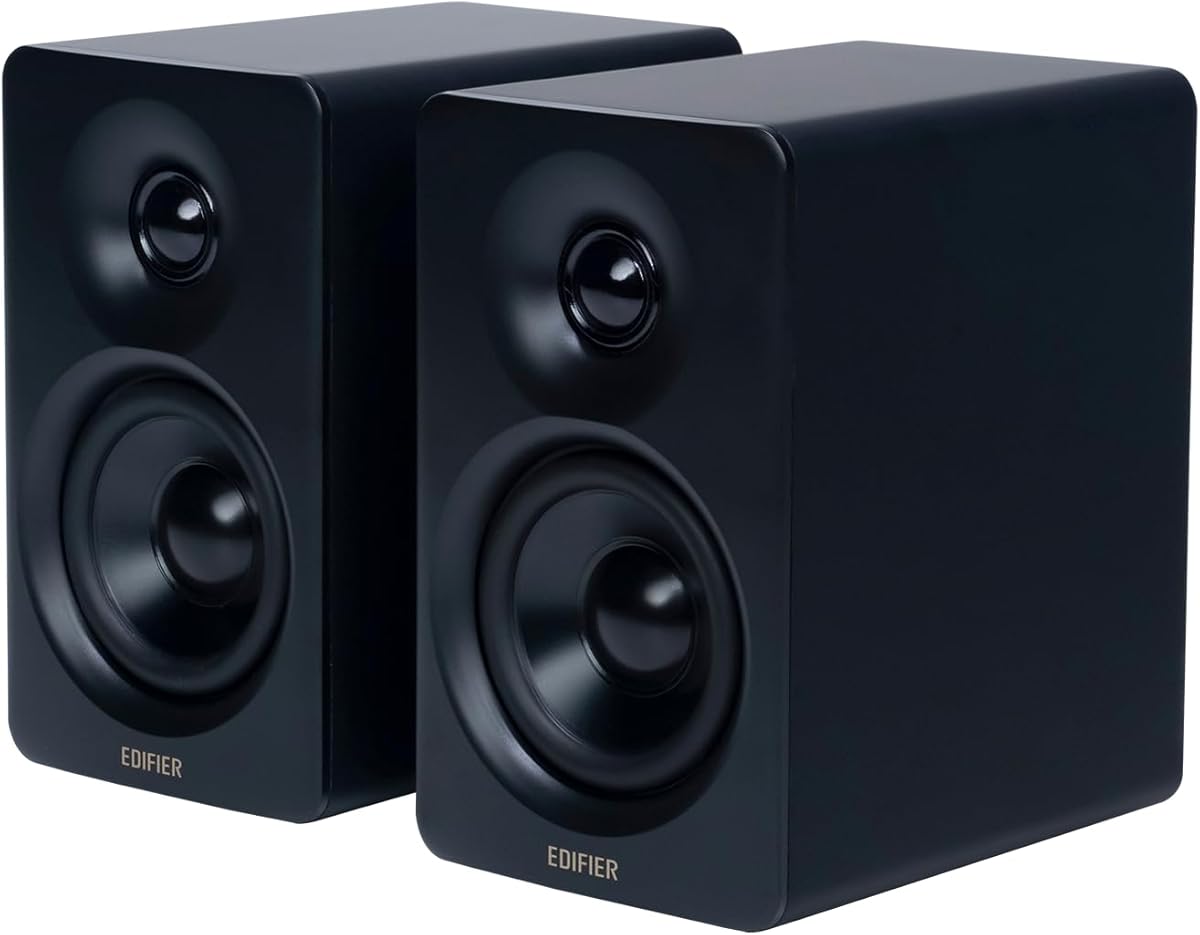
The Edifier M60 Multimedia Speaker stands out as a powerful option for MacBook users seeking high-quality audio. With a 66W RMS output and Hi-Res Audio certification it delivers rich sound that complements professional workflows.
We may earn a commission when you buy through this link, at no additional cost to you.
Its compact design measures 100mm in width making it suitable for various desktop setups. The included aluminum speaker stands elevate the audio to ear level reducing distortion and improving listening comfort.
While it offers superior sound quality the price is higher than entry-level models. However the investment pays off for those who prioritize audio fidelity and a sleek aesthetic on their desk.
This speaker is ideal for professionals and enthusiasts who need reliable performance for music or media consumption. Its blend of power and design makes it a top recommendation for serious users.
The dual-way active crossover and dynamic range control ensure precise audio separation for immersive listening experiences.
Support for Bluetooth V5.3 with LDAC codec allows high-bitrate wireless streaming from compatible devices.
We may earn a commission when you buy through this link, at no additional cost to you.
These computer speakers offer an affordable entry point for enhancing MacBook audio. The built-in USB-C adapter ensures compatibility with newer MacBooks without extra dongles needed for connectivity.
We may earn a commission when you buy through this link, at no additional cost to you.
The monitor clip design saves valuable desk space while keeping speakers close to your ears. Adaptive channel switching ensures left and right audio remain correct regardless of mounting position.
While budget-friendly the bass is less robust than premium models. Still the clear mids and highs are sufficient for daily tasks and casual media viewing.
Buy this if you need a quick space-saving upgrade without breaking the bank. It is perfect for students or home offices with limited desk real estate.
The clamp mechanism secures the speaker to monitor edges freeing up desk area for other essentials.
Compatibility with Windows macOS and ChromeOS makes it versatile across different computing environments.
We may earn a commission when you buy through this link, at no additional cost to you.
The Edifier MR3 is a studio-grade monitor designed for users who demand accuracy and detail. Hi-Res Audio certification ensures a flat response ideal for audio and video editing tasks.
We may earn a commission when you buy through this link, at no additional cost to you.
It features balanced TRS RCA and AUX inputs allowing simultaneous connections to multiple devices. The MDF cabinet reduces resonance for cleaner sound reproduction during critical listening sessions.
Although the design is professional it may require tweaking via the app to suit casual listening. The larger size also demands more desk space than compact options.
This speaker is best for creators and audio enthusiasts who need precise sound. It delivers professional performance that justifies its price tag for serious projects.
Precise two-way active crossover and DSP provide dynamic range control for accurate audio reproduction.
Multiple inputs support simultaneous connections from laptops phones and audio interfaces without switching cables.
We may earn a commission when you buy through this link, at no additional cost to you.
Amazon Basics Stereo 2.0 Speakers provide a straightforward solution for desktop audio. USB power eliminates the need for external adapters making them easy to plug into a MacBook.
We may earn a commission when you buy through this link, at no additional cost to you.
The inline volume control offers quick adjustments without accessing system settings. A 3.5mm aux input ensures compatibility with devices lacking USB audio capabilities.
These speakers lack wireless connectivity which limits portability. The audio is functional but does not match the depth of advanced models.
Ideal for users who need basic reliable sound for office work. The design is unobtrusive and fits well in professional environments.
Plug-and-play functionality ensures immediate audio output without driver installation or configuration.
Small speakers minimize desk clutter while still providing amplified audio for laptops and desktops.
We may earn a commission when you buy through this link, at no additional cost to you.
Logitech Z207 speakers bring wireless flexibility to your MacBook setup. Bluetooth 4.2 allows streaming from multiple devices without cable clutter on the desk surface.
We may earn a commission when you buy through this link, at no additional cost to you.
Easy-Switch technology enables seamless transitions between audio sources. You can pause music on one device and play on another with minimal effort.
The sound quality is decent but lacks the punch of powered studio monitors. Still the convenience of wireless operation appeals to mobile users.
Choose this for casual use where convenience matters most. It balances functionality with ease of use for everyday listening needs.
Bluetooth pairing allows connection to smartphones and tablets for media playback beyond the computer.
Easy-Switch feature manages connections between up to two devices without manual re-pairing.
We may earn a commission when you buy through this link, at no additional cost to you.
Creative Pebble V3 speakers blend modern design with practical features for MacBook users. USB-C power reduces cabling and ensures compatibility with new MacBooks directly.
We may earn a commission when you buy through this link, at no additional cost to you.
Clear Dialog audio processing enhances spoken word clarity for video calls and lectures. The 45-degree elevation directs sound straight to your ears for better focus.
The gain switch allows volume boosting when needed. However the compact design limits bass depth compared to larger units.
This model suits minimalist setups where aesthetics and simplicity matter. It is a smart choice for students or remote workers.
45-degree elevation ensures audio reaches ears directly improving clarity without volume changes.
Bluetooth 5.0 enables streaming from mobile devices when away from the main computer.
We may earn a commission when you buy through this link, at no additional cost to you.
These upgraded speakers offer hassle-free audio for MacBook and other devices. Plug-n-play functionality means no software installation is required for basic use cases.
We may earn a commission when you buy through this link, at no additional cost to you.
A single USB cable handles both audio and power reducing desk clutter. Enhanced bass improves media playback compared to standard built-in laptop speakers.
Build quality is functional but not premium. Controls are minimal so adjustments must be made via computer settings.
Best for users who want immediate audio improvement with zero fuss. It is a cost-effective solution for home office environments.
Plug directly into USB port and select playback device in settings for instant audio.
Support for macOS Windows Linux ensures it works across most laptop and desktop systems.
We may earn a commission when you buy through this link, at no additional cost to you.
FUNLOGY speakers feature a 30-degree tilt to direct sound toward your ears. This ergonomic design enhances immersion while keeping the footprint minimal on the desk.
We may earn a commission when you buy through this link, at no additional cost to you.
Noise-reducing audio design ensures clean signals even during system startups. Gold-plated inputs minimize interference for clear playback across tasks.
The need for an AUX cable means extra cabling compared to USB-only models. The tilt angle is fixed so positioning is key for best results.
Choose this if you value ergonomics and sound clarity. It fits well with modern minimalist setups for productivity or gaming.
Upward tilt directs audio waves to ears improving clarity and reducing reflection off desk.
Premium components minimize static noise for consistent sound quality at any volume.
We may earn a commission when you buy through this link, at no additional cost to you.
Dell Speakerphone SP3022 is designed for business users prioritizing conference audio. Microsoft Teams and Zoom certification ensure compatibility with remote work platforms.
We may earn a commission when you buy through this link, at no additional cost to you.
AI noise cancellation allows multiple people to speak clearly during calls. LED indicators show call status at a glance without opening apps.
Audio fidelity is tailored for voice rather than music. It lacks the depth needed for entertainment but excels in professional communication.
Ideal for remote workers who spend significant time on meetings. It simplifies conferencing and keeps desk setup organized.
Full duplex audio with AI ensures clear two-way communication without echo or interference.
Quick access buttons for meetings and notifications streamline workflow during busy schedules.
We may earn a commission when you buy through this link, at no additional cost to you.
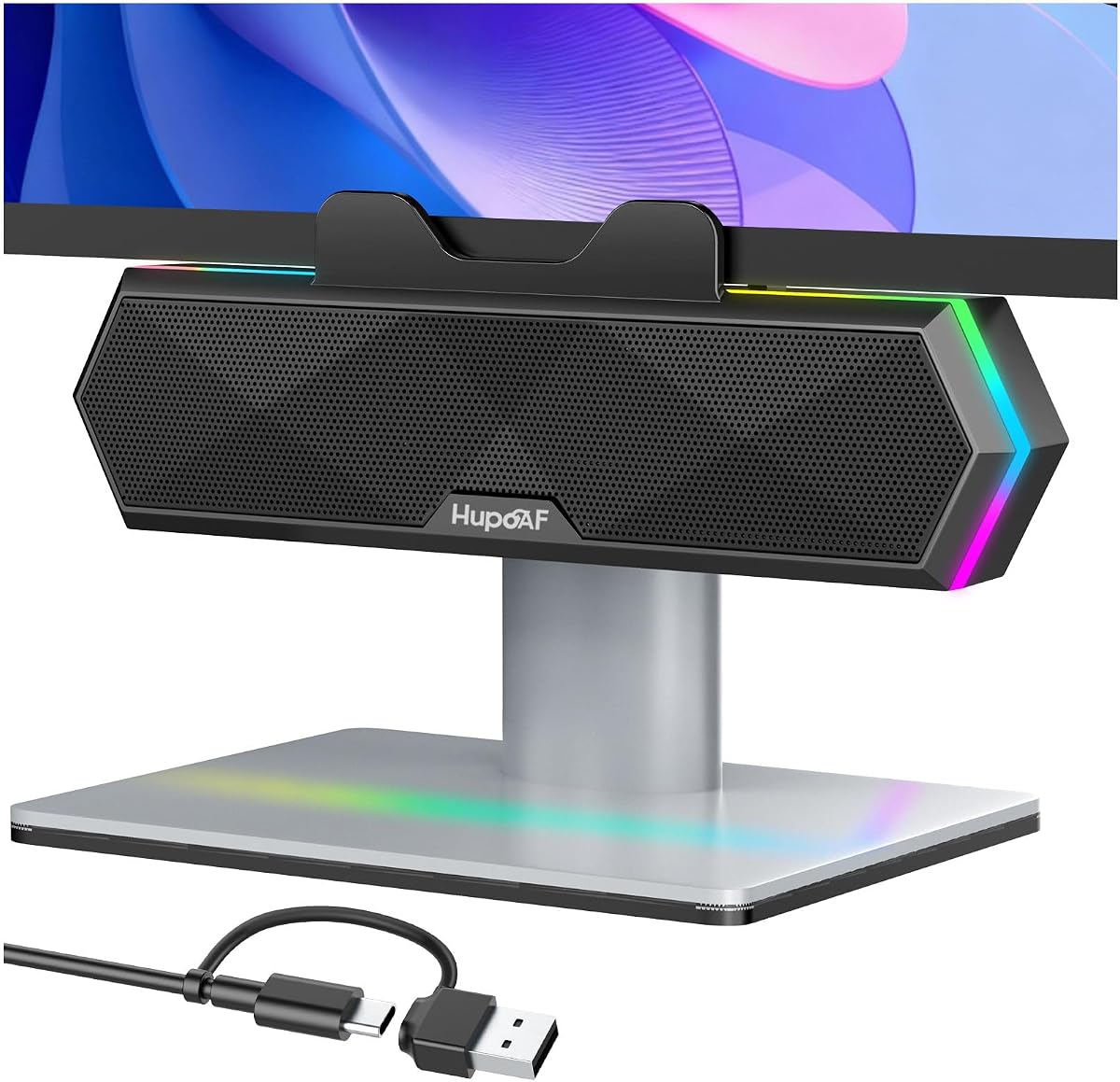
These speakers combine functionality with gaming aesthetics through RGB lighting modes. The clip-on design saves desk space while keeping speakers positioned for optimal sound.
We may earn a commission when you buy through this link, at no additional cost to you.
Dual ultra-magnetic drivers deliver deep resonant bass suitable for gaming and movies. Multifunction controls on the speaker allow quick volume or playback adjustments.
RGB lights can be distracting in work environments but offer a fun touch for personal spaces. Ensure your monitor thickness fits the clamp before buying.
Buy this for entertainment-focused desks where style matters. It balances audio performance with visual flair effectively.
Six RGB modes match desktop themes or mood with simple button presses.
Non-slip clamp works on top side or bottom edges of monitors securely.
We may earn a commission when you buy through this link, at no additional cost to you.
Selecting the right external speakers involves balancing performance connectivity and design needs for your MacBook ecosystem.
Check whether the speakers support USB-C USB-A Bluetooth or 3.5mm inputs. USB-C is ideal for modern MacBooks reducing the need for dongles and keeping the desk tidy.
Prioritize wireless options if you want flexibility or wired for stable audio without latency issues during editing.
Look for speakers with adequate RMS power and driver size to match your room size. Hi-Res Audio certification ensures detailed playback for professional tasks.
Consider passive radiators or subwoofers if deep bass is a priority for your content consumption.
Compact clip-on designs save desk space whereas larger speakers may offer better sound dispersion. Measure your workspace before buying.
Ergonomic angles like tilted drivers improve sound delivery to your listening position without raising volume.
Plug-and-play functionality avoids driver installation headaches. Touch or physical volume controls add convenience during workflow.
Models with app control offer deeper customization for audio settings and EQ adjustments.
Budget models provide sufficient clarity for basic tasks while premium speakers deliver studio-grade accuracy. Decide based on your usage frequency.
Avoid overspending on features you will not use such as RGB lighting if focused on professional work.
Ensure the speakers work with macOS audio settings and drivers. Some require specific configurations to function correctly.
Multi-platform support is useful if you share the speakers between different operating systems regularly.
Metal or high-quality plastic builds resist wear over time. Check warranty terms to understand long-term support.
Robust construction ensures stability on desks prone to bumps or movement during busy workdays.
Choose conference speakers for business calls and music speakers for entertainment. Mixing modes is possible but dedicated units often perform better.
Evaluate if you need headphone jacks or speakerphone features for hybrid meetings.
Connect the speakers to your MacBook using the appropriate port and navigate to System Settings to select the output device. Adjust volume levels gradually to prevent distortion and ensure clarity.
Position speakers symmetrically around your screen at ear level for balanced stereo imaging. Use stands or clip mounts to stabilize placement without risking falls or spills.
Clean the speakers regularly with a soft dry cloth to avoid dust buildup. Keep away from heat sources and avoid overloading power ports to extend lifespan and performance.
Yes many models include adapters for USB-A ports. Check the product details for included accessories to ensure compatibility with your device.
Most are plug-and-play but updating macOS audio drivers may improve performance. Some advanced models offer optional apps for deeper customization.
Yes Bluetooth speakers pair easily via System Settings. Ensure your Mac supports Bluetooth 4.0 or higher for stable connections.
Position speakers away from walls to reduce reflections. Use built-in EQ settings or app controls to boost low frequencies without distortion.
Many models support voice clarity but dedicated conference speakers offer noise cancellation. Choose based on call frequency and professional needs.
With proper care speakers last several years. Avoid moisture and excessive heat to maintain audio quality and component integrity over time.
Some models include microphones but separate ones offer better call quality. Check product specs if you need an integrated solution for video meetings.
Clip-on models save space while bookshelf speakers require more area. Measure your desk before buying to ensure a comfortable fit with peripherals.
The ten models reviewed offer a range of solutions from budget clips to premium monitors. Each delivers specific benefits suited to different priorities and desk environments.
Consider your primary use cases whether video editing casual listening or conferencing before deciding. Connectivity and build quality are just as important as raw power.
Prices fluctuate often so check current listings for the best value. Investing in the right speakers elevates your MacBook experience significantly.