
Arsvita CD Laser Lens Cleaner Disc
4.2Editor score
Two brush cleaning process
Includes glasses cloth
Extends player service life
This guide compares the top CD and DVD Player Cleaner options to help you restore playback quality and extend the life of your optical disc players effectively.
Optical disc players often suffer from skipping or slow loading due to dust on the laser lens. A dedicated CD and DVD Player Cleaner can resolve these issues quickly without requiring technical expertise or disassembly of your device.
We evaluated ten leading cleaning solutions based on their brush technology, included accessories, and compatibility with various player types. Our analysis focuses on effectiveness in removing debris while ensuring safety for delicate laser components.
Each product listing provides key specifications, user ratings, and direct links for further details. Please note that availability and pricing may fluctuate over time, so verify current stock before making your final purchasing decision.
4.2Editor score

4.3Editor score

4.2Editor score
The following table offers a side by side overview of all ten products evaluated in this guide. Each entry highlights core specifications and compatibility details to help you identify the right solution for your specific player model.





The Arsvita CD Laser Lens Cleaner Disc offers a straightforward solution for users experiencing playback issues with standard optical disc players. With a solid rating from users, this set addresses common problems like skipping or freezing through a dedicated cleaning disc mechanism.
We may earn a commission when you buy through this link, at no additional cost to you.
Its core strength lies in the two brush clean process designed to physically remove dust and debris from the laser lens. This mechanical action helps restore signal quality without requiring chemicals or manual disassembly of the player unit.
While effective for basic maintenance, the kit does not include additional cleaning fluids which might be preferred for heavy duty stains. Users should also note compatibility limits excluding most modern gaming systems like Xbox or PlayStation.
This product is ideal for homeowners with older CD or DVD players needing routine maintenance. It provides a cost effective method to extend device life and improve media quality without professional service costs.
Users report significant improvement in disc recognition and continuous playback after using this cleaner on sluggish devices.
The brush system is designed to clean the lens safely without scratching the delicate optical components inside the player.
We may earn a commission when you buy through this link, at no additional cost to you.
This variant from Arsvita enhances the basic cleaning kit with additional fluid bottles for comprehensive maintenance. It maintains the same core technology for removing dust deposits that cause audio and video distortions during playback sessions.
We may earn a commission when you buy through this link, at no additional cost to you.
The inclusion of cleaning fluid allows users to treat stubborn grime that brushes alone might miss. This makes it a more thorough option for devices that have been neglected for extended periods before maintenance.
While it shares compatibility limitations with the base model, the added fluid and support card provide better value for long term maintenance needs. Users appreciate the responsive after sales support if issues arise with the product.
Best suited for home theater owners with multiple optical players needing consistent care. The fluid inclusion ensures you have enough supply for multiple cleaning cycles without immediate repurchase.
Beyond the disc, the inclusion of fluid and cloth provides a complete toolkit for cleaning both discs and the player lens effectively.
The manufacturer offers a after sales support with a dedicated card included in the packaging for quick assistance.
We may earn a commission when you buy through this link, at no additional cost to you.
The ARCD 02 model offers a middle ground between the basic and premium kits from Arsvita. It provides a single bottle of fluid alongside the brush disc for basic cleaning needs without extra bulk or cost.
We may earn a commission when you buy through this link, at no additional cost to you.
This unit targets standard optical players used in home entertainment setups. Users find it effective at resolving skipping issues caused by dust accumulation on the laser lens component over time.
While it has a slightly lower rating than the ARCD 04, it remains a strong contender for budget conscious shoppers who still want some fluid included. It works well for occasional maintenance rather than heavy duty cleaning.
Ideal for those who already own cleaning cloths and need a replacement disc with fluid. It serves as a reliable backup option for maintaining older DVD players in storage.
This kit simplifies maintenance by combining the cleaning disc and fluid in a single affordable package.
Regular cleaning with this kit helps maintain clear audio and video quality from optical discs.
We may earn a commission when you buy through this link, at no additional cost to you.
Endust is a well known name in electronics care making this lens cleaner a trusted option for diverse environments. It is designed to safely clean lenses across a wide range of devices from home units to office desktops.
We may earn a commission when you buy through this link, at no additional cost to you.
The product features a straightforward workflow where you insert the disc and follow audio cues for proper cleaning. This reduces the chance of user error during the process compared to manual cleaning methods.
While it costs more than generic alternatives, the brand reputation and Blu Ray compatibility add value. It is particularly useful for offices or schools where multiple users might access shared CD DVD equipment.
This is the top choice for those prioritizing brand reliability and compatibility with newer formats. It works efficiently to remove dust that causes playback errors without risking damage to the lens.
Unlike many others this cleaner supports Blu Ray players expanding its utility to modern devices.
The simple operation makes it suitable for use in shared environments like schools or office desktops.
We may earn a commission when you buy through this link, at no additional cost to you.
Maxell offers a premium cleaning disc with specialized copper impregnated fibers designed for maximum cleaning and demagnetization. This technology aims to not only clean dust but also address static issues that affect performance.
We may earn a commission when you buy through this link, at no additional cost to you.
The ultra fine synthetic fibers are effective at removing scratches and debris without damaging the laser. It is recommended to replace the unit after twenty uses to ensure consistent cleaning performance over time.
While the cost is higher than basic options, the specialized materials justify the expense for serious users. It works on a broad range of devices including older gaming systems like Xbox and PS1.
This product is best for users seeking top tier cleaning technology. The demagnetization feature sets it apart from standard brush cleaners for optimal player health.
The copper in the brushes helps demagnetize the lens reducing interference during playback.
Following the usage limit ensures the fibers remain effective and do not wear out prematurely.
We may earn a commission when you buy through this link, at no additional cost to you.
This kit from Nicer combines a cleaning disc with voice guidance to ensure correct usage. It is designed to restore better playback effects for devices that have been used for extended periods without maintenance.
We may earn a commission when you buy through this link, at no additional cost to you.
The inclusion of a microfiber cloth allows you to clean the discs themselves rather than just the player lens. This dual approach helps prevent re contamination after the lens has been cleaned.
The voice guidance assists users in performing the process correctly without reading complex manuals. It also tests channels to ensure the cleaning was successful before removing the disc.
Ideal for users who want a comprehensive kit with disc cleaning capability. The after sales service offers peace of mind if the product does not meet expectations.
Step by step voice prompts guide you through the cleaning process reducing confusion.
A microfiber cloth is included so you can also wipe your discs for optimal performance.
We may earn a commission when you buy through this link, at no additional cost to you.
The NS 1 model improves upon the NS 2 by reducing cleaning time to just one and a half minutes. This makes it a quicker option for routine maintenance tasks. multiple devices.
We may earn a commission when you buy through this link, at no additional cost to you.
It includes the same microfiber cloth and voice guidance features ensuring comprehensive care for both players and discs. The shorter process is beneficial for quick troubleshooting when a disc fails to load.
The voice prompts help ensure proper cleaning steps are followed without errors. This makes it accessible for users who are not tech savvy or familiar with lens cleaning procedures.
This kit is suitable for users needing fast results without sacrificing quality. It is a solid choice for maintaining home entertainment systems efficiently.
A reduced cleaning cycle allows you to restore your player quickly before watching a movie.
Voice guidance and cloth included make the process simple for anyone to perform safely.
We may earn a commission when you buy through this link, at no additional cost to you.
While not a laser lens cleaner this product is essential for maintaining the discs themselves. The soft wipes effectively remove dirt and fingerprints that cause playback issues before they damage the lens.
We may earn a commission when you buy through this link, at no additional cost to you.
The non abrasive material ensures you do not scratch the disc surface during cleaning. This helps maintain optimal function and longevity of your media collection without risking damage.
It is recommended for routine maintenance at least once a month to prevent buildup. Keeping discs clean helps the player run smoother and reduces wear on the laser lens.
Best for those managing large collections of physical media. It complements lens cleaners by ensuring the source material is clean for best performance.
These wipes restore discs to peak performance removing fingerprints that impact playback quality.
Using wipes regularly helps maintain longevity and prevents issues like skipping during playback.
We may earn a commission when you buy through this link, at no additional cost to you.
Allsop uses an eight brush carbon system to remove static buildup that can interfere with disc reading. This feature makes it unique compared to standard plastic bristle cleaners found on the market.
We may earn a commission when you buy through this link, at no additional cost to you.
Static electricity can cause read errors even if dust is present. By addressing this issue the cleaner helps ensure reliable playback across different player types including some mobile and desktop drives.
The product is designed for a wide range of optical drives including game players and Apple devices. This versatility makes it a useful tool for diverse setups beyond standard home theater.
Ideal for users experiencing static related read errors in their systems. It is a solid choice for maintaining older drives prone to static accumulation.
The carbon system removes static which helps prevent skipping during use effectively.
Compatible with various devices including game players making it a versatile solution.
We may earn a commission when you buy through this link, at no additional cost to you.
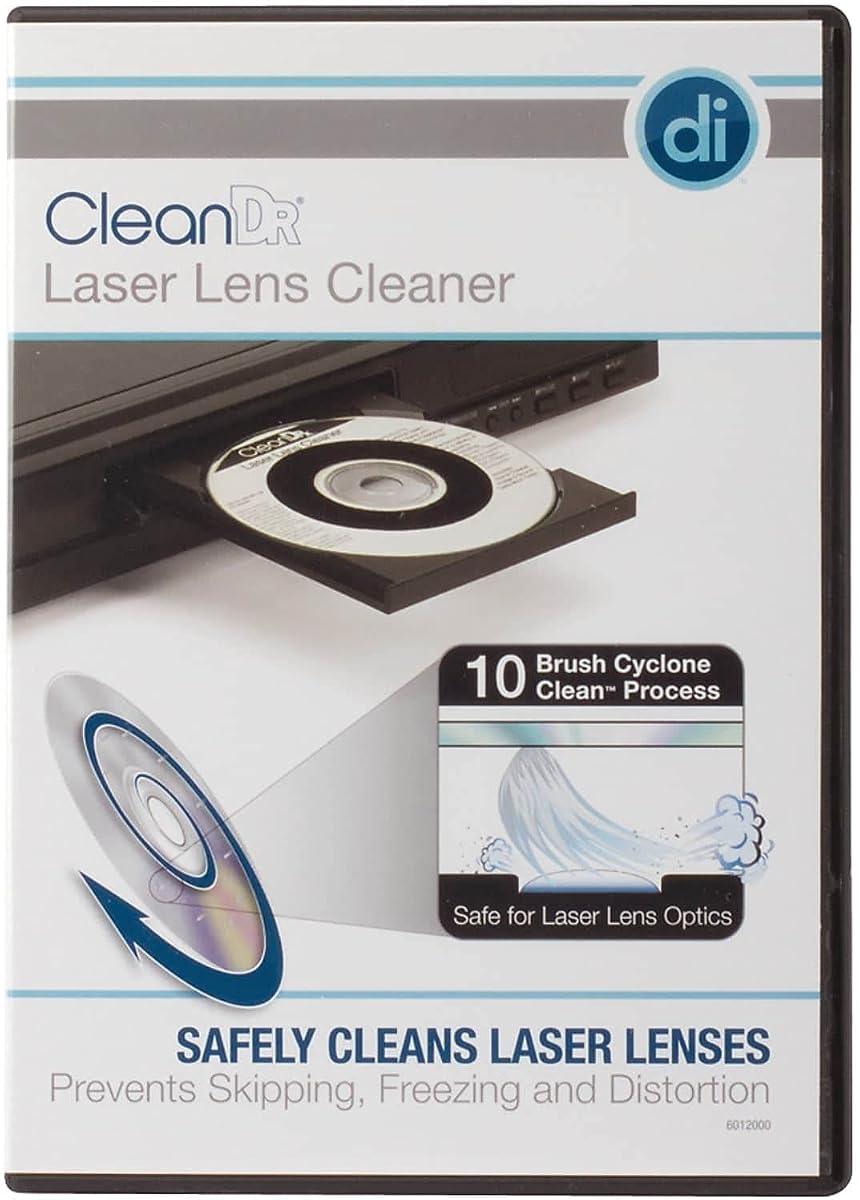
Digital Innovations features a ten brush cyclone clean process that covers the lens from multiple angles. This comprehensive cleaning approach ensures dust and debris are removed effectively from the optical path.
We may earn a commission when you buy through this link, at no additional cost to you.
The demagnetization step helps clear static charge that can cause read errors. This adds value for users dealing with intermittent playback issues that persist after standard dust removal.
It is safe for use on computer drives and gaming consoles but should not be used with multi disc changers. This limitation means it is best for single disc tray players.
Best for users needing thorough cleaning and demagnetization. It optimizes performance for single tray systems effectively.
The ten brush cyclone process ensures a more thorough cleaning of the lens than standard brushes.
Optimizes CDs and DVDs by ensuring the lens is clean and magnetically balanced.
We may earn a commission when you buy through this link, at no additional cost to you.
Selecting the right cleaning solution requires understanding your device type and the specific issues you face. This guide outlines the key factors to consider before making a purchase.
Always verify that the cleaner supports your specific player model. Many products explicitly exclude modern gaming consoles like PS3 PS4 or Xbox One. Always check the manufacturer list before buying to avoid wasted money.
Ensure the product lists your device type in its supported list for guaranteed results.
The number and quality of brushes determine how thoroughly dust is removed. Options range from simple two brush sets to ten brush cyclone systems. More brushes generally cover more surface area on the lens.
Look for microfiber or carbon treated brushes for better static removal and debris clearance.
Some kits include cleaning fluids cloths or after sales cards. Fluid helps remove stubborn stains that dry brushing misses. Cloths allow you to clean the discs themselves reducing re contamination risks.
Consider a kit with accessories if you need a comprehensive maintenance solution for all your media.
Most cleaners are insert and play but some offer voice guidance or channel testing. If you want simplicity choose one with clear instructions. Some require audio to be on to hear prompts.
Voice guidance and channel testing features help ensure the process is done correctly without guesswork.
Well known electronics brands often offer more reliable safety standards. Established brands like Maxell or Endust have tested their products extensively. This can reduce the risk of damaging your player with cheap parts.
Prioritize reputable brands if your player is expensive or still under warranty to avoid voiding coverage.
Decide between dry brushing and fluid based cleaning. Dry is faster but fluid can be more effective for heavy buildup. Some premium options offer both to cover all cleaning scenarios effectively.
Choose a method that matches the level of dirt in your environment for best results.
Basic kits start low but premium options offer more features like demagnetization. Calculate how many uses you need before replacement costs add up. A slightly pricer unit with longer life may save money long term.
Compare included items like fluids and cloths to get the best total value for your budget.
Some units are single use while others last for multiple cleaning cycles. Check if the brushes wear out quickly and if replacement parts are available. A product designed for longevity offers better value.
Select a durable option if you maintain multiple devices or have a large media collection.
Before using any cleaner ensure your device is plugged in and ready to play discs. Insert the cleaning disc with the label side up as indicated by the packaging. Most discs spin automatically without requiring extra commands.
Allow the disc to run for the full cycle duration usually around two minutes. Do not remove the disc early as the brushes may not have touched the lens yet. Follow any voice prompts or lights that confirm completion.
After cleaning remove the disc carefully and store it in its case. Clean your discs with a soft cloth to prevent dirt from returning to the lens. Repeat this maintenance once a month for best performance.
While you might attempt to clean with a cloth inside the tray it is risky to damage the laser. Special discs are engineered to touch the lens safely. Using them avoids potential costly repairs.
It is recommended to clean the lens after every ten hours of use or monthly for home units. If you notice skipping or slow loading cleaning it immediately restores quality. Regular care extends device life.
Skipping may continue if the disc is damaged or the lens is scratched. Ensure you clean the actual media too as dirty discs cause read issues. Also check for firmware updates.
No many standard cleaners are not safe for Blu Ray lenses. Always check the label for Blu Ray compatibility before purchasing. Using the wrong cleaner can damage the optical assembly permanently.
Using alcohol directly on the lens can cause corrosion or coating damage. It is safer to use the dedicated cleaning fluids provided in kits. These are tested to be safe for optical components.
Most cleaning discs explicitly exclude PS3 PS4 and Xbox One models. They may work on older Xbox 360 or PS2 systems. Always verify the supported list before buying.
If the disc does not spin check if your player loads discs normally first. Some players require audio to be on for the cleaning mode to start. Ensure the disc is not reversed when inserted.
Most discs are reusable multiple times before replacement is needed. Check the packaging for a usage count such as twenty times. When the brush wears out replace the disc to maintain performance.
We reviewed ten top cleaning solutions ranging from budget kits to premium demagnetizing tools. Each offers unique benefits for restoring playback quality to optical disc players effectively.
Prioritize compatibility with your specific device model when choosing a cleaner. Features like brush count and included fluids also help determine the best value for your needs.
Verify current availability and details before purchasing as models may update over time. A regular cleaning routine keeps your media player running smoothly for years.