
WAVLINK 4-Bay Hard Drive Enclosure
4.0Editor score
10Gbps USB-C transfer speed
4K HDMI video output
Temp-controlled cooling fans
Finding a reliable storage solution is critical for professionals and enthusiasts alike. A four bay hard drive enclosure with cooling fans ensures your data stays safe and your drives run cool. These units offer expandability and performance for diverse needs.
We evaluated ten top models based on speed, build quality, and thermal management. Our comparison highlights features like USB 3.2 Gen 2 support and hot swappable bays. Each product was chosen for its ability to handle high capacity drives efficiently.
Each pick reveals specific strengths such as HDMI output or hybrid NVMe support. Prices fluctuate often so check current listings before buying. This guide helps you select the right enclosure for your workflow and budget.
4.0Editor score

4.3Editor score

4.2Editor score
As an Amazon Associate we earn from qualifying purchases.
This side-by-side comparison reviews all ten products to highlight key differences in speed, capacity, and connectivity. Use this table to quickly identify the model that fits your specific storage requirements.

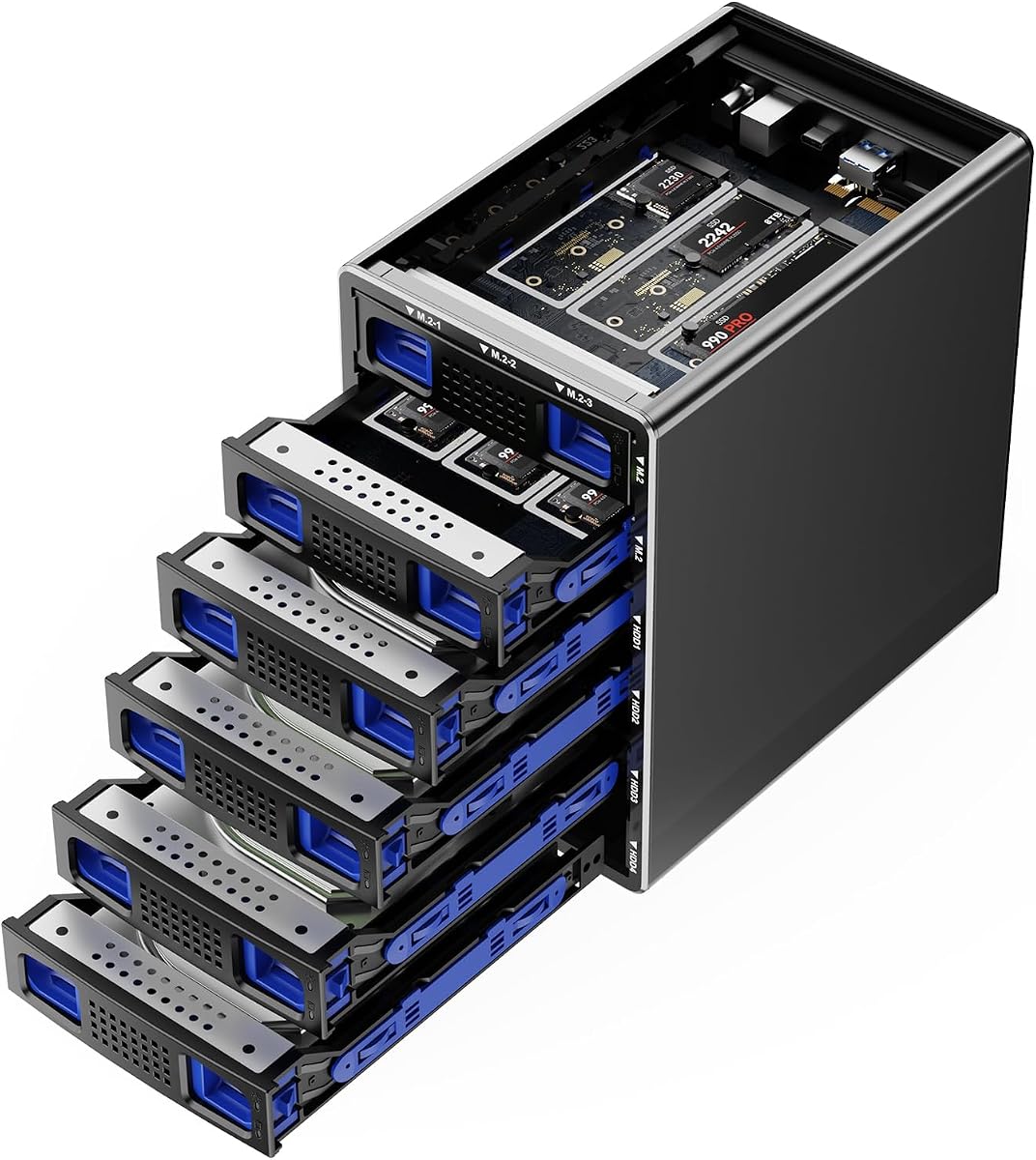

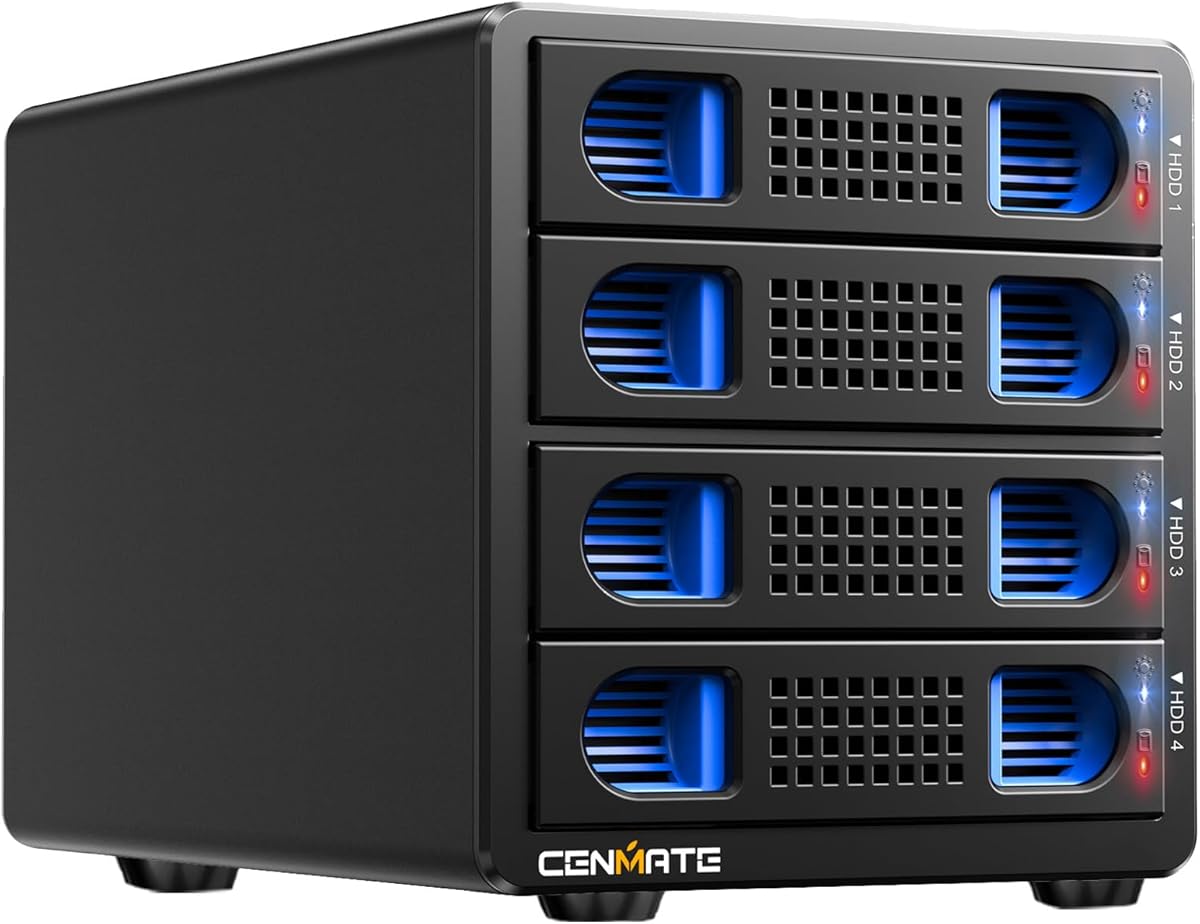
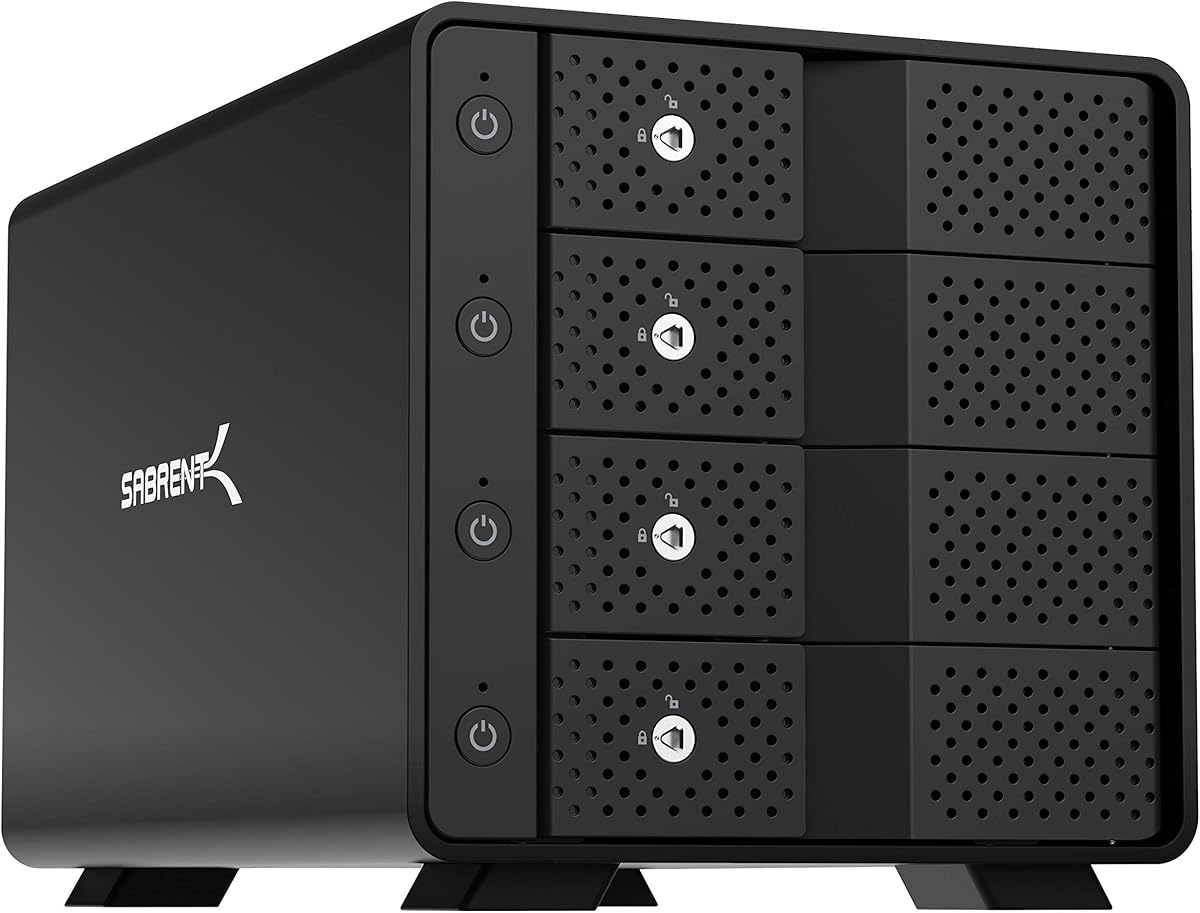
The CENMATE Aluminum 4 Bay Hard Drive Enclosure stands out as a top choice for users needing reliable external storage. With a rating of 4.3 stars it offers robust performance for both personal and business use. Its ability to support up to 80TB makes it a versatile option for large data sets.
We may earn a commission when you buy through this link, at no additional cost to you.
This enclosure features a durable aluminum alloy build that helps dissipate heat efficiently. It includes a built-in fan to keep drives cool during heavy use. The USB 3.0 interface ensures fast transfer speeds allowing quick access to your files.
While the fan provides essential cooling it can produce some noise around 40 to 50 decibels. This might be distracting in quiet environments. However the tool-free design and hot swappable feature make it easy to manage drives without shutting down the system.
If you need a dependable storage solution with high capacity and good speed this enclosure is an excellent pick. It works well with Windows Mac and Linux systems. Just consider the noise level if you plan to use it in a quiet office.
The aluminum alloy construction and built-in fan work together to keep drive temperatures low during extended use.
Tool-free design allows you to install or swap drives quickly without needing any special tools.
We may earn a commission when you buy through this link, at no additional cost to you.
This CENMATE model offers impressive speed with USB 3.2 Gen 2 support delivering up to 10Gbps transfer rates. It supports up to 80TB capacity making it ideal for large file transfers. The hot swappable feature adds convenience for managing multiple drives.
We may earn a commission when you buy through this link, at no additional cost to you.
The enclosure is built with aluminum alloy to ensure durability and heat dissipation. It includes a fan to maintain optimal operating temperatures. However the noise level is around 40 to 50 decibels which may not suit silent environments.
While it excels in speed and capacity it lacks RAID support. This means you handle drives individually rather than as a mirrored array. The tool-free design simplifies installation and makes it easy to swap drives on the fly.
Choose this if you prioritize speed and flexibility in your storage setup. It works with Windows Mac and Linux. Just be aware of the fan noise if you use it in a quiet workspace.
USB 3.2 Gen 2 interface provides up to 10Gbps speeds for quick file access.
Replace hard drives without powering off the device for seamless workflow.
We may earn a commission when you buy through this link, at no additional cost to you.
The MAIWO 4 Bay Hard Drive Enclosure offers unique features like USB-C and daisy chain expansion. It supports up to 96TB total capacity. The dual cooling fans activate automatically to protect your drives from overheating.
We may earn a commission when you buy through this link, at no additional cost to you.
It includes an HD-TV port for 4K video output which enhances multimedia use. The aluminum alloy design helps with heat dissipation. It is compatible with Windows Mac and Linux. This makes it versatile for different users.
However the rating is lower at 3.5 stars. Some users may find the setup complex. Also the eSATA port has limitations on some systems. Ensure your host supports RAID if using eSATA.
If you need high capacity and multimedia features this is worth considering. The daisy chain option allows future expansion. Just check compatibility before buying to avoid issues with your system.
Connect directly to your TV for 4K video streaming and media viewing.
Dual fans activate at 48°C to keep drives cool and safe.
We may earn a commission when you buy through this link, at no additional cost to you.
This CENMATE Hybrid enclosure offers a unique mix of SATA HDDs and M.2 NVMe SSDs. It supports up to 136TB total capacity. This hybrid approach gives you massive storage with fast SSD access for your most used files.
We may earn a commission when you buy through this link, at no additional cost to you.
The USB 3.2 Gen 2 interface ensures fast data transfer. The aluminum alloy build helps with heat dissipation. Tool-free installation makes it easy to set up drives. It works with Windows Mac and Linux.
The fan provides continuous cooling but can be noisy. Some users might find managing two types of drives complex. Also the price is higher than standard enclosures. Consider if you need both SATA and NVMe.
Choose this if you want massive storage and speed in one unit. It is great for power users. Just be ready for a slightly more complex setup and fan noise.
Combine HDD capacity with SSD speed for optimized performance.
Install drives without screws for quick and easy setup.
We may earn a commission when you buy through this link, at no additional cost to you.
The WAVLINK 4-Bay Hard Drive Enclosure combines storage with display features. It supports up to 88TB capacity with USB 3.2 Type-C. The HDMI output allows you to connect directly to a TV for 4K video.
We may earn a commission when you buy through this link, at no additional cost to you.
It has dual fans that activate at 48°C to keep drives cool. The aluminum shell provides durability. Hot-swappable bays make it easy to manage drives. It works with Windows Mac and Linux.
You need a USB-C port that supports video for HDMI to work. The fan noise is typical but may bother some users. It is a premium option for those needing multimedia features.
If you want storage that doubles as a media hub this is a great pick. Just ensure your computer supports USB-C video output. It offers high capacity and speed with convenience.
HDMI port supports 4K video output for seamless media viewing.
High-quality aluminum ensures heat dissipation and long-term durability.
We may earn a commission when you buy through this link, at no additional cost to you.
This SABRENT model is a great budget option for 2.5 inch drives. It supports up to 64TB total capacity. The fan is whisper-quiet which is rare for this price range. It is ideal for users who need simple and quiet storage.
We may earn a commission when you buy through this link, at no additional cost to you.
Tool-free drive access makes it easy to swap drives. The magnetic cover design adds convenience. It works with Windows Mac and Linux without drivers. This plug and play feature saves time.
Note it only supports 2.5 inch drives not 3.5. This limits total capacity compared to full 4 bay units. But for SSDs or small HDDs it works well. The 4.2 rating shows high satisfaction.
If you need a quiet and affordable docking station this is perfect. Just check if you need 3.5 inch support. It offers reliable performance for daily use.
Whisper-quiet fan keeps drives cool without disturbing your work.
Swap drives quickly without screws for fast workflow.
We may earn a commission when you buy through this link, at no additional cost to you.
The CENMATE eSATA enclosure offers both USB and eSATA connections. This dual interface gives you flexibility in how you connect to your computer. It supports up to 80TB capacity with 3.5 inch drives. The cooling fan keeps your drives safe from heat.
We may earn a commission when you buy through this link, at no additional cost to you.
It uses the JMS567 chipset for stable performance. The aluminum build helps with heat dissipation. It is compatible with Windows Mac and Linux. However note that hot-swapping is not supported on this model.
You must use a compatible eSATA port for RAID functionality. Otherwise only one drive is accessible via eSATA. The fan noise is around 40 to 50 decibels. Consider this if you need a specific interface.
If you have an older system with eSATA this is a good choice. It provides reliable storage with good capacity. Just be aware of the limitations on hot-swap and fan noise.
USB and eSATA ports offer flexible connectivity for different systems.
DC 12V adapter ensures stability during high-speed transmission.
We may earn a commission when you buy through this link, at no additional cost to you.
This WAVLINK model supports up to 128TB capacity making it ideal for massive storage needs. It has USB 3.2 Type-C for fast transfers. The HDMI output allows for 4K video playback on your TV. It is a powerful tool for media creators.
We may earn a commission when you buy through this link, at no additional cost to you.
The aluminum shell ensures durability and heat dissipation. Dual fans activate at 48°C to protect your drives. Hot-swappable bays make it easy to manage storage. It works with Windows Mac and Linux.
As with other WAVLINK units the USB-C port must support video for HDMI to work. The fan noise is noticeable but expected for active cooling. This model is great for users with large data sets.
If you need high capacity and multimedia features choose this unit. It offers speed and display options in one device. Just check your computer's USB-C capabilities before buying.
Support up to 128TB capacity for extensive data storage.
HDMI port enables 4K video output for seamless media viewing.
We may earn a commission when you buy through this link, at no additional cost to you.
This CENMATE model supports eight RAID modes offering data redundancy and performance options. It works with up to 80TB capacity. The dual USB and eSATA interfaces provide flexibility. It includes a cooling fan to protect your drives.
We may earn a commission when you buy through this link, at no additional cost to you.
To switch RAID modes you need to toggle a paddle and reset the power. This process can be complex. Hot-swapping is not supported. However the RAID features make it unique among DAS units.
Fan noise is around 40 to 50 decibels. You need a compatible eSATA port for proper access. This model is for users who want RAID without a full NAS system.
Choose this if you need RAID features at a lower cost. Just be ready for a more involved setup. It offers solid storage with added data protection options.
Choose from various RAID options like RAID 0 1 and 5 for data protection.
DC 12V adapter ensures stability for high-speed transmission.
We may earn a commission when you buy through this link, at no additional cost to you.
The SABRENT DS-SC4B uses a dedicated controller for each bay. This ensures stable and independent connections for your drives. It supports up to 80TB capacity with USB-C. The 92mm fan keeps your drives cool during heavy use.
We may earn a commission when you buy through this link, at no additional cost to you.
Tray-less hot-swap makes it easy to insert drives. A Kensington slot adds security. The aluminum and metal build is durable. It works with Windows Mac and Linux. This is a reliable choice for professionals.
Unlike some units it lacks HDMI output. The fan noise is typical but may be distracting. It does not support hardware RAID. This is a direct-attached storage unit for individual drives.
If you need fast USB-C performance and reliability this is a great pick. Just ensure you use a USB-C to USB-C connection for best results. It offers solid performance for demanding workflows.
Dedicated controller for each bay ensures stable connections.
Tool-free drive insertion for quick and easy swaps.
We may earn a commission when you buy through this link, at no additional cost to you.
Selecting the right enclosure requires understanding your storage needs. This guide covers key factors to consider.
USB 3.2 Gen 2 offers faster speeds up to 10Gbps compared to USB 3.0. Choose based on your file transfer needs.
Faster interfaces reduce wait times for large data transfers.
Check if the enclosure supports 2.5 and 3.5 inch drives. Some models limit to one size only.
Ensure the unit fits your existing hard drives or SSDs.
Look at the maximum capacity per drive and total. Some support up to 80TB while others go higher.
Choose based on your current and future storage needs.
Active fans are essential for multi-bay units. Check if fans are silent or loud.
Proper cooling prevents overheating during long transfers.
Most are DAS but some offer RAID modes. RAID adds data redundancy but limits hot-swap.
Decide if you need data protection or raw capacity.
Aluminum enclosures dissipate heat better than plastic. This helps drive longevity.
Invest in a solid build for long-term reliability.
This feature lets you swap drives without shutting down. It saves time and improves workflow.
Look for independent power switches per bay.
Some units offer HDMI or extra USB ports. These add versatility for multimedia or peripherals.
Ensure your host system supports extra features.
Plug the enclosure into a power source before connecting to your computer. This ensures stability during operation.
Use USB cables that support the interface speed. Cheap cables may limit transfer rates.
Keep the vents clear of dust. Clean fans regularly to prevent overheating.
Most enclosures are plug and play and work with Windows Mac and Linux without drivers. Some advanced RAID modes may need software. Check the manual for specifics.
Ensure the product supports 3.5 inch drives as some models only take 2.5 inch. Use adapters if needed but note mounting brackets may not be included.
Fans typically range from 40 to 50 decibels. Some units have silent fans but most are audible. This is normal for active cooling.
Yes most enclosures work with macOS. You may need to format drives to APFS or ExFAT for best compatibility.
Most are DAS with individual drive access. Only a few support RAID modes. Check product specs before buying for RAID needs.
Some eSATA ports need RAID functionality to show multiple drives. Try using USB instead or ensure your system supports the port.
Use enclosures with active cooling fans. Keep vents clear and avoid enclosing the unit. Regular dust cleaning helps too.
Yes hot swappable units let you swap drives without shutting down. This allows future expansion as your needs grow.
We reviewed ten top models from CENMATE WAVLINK and SABRENT. Each offers unique features from speed to RAID support.
Prioritize speed and cooling based on your usage. Quiet offices may need silent fans while professionals need fast USB-C.
Prices change often so check current listings before purchasing. Use this guide to make a confident decision.