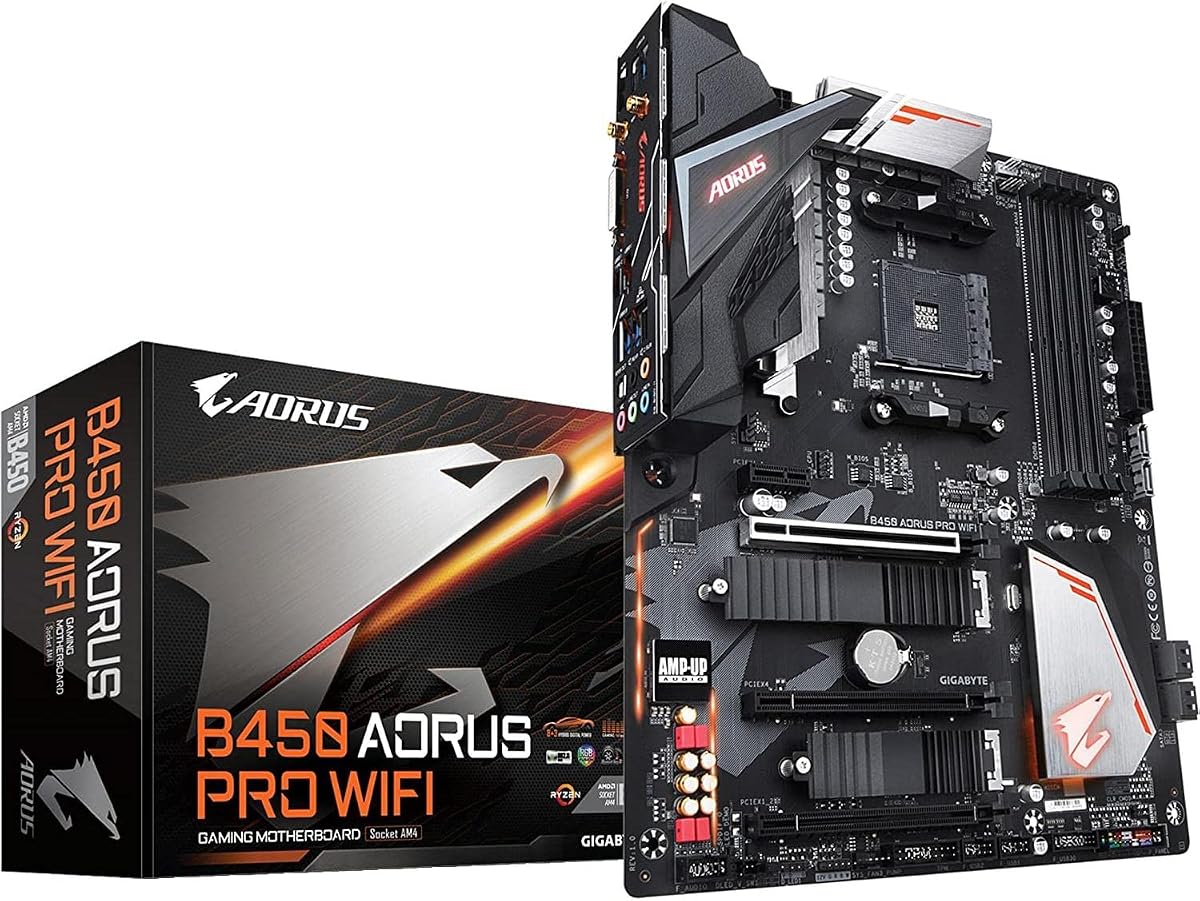
GIGABYTE B450 AORUS PRO Wi-Fi
4.5Editor score
Dual band Wi-Fi included
Dual M.2 with thermal guards
ALC1220 enhanced audio codec
This guide compares ten top AMD B350 motherboards for Ryzen performance, exploring features, connectivity, and build quality to help you choose the right
Selecting the right motherboard is crucial for any AMD Ryzen build. A good B350 platform offers reliable power delivery, ample connectivity, and solid VRM cooling to support your CPU effectively.
We evaluated ten leading models based on real-world specifications, user feedback, and component quality. Our comparison covers key aspects like expansion slots, storage options, and network capabilities.
Each pick highlights unique strengths for different budgets and use cases. Please note that availability and pricing fluctuate frequently, so verify current details before making your final purchase decision.
4.5Editor score

4.4Editor score

4.4Editor score
The following table provides a side-by-side overview of all ten products. It highlights key specifications and standout features to help you quickly identify the model that fits your specific needs.
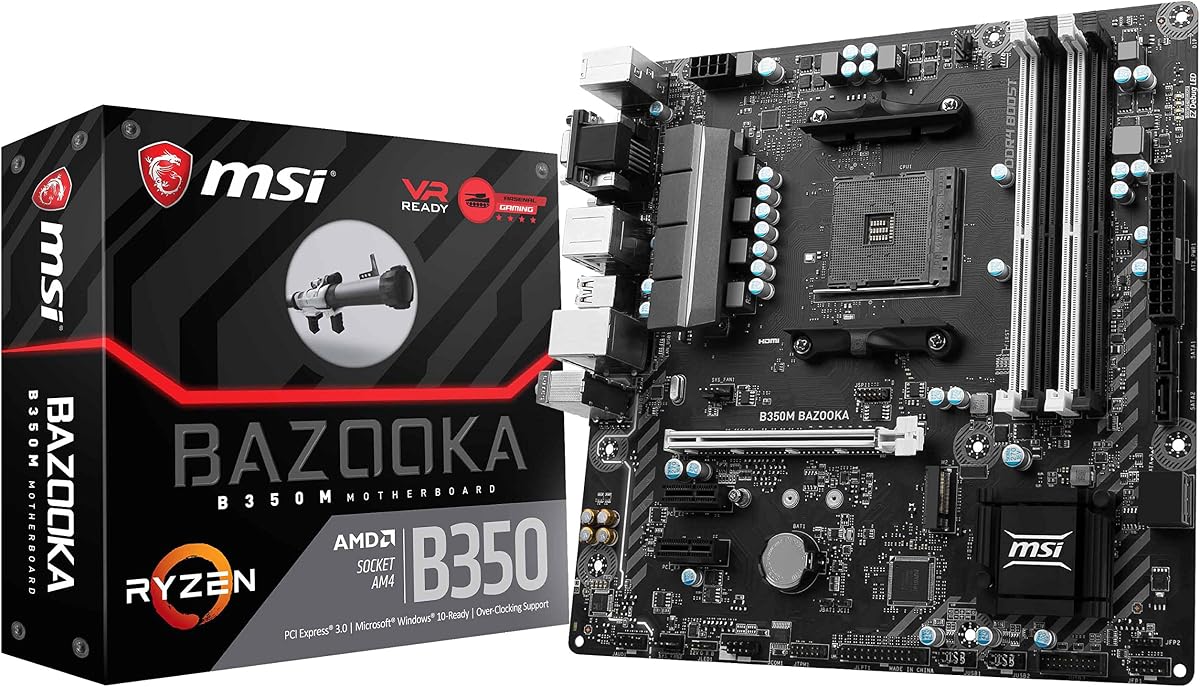



This MSI board serves as an affordable entry point into the AMD AM4 ecosystem. It supports Ryzen and Athlon processors with essential features for a straightforward build.
We may earn a commission when you buy through this link, at no additional cost to you.
The board includes HDMI and USB 3 connectivity for standard peripherals. It offers Game Boost and X-Boost tools to enhance performance without complex tweaking.
While functional, the VRM cooling is basic and may struggle under heavy sustained loads. The Micro-ATX layout limits additional PCIe slots for expandability.
Ideal for budget-conscious builders needing a reliable platform for basic gaming or work tasks without premium features.
Game Boost and X-Boost provide one-click performance enhancements for users who want easier tuning.
The Micro-ATX form factor saves space while still offering essential connectivity options.
We may earn a commission when you buy through this link, at no additional cost to you.
The ASUS Prime B350-Plus stands out for its robust hardware-level protections and reliable performance. It balances essential features with durability for daily use.
We may earn a commission when you buy through this link, at no additional cost to you.
Key strengths include the SafeSlot Core to prevent GPU damage and 5X Protection III for longevity. FanXpert 2+ ensures optimal cooling with detailed fan controls.
The lack of extensive RGB headers may disappoint enthusiasts wanting full lighting control. Audio is standard but lacks the high-end processing found on premium boards.
Recommended for users seeking a stable, reliable foundation with strong component protection and effective cooling management.
5X Protection III safeguards components against electrical surges and physical damage for longer board life.
FanXpert 2+ allows precise tuning of fan speeds to balance noise and system temperatures.
We may earn a commission when you buy through this link, at no additional cost to you.
This board is designed for business environments requiring long-term stability and support. It offers the Corporate Stable Model benefits like advance replacement and extended lifecycle.
We may earn a commission when you buy through this link, at no additional cost to you.
Performance includes USB 3.1 Gen2 and Aura Sync RGB for basic customization. The Safe Slot Core protects heavy GPUs during use and transport.
Some features like COM headers prioritize legacy needs over modern consumer desires. Enthusiasts may find the focus on stability limits flashy features.
Best suited for small businesses or users needing a dependable workstation board with minimal downtime.
The Corporate Stable Model provides complimentary advance replacement to keep work systems running smoothly.
Aura Sync allows this board to synchronize lighting effects with other compatible devices in your system.
We may earn a commission when you buy through this link, at no additional cost to you.
This board delivers premium features like dual band Wi-Fi and high-end audio. It ensures fast wireless connectivity and immersive sound for media or games.
We may earn a commission when you buy through this link, at no additional cost to you.
Dual M.2 NVMe slots with thermal guards keep storage cool during sustained transfers. The ALC1220 codec with WIMA capacitors enhances audio quality noticeably.
Wi-Fi drivers are specific to the OS version which may require initial setup care. The board size is standard but adds cost compared to basic models.
A top choice for users needing wireless capability and high-quality audio without adding extra PCIe cards.
Dual band Wi-Fi eliminates the need for a separate network card, keeping your build clean.
Thermal Guards cover M.2 slots to prevent overheating and ensure consistent storage performance.
We may earn a commission when you buy through this link, at no additional cost to you.
This board targets high-performance builds with PCIe 4.0 and WiFi 6E. It supports future Ryzen 5000 series processors effectively.
We may earn a commission when you buy through this link, at no additional cost to you.
The robust power solution ensures stable overclocking for high-core CPUs. Gaming features include a 2.5Gb LAN port for fast local network speeds.
Advanced features are expensive compared to older chipsets. Some users might not need WiFi 6E if their router is older.
Perfect for enthusiasts planning to use newer Ryzen processors and wanting future-proof connectivity.
PCIe 4.0 support ensures you can utilize the fastest GPUs and storage drives available.
The 12+2 power stages provide consistent power for high-end Ryzen processors under load.
We may earn a commission when you buy through this link, at no additional cost to you.
This board offers incredible value by bringing PCIe 4.0 to a budget-friendly Micro-ATX format. It supports modern Ryzen processors with essential features.
We may earn a commission when you buy through this link, at no additional cost to you.
A 3+3 power phase design handles standard CPUs well. It includes two M.2 slots for fast storage and a heatsink for chipset cooling.
The VRM is limited for heavy overclocking but fine for stock use. Build quality is basic but durable enough for daily tasks.
Ideal for builders needing modern standards without overspending on unnecessary premium features.
PCIe 4.0 support allows for faster data transfer rates with newer components.
The low price makes it accessible for entry-level builds requiring reliable performance.
We may earn a commission when you buy through this link, at no additional cost to you.
The Gaming X V2 balances power and cooling with a strong VRM solution. It supports Ryzen 5000 series comfortably for gaming tasks.
We may earn a commission when you buy through this link, at no additional cost to you.
An integrated I/O shield simplifies assembly significantly. Q-Flash Plus allows BIOS updates without installing CPU or memory components.
Wi-Fi is not included so you must add a card. Audio is functional but not high-end for audiophiles.
Recommended for builders wanting a reliable board with modern features without the cost of Wi-Fi.
Q-Flash Plus lets you update the BIOS easily before installing other hardware components.
An advanced VRM heatsink ensures the power delivery system stays cool under load.
We may earn a commission when you buy through this link, at no additional cost to you.
This board combines essential gaming features like WiFi and PCIe 4.0. It supports AMD Ryzen processors with reliable Core Boost technology.
We may earn a commission when you buy through this link, at no additional cost to you.
A Flash BIOS Button allows easy updates even without a CPU. The M.2 Shield Frozr protects storage from overheating during intensive tasks.
Audio is standard realtek without premium enhancements. RGB headers are present but not extensive for full system lighting.
A strong pick for users wanting wireless and modern standards in a compact Micro-ATX package.
The Flash BIOS Button allows you to update your system firmware without needing a CPU installed.
M.2 Shield Frozr keeps SSDs cool to maintain high speed performance over time.
We may earn a commission when you buy through this link, at no additional cost to you.
This model features AI cooling that adjusts fan settings based on GPU and CPU temps. It supports high memory speeds with Memory Boost technology.
We may earn a commission when you buy through this link, at no additional cost to you.
A Steel Armor PCIe slot protects your graphics card during transport. Double M.2 connectors allow for fast Gen4 storage installation.
Cooling is passive on the chipset which may generate some noise under load. RGB features are minimal compared to gaming boards.
Great for users prioritizing system stability and efficient thermal management.
Frozr AI cooling adjusts system fans automatically based on real-time temperatures for efficiency.
Memory Boost technology helps push DDR4 speeds to overclocked limits safely.
We may earn a commission when you buy through this link, at no additional cost to you.
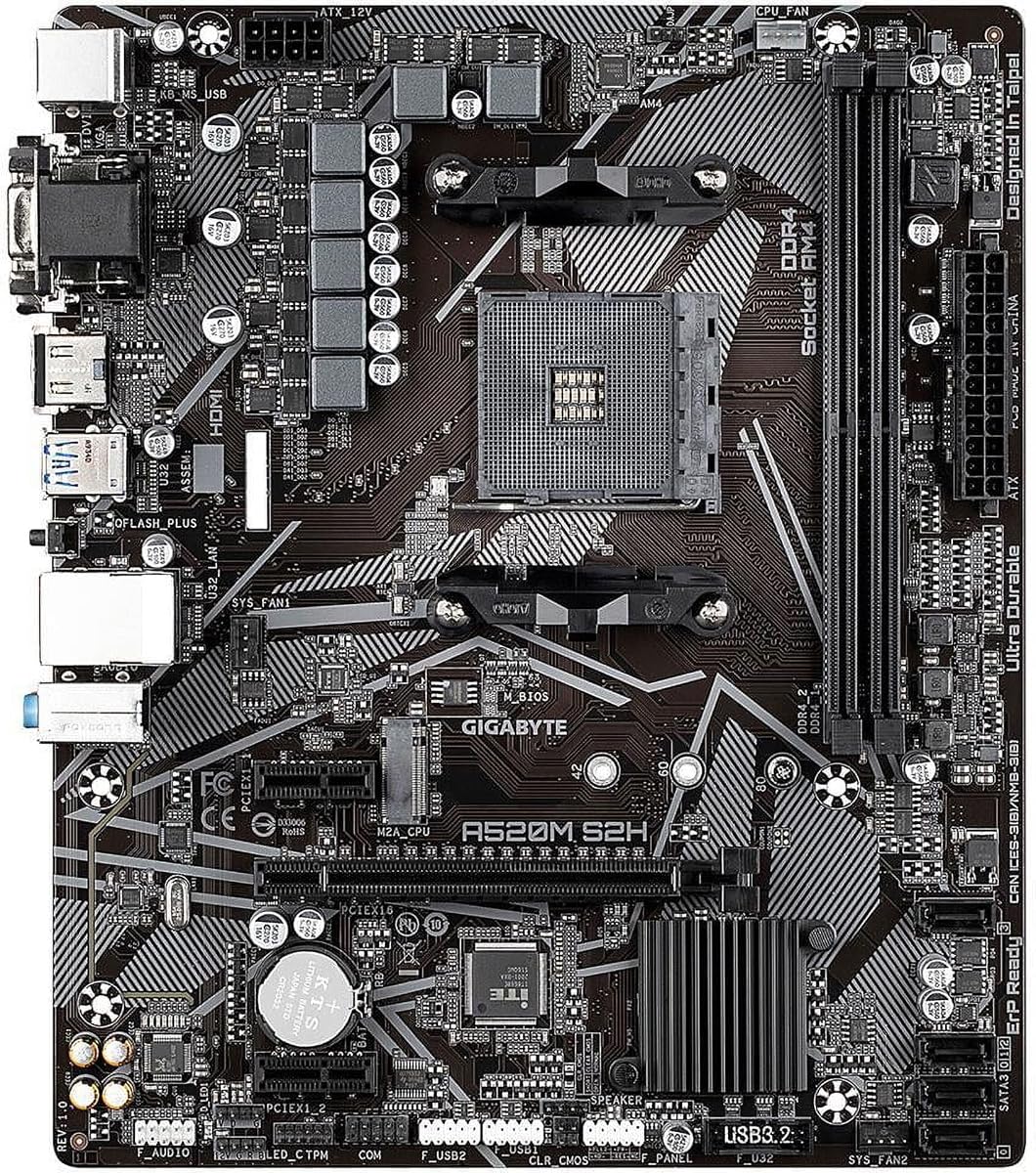
The A520M S2H offers a reliable entry point with digital PWM for stable power. It supports standard Ryzen processors for everyday tasks.
We may earn a commission when you buy through this link, at no additional cost to you.
Three display interfaces allow flexible monitor connections. Q-Flash Plus ensures easy BIOS maintenance even if the system struggles to boot.
PCIe 3.0 limits max bandwidth compared to newer standards. It is best for builds not requiring top-tier storage or GPU speeds.
Recommended for users needing a simple, cost-effective board for office or basic gaming tasks.
Digital PWM technology ensures stable power delivery for better CPU performance.
Support for HDMI, DVI, and D-Sub allows flexible multi-monitor setups.
We may earn a commission when you buy through this link, at no additional cost to you.
Choosing the right motherboard involves understanding key components like VRM quality, connectivity options, and form factor.
The chipset determines which CPUs are supported and what features like PCIe versions are available. Ensure the motherboard supports your specific Ryzen series and requires a compatible BIOS version.
Always check compatibility lists before purchasing to avoid needing an update.
Choose between ATX, Micro-ATX, or Mini-ITX based on your case size and expansion needs. Larger boards offer more slots but may not fit smaller cases.
Select the smallest board that meets your connectivity and expansion requirements.
A robust VRM ensures stable power delivery especially for higher-end CPUs. Look for boards with adequate heatsinks on voltage regulator modules to prevent overheating.
Higher VRM counts with cooling are essential for sustained performance and longevity.
Evaluate the number of USB ports, M.2 slots, and header connectors. Ensure there are enough USB ports for peripherals and M.2 slots for fast storage.
Prioritize USB 3.0 and M.2 slots if you use external drives and high-speed SSDs.
Some boards come with built-in Wi-Fi or Bluetooth while others rely on PCIe cards. Ethernet speed also varies from standard Gigabit to 2.5Gb.
Select a board with integrated Wi-Fi if your case or room lacks a wired connection.
Audio codecs vary significantly between entry and premium models. High-end boards often include dedicated capacitors and shielding for cleaner sound output.
Consider high-end audio codecs if you use quality speakers or headphones often.
Look for boards with Aura Sync or RGB Fusion headers if you want to synchronize lighting. More headers allow for more extensive customization of case components.
Prioritize boards with sufficient headers if RGB lighting is a key aesthetic goal.
Balance your budget against the features you actually need. A cheaper board might suffice if you do not need Wi-Fi or overclocking capabilities.
Identify the features that matter most to you and prioritize those in your price range.
Install the motherboard in your case carefully avoiding metal contacts. Secure it with standoffs to prevent short circuits during operation.
Regularly clean dust from heatsinks and fans using compressed air. Dust buildup restricts airflow and causes thermal throttling of components.
Update the BIOS when necessary to ensure stability and compatibility. Always follow manufacturer instructions to avoid corruption during the update.
Most B350 boards require a BIOS update to support Ryzen 5000 series processors. Check the specific motherboard model to see if it officially lists support for 5000 series chips. Some older models may not support it regardless of BIOS updates.
B350 motherboards generally support PCIe 3.0 only. PCIe 4.0 is typically found on B450 or B550 boards. You will need a newer chipset to utilize faster SSDs or GPUs.
Yes the B350 chipset supports overclocking of compatible AMD processors. Ensure you have a motherboard with adequate VRM cooling for stable overclocking results.
Most B350 boards have one M.2 slot for NVMe SSDs. Some higher-end models may include two slots but this is less common on entry-level boards.
ATX boards are larger with more expansion slots while Micro-ATX boards are smaller and fit compact cases. Micro-ATX boards usually cost less and still provide essential features.
No Wi-Fi is usually an extra feature found on specific models. Many standard boards rely on Ethernet connections only.
The top picks include the ASUS Prime B350-Plus for reliability and the GIGABYTE B450 AORUS PRO Wi-Fi for features.
Prioritize VRM quality and connectivity options based on your specific needs and budget constraints.
Prices fluctuate frequently so check current listings for the best value before finalizing your build.