
Cable Matters 15-Pin SATA Power Extension Cable
4.7Editor score
12 inch flexible length
Reduces connector stress
Durable conductor build
This guide compares the best hard drive power cables for reliability and compatibility. We review top splitters, extenders, and adapters for HDD, SSD, and
Hard drive power cables are essential components for connecting storage devices to your power supply. A good cable ensures stable voltage delivery, preventing data loss or hardware damage during operation. Choosing the right connector type and length is critical for clean builds.
We compared ten top-rated cables based on build quality, connector reliability, and compatibility with modern and legacy systems. Our analysis focuses on split,, extension, and combo options to meet various PC assembly needs effectively.
Each pick highlights key features like copper conductors, locking mechanisms, and durability. Prices and availability change frequently, so verify current listings before purchase to ensure you get the exact model reviewed in this guide today.
4.7Editor score

4.8Editor score
4.9Editor score
The following table provides a side-by-side comparison of all ten selected hard drive power cables. Review the specifications to identify the best fit for your specific system requirements and connection needs.




This SATA Power Splitter Cable is designed for users needing to power multiple drives from a single source. With a rating of 4.7, it offers high reliability for HDD and SSD connections. The 6-way split capability makes it ideal for storage expansion.
We may earn a commission when you buy through this link, at no additional cost to you.
The cable ensures stable power transmission, preventing interruptions in device performance. Its user-friendly design allows for quick installation without additional expertise. The sturdy construction contributes to its long-lasting durability in demanding environments.
While effective, the single input source means you must ensure your PSU has a free connector before use. In larger cases, managing six output cables can add clutter. However, the reliable delivery makes it a solid choice.
Buyers seeking to maximize drive capacity per PSU port should consider this splitter. It delivers optimal functionality for storage arrays or optical drive setups. For heavy storage needs, this is a practical solution.
Connect up to six devices simultaneously to expand your system storage easily.
Ensures each device receives consistent power to prevent performance interruptions.
We may earn a commission when you buy through this link, at no additional cost to you.
This 4 Pack Kit provides everything needed for SATA expansion. With a 4.7 rating, it combines data and power solutions. The kit supports up to 6Gbps transfer speeds for fast file access.
We may earn a commission when you buy through this link, at no additional cost to you.
Pure copper conductors ensure stable signal transmission for reliable data integrity. Built-in locking latches prevent loose connections during operation. The dual power splitters support both legacy and modern PSUs effectively.
The inclusion of right-angle cables helps in tight cases but may require planning. Managing multiple cables can be challenging if space is limited. However, the complete set saves buying separate items.
Ideal for DIY builders upgrading storage systems quickly. The variety of cables allows flexible routing. For new builds or upgrades, this kit offers comprehensive coverage.
Includes data cables and power splitters for a full upgrade solution.
Supports 6Gbps SATA III transfer rates for efficient data movement.
We may earn a commission when you buy through this link, at no additional cost to you.
This 3-Pack allows connecting modern drives to legacy PSUs. With a 4.7 rating, it offers a reliable solution. The 6-inch length is compact for clean internal cable management.
We may earn a commission when you buy through this link, at no additional cost to you.
It provides a cost-effective way to upgrade older systems without replacing the PSU. Spare cables ensure you have replacements for future builds. Compatible with standard 4-pin Molex ports.
The 6-inch length may restrict routing in deep cases. Users need to ensure PSU ports are accessible. Despite this, it remains a functional bridge for older hardware.
IT technicians and DIY builders upgrading older systems will find this valuable. It extends the life of functional units. For legacy support, this is a smart pick.
Connects modern SATA devices to older power supplies efficiently.
Compact design reduces clutter inside the PC case.
We may earn a commission when you buy through this link, at no additional cost to you.
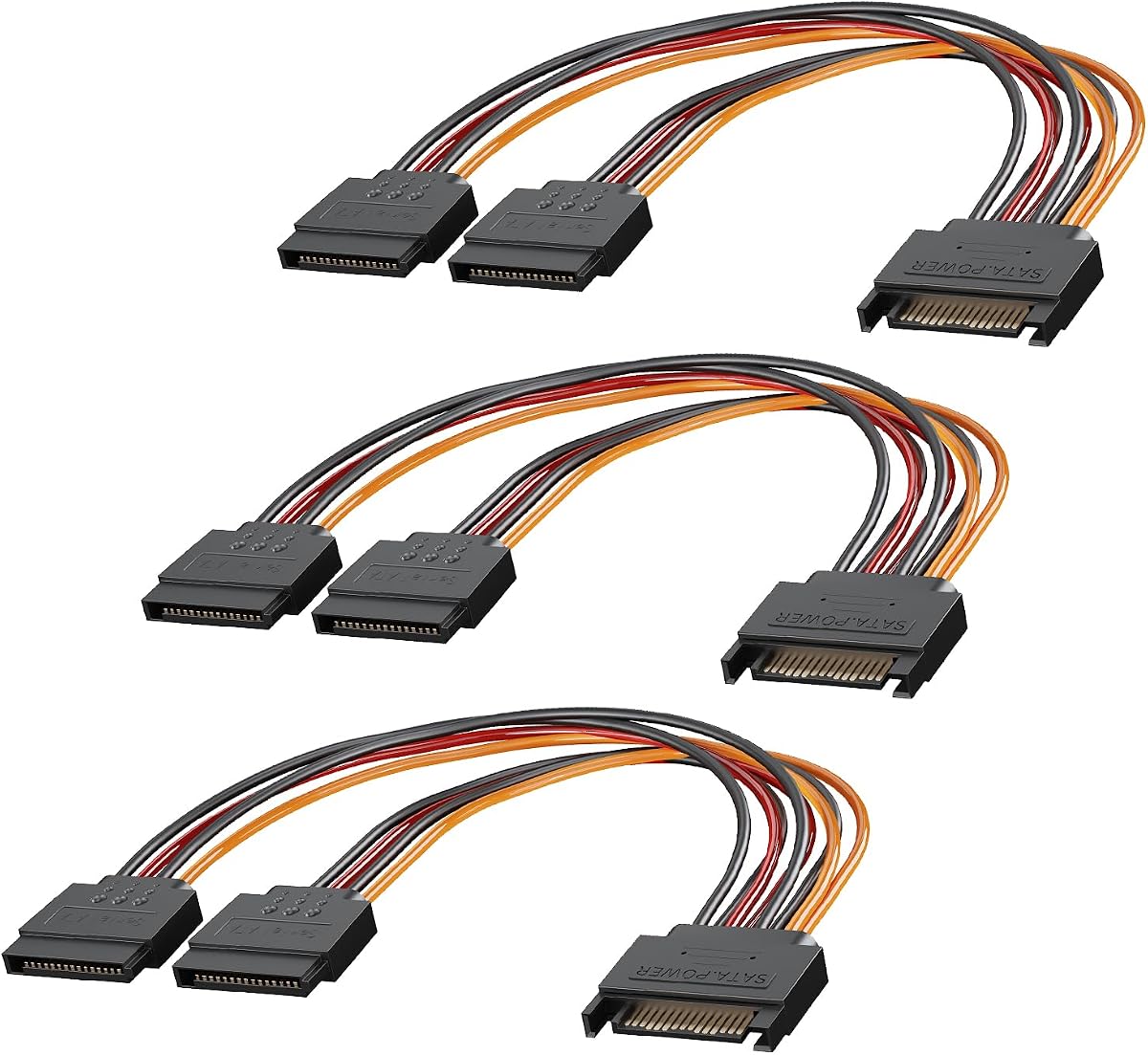
This cable splits one 15 Pin connector into two separate outputs. Rated 4.7, it ensures stable power transmission. The 3-Pack provides enough for multiple installations.
We may earn a commission when you buy through this link, at no additional cost to you.
It allows easy connection of HDD, SSD, and optical drives. No tools are needed for installation. The sturdy build ensures long-lasting durability in regular use.
With only two outputs, it may require multiple cables for more drives. The single input limits simultaneous power sources. However, it remains reliable for standard needs.
Best for users needing simple drive connections. The 8-inch length suits most cases. For 2-way needs, this is a straightforward choice.
Ensures each device receives stable power without interruption.
Simple plug-and-play design for quick hardware installation.
We may earn a commission when you buy through this link, at no additional cost to you.
This 15 pin power splitter provides two outputs from one male port. With a 4.8 rating, it ensures safe connection via snug connectors. Ideal for HDDs and SSDs.
We may earn a commission when you buy through this link, at no additional cost to you.
Channel guides help prevent accidental disconnection. The 8-inch length keeps internal cabling neat and reduces clutter. Heavy-duty conductors support 3.3V, 5V, and 12V safely.
Users may find the standard split limits expansion beyond two drives. Cable length is fixed, requiring planning for fit. Despite this, reliability remains high.
IT professionals and DIYers upgrading storage will value this pick. It saves upgrading a PSU while adding drives. For stable 2-way power, this is top rated.
Snug connectors with guides prevent accidental disconnection.
Handles 3.3V, 5V, and 12V for various devices.
We may earn a commission when you buy through this link, at no additional cost to you.
This adapter connects one SATA power plug to four receptacles. With a 4.7 rating, it offers durable construction. The 15.7 inch length provides reach for complex builds.
We may earn a commission when you buy through this link, at no additional cost to you.
It simplifies powering multiple devices from a single port. The M/F design ensures compatibility. Heavy-duty build quality supports long-term use.
The longer length may clutter cases if not routed carefully. It adds bulk due to four outputs. However, the reach is beneficial for some cases.
Ideal for storage server builds needing multiple connections. It avoids multiple separate cables. For 4-way needs, this is a robust option.
Converts one input into four SATA power connections.
Heavy-duty construction ensures reliable long-term use.
We may earn a commission when you buy through this link, at no additional cost to you.
This extension cable extends existing PSU connections to drives. With a 4.7 rating, it provides reliable links. The 12-inch length balances flexibility and space.
We may earn a commission when you buy through this link, at no additional cost to you.
It reduces stress on tight PSU connections improving airflow. Includes three cables for multiple installations or repairs. Supports 3.3V, 5V, and 12V power transmission.
Users may need longer cables for large cases. It is fixed length, requiring specific fit. However, for standard routing it performs well.
Best for builders needing reliable cable routing. It saves the PSU connections. For 12-inch needs, this is a solid set.
Reduces strain on tight PSU connections effectively.
Ensures stable performance without power loss.
We may earn a commission when you buy through this link, at no additional cost to you.
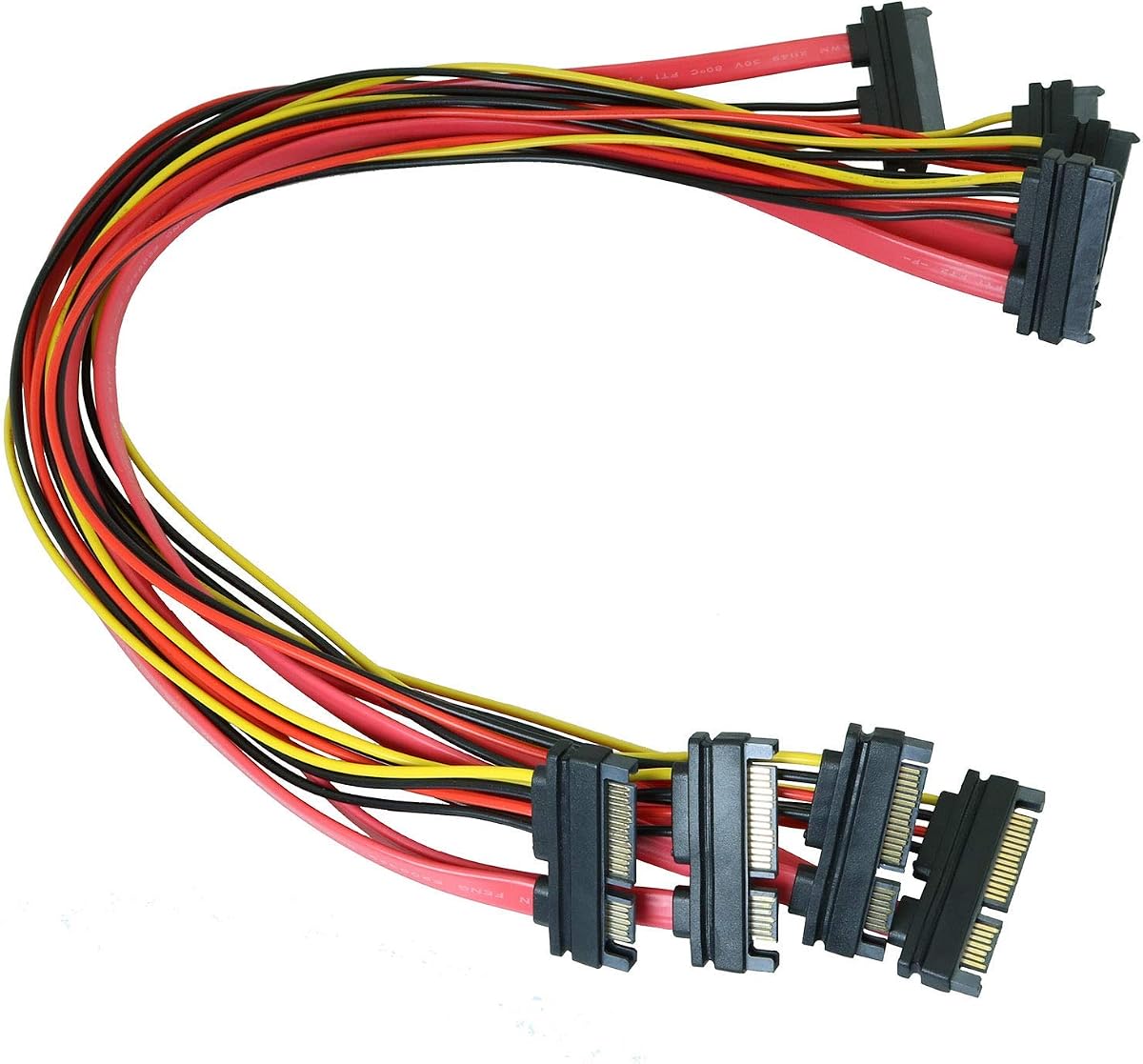
This cable combines SATA data and power into one unit. With a 4.9 rating, it offers high reliability. The thin design helps reduce clutter.
We may earn a commission when you buy through this link, at no additional cost to you.
It simplifies connections by combining wires. The 50cm length suits many chassis. Four packs provide enough for multiple drives.
The fixed combo format limits flexibility. If one part breaks, both must be replaced. However, convenience is a major benefit.
Ideal for users prioritizing clean builds. It reduces cable count significantly. For clean setups, this is a top premium choice.
Combines data and power wires into a single cable.
Thin design helps improve airflow in cases.
We may earn a commission when you buy through this link, at no additional cost to you.
This S-ata power cable is branded by Be Quiet. With a 4.7 rating, it offers reliable power. It suits users preferring brand-name components.
We may earn a commission when you buy through this link, at no additional cost to you.
It provides standard S-ata connectivity. The brand is known for quality control. It ensures stable operation for compatible devices.
Detailed specs are limited. Higher cost compared to generic options. However, brand trust remains for some.
Best for users prioritizing brand reliability. It supports S-ata needs. For brand users, this is a safe pick.
Offers trusted quality from a known manufacturer.
Provides reliable standard S-ata power connections.
We may earn a commission when you buy through this link, at no additional cost to you.
This adapter plugs into 4-pin Molex to provide 4 SATA. With a 4.7 rating, it ensures legacy support. The net jacket adds durability.
We may earn a commission when you buy through this link, at no additional cost to you.
It provides four connectors for multiple devices. The 2 Feet length allows flexible routing. Monoprice offers a lifetime warranty on cables.
The 2 Feet length may be too long for small cases. It is fixed to Molex inputs. However, it is a strong legacy adapter.
Ideal for older system modernization. It converts Molex to SATA effectively. For legacy needs, this is a reliable option.
Converts older Molex connectors to modern SATA power.
Comes with Monoprice lifetime warranty on all cables.
We may earn a commission when you buy through this link, at no additional cost to you.
Selecting the right hard drive power cables involves understanding connector types, cable length, and build quality. This guide breaks down the essential factors to ensure compatibility and reliability.
Ensure the cable has the correct connector type for your power supply. Modern systems use 15-pin SATA, while older units may use 4-pin Molex. Matching these is critical for connection.
Choose connectors that match your PSU ports exactly to avoid incompatibility issues.
Measure the distance between the PSU and your drives before purchasing. Too short cables restrict movement; too long ones create clutter. 6 to 12 inches usually work for most cases.
Select a length that reaches comfortably without forcing tension or excess loops.
Look for cables with pure copper conductors to ensure efficient power transmission. Copper reduces resistance and voltage drop compared to cheaper materials. This maintains stable performance.
Prioritize copper conductors for reliable long-term operation and safety.
Determine how many devices you need to power from one port. Splitters range from 2-way to 6-way outputs. Ensure your PSU can handle the load before splitting.
Choose splitters that match your drive count without overloading the PSU port.
Check for locking latches or channel guides to secure connections. These prevent accidental disconnection during movement or vibration. Robust materials extend cable life in demanding environments.
Opt for cables with locking features to ensure connections remain secure.
Inspect the cable jacket and overall construction. Net jackets or durable plastic protect internal wires from damage. A sturdy build prevents fraying or breakage over time.
Select cables with strong jackets to protect against physical wear.
Verify compatibility with your drive types, such as HDD, SSD, or optical drives. Most SATA cables work across these, but check voltage requirements. Ensure the PSU supports the necessary voltage levels.
Confirm the cable supports 5V and 12V lines for all drive types.
Consider the cost relative to the number of cables provided. Multi-packs offer better value for multiple installations. Balance price with warranty and build quality for the best decision.
Look for multi-packs that offer better value for system upgrades.
Start by identifying the correct connector type on your power supply unit. Plug the male end securely into the PSU port ensuring it clicks or locks if applicable. Check that the connection feels firm.
Route the cable neatly through the case avoiding sharp bends. Use zip ties or case mounts to keep cables away from fans. Proper routing reduces clutter and improves airflow.
Inspect connections periodically for signs of wear or looseness. Re-secure any cables that feel loose. Clean dust from connectors gently to prevent resistance issues.
Yes, Molex to SATA adapters are safe when the PSU supports the voltage requirements. Ensure the Molex connector is fully inserted. These adapters are common for upgrading older systems.
Typically, standard splitters support 2 to 6 drives. However, check your PSU's capacity. Overloading a port can cause instability. Always verify the total power draw.
Shorter cables generally have less voltage drop. However, high-quality longer cables with good conductors perform well. Focus on conductor quality rather than just length.
Yes, locking connectors prevent accidental disconnection. They are especially useful in cases with movement. This stability protects your data and hardware.
SATA power cables provide electricity, while data cables transmit files. Some combos include both. Ensure you use the correct type for connection.
Product descriptions typically specify conductor material. Look for pure copper conductors. Higher-quality cables often highlight this in specs.
Yes, if they are undamaged. Inspect for frays or loose connectors. If in doubt, replace them to ensure safety.
Most standard SATA power cables support SSDs. Just ensure they match the 15-pin connector. Most drives use the same interface.
Choosing the right hard drive power cables ensures your system runs reliably. The top picks offer versatile solutions for splitting, extending, and converting connections effectively.
Prioritize build quality and connector compatibility. Use multi-packs for cost-effectiveness. Verify voltage needs for all components.
Prices change frequently. Check current listings for the exact model before purchase. Ensure you get the best value today.