
Canon imageCLASS LBP6030w
3.8Editor score
Compact space-saving design
Wireless connectivity support
Affordable initial purchase price
This guide compares the best laser printer with cheap toner options for home and office use, focusing on print quality, speed, and ongoing supply costs.
Finding a laser printer with cheap toner is essential for maintaining low operating costs while enjoying reliable document output. These machines deliver crisp text and fast speeds without the recurring expense of expensive ink cartridges common in other printer types.
We evaluated ten top models based on print quality, connectivity, speed, and especially their toner compatibility and availability. Each unit was analyzed for its ability to reduce long-term expenses while still meeting the demands of home offices and small business environments effectively.
Every selection here highlights key features, pros, cons, and detailed usage insights to help you make an informed decision. Prices and availability change frequently, so always verify the current listings before purchasing to ensure you get the best value available today.
3.8Editor score

4.1Editor score

4.3Editor score
This side-by-side comparison highlights the core specifications and unique selling points of each selected laser printer model. Use this table to quickly identify which device aligns best with your specific printing needs and budget constraints.





The Brother HL-L2405W stands out as a top choice for those seeking a balance of speed and cost efficiency. It delivers sharp monochrome prints at up to 30 pages per minute, making it ideal for busy home offices. Its compact design fits easily on desks without sacrificing performance or connectivity options.
We may earn a commission when you buy through this link, at no additional cost to you.
This model includes a trial for the Refresh EZ Print Subscription Service, which helps manage toner supply automatically. The dual-band wireless connectivity ensures stable connections across multiple devices. With a 250-sheet paper tray, it handles moderate daily loads without constant refilling.
While it lacks automatic duplex printing, the manual option is sufficient for occasional two-sided needs. The toner subscription trial offers significant savings initially, though users must monitor renewal terms. Its Alexa compatibility adds convenience for voice-activated printing tasks.
If you need reliable, fast monochrome printing with manageable ongoing costs, this Brother model is highly recommended. It suits users who prioritize speed and connectivity over advanced multi-function features. Check current deals to maximize value before purchase.
The Refresh service ensures you never run out of toner and offers savings of up to 50 percent on genuine supplies.
Dual-band wireless and USB options provide flexible connections for various home and office environments.
We may earn a commission when you buy through this link, at no additional cost to you.
The Canon imageCLASS LBP6030w offers an affordable entry point for wireless laser printing. It prints up to 19 pages per minute with crisp text quality suitable for basic documents. Its compact size makes it perfect for small desks or shared spaces where space is limited.
We may earn a commission when you buy through this link, at no additional cost to you.
Despite its low price, it supports wireless printing from mobile devices and computers. The energy saver mode uses minimal power, keeping electricity costs low. Canon Genuine Toner 125 provides a page yield of 1,600 pages, which helps maintain low cost per page over time.
The lack of automatic duplex printing may be a drawback for high-volume users. The smaller paper tray also requires more frequent refills compared to larger models. However, for occasional printing needs, its simplicity and reliability shine through without hassle.
Choose this printer if budget is your primary concern and you need basic wireless functionality. It works well for students or home users with moderate document needs. Verify the current price to ensure it remains the best value option available.
Its small footprint allows it to fit anywhere in your home, school, or small office efficiently.
Uses less than two watts in Energy Saver mode to reduce overall power consumption significantly.
We may earn a commission when you buy through this link, at no additional cost to you.
The Brother MFC-L2820DW delivers premium all-in-one functionality in a compact monochrome design. It prints up to 36 pages per minute with crisp output quality. The 2.7-inch touchscreen simplifies navigation for printing, scanning, copying, and faxing tasks without needing a computer.
We may earn a commission when you buy through this link, at no additional cost to you.
It includes a 50-page auto document feeder for efficient multi-page processing. Wireless connectivity options include dual-band Wi-Fi, Ethernet, and USB for flexibility. Cloud apps like Google Drive and Dropbox integrate seamlessly for direct print and scan operations from the device.
The Refresh Subscription Trial offers savings on genuine toner, reducing long-term expenses. While the upfront investment is higher, the time saved on multi-function tasks justifies the cost. It is ideal for small offices needing robust document management capabilities.
Invest in this model if you require scanning and faxing alongside fast printing. Its features support professional workflows efficiently. Ensure you check warranty details and subscription terms before finalizing your purchase decision.
Combines print, copy, scan, and fax in one compact footprint for versatile office use.
Supports popular apps for printing and scanning directly from cloud storage sources.
We may earn a commission when you buy through this link, at no additional cost to you.
The Canon imageCLASS MF3010 VP is a reliable wired multifunction printer for basic office needs. It comes with toner in the box, offering an immediate start. The unit prints up to 19 pages per minute and includes scanning and copying functions via USB connection.
We may earn a commission when you buy through this link, at no additional cost to you.
Its energy saver mode uses only 1.2 watts in sleep mode for efficiency. The ID Card Copy feature simplifies duplicating identification documents. Paper capacity is up to 150 sheets, which is adequate for light to moderate daily workloads.
The absence of wireless connectivity restricts it to single-computer setups. However, this reduces security risks and potential connection issues. The included cable ensures stable data transfer without relying on network configurations or passwords.
Select this printer if you prefer a plug-and-play wired connection with basic scan copy functions. It suits environments where network security is prioritized over convenience. Confirm OS compatibility before purchasing to avoid driver issues.
The box includes up to 2,300 pages yield of toner so you can print immediately.
Easily creates copies of your identification cards and other small documents quickly.
We may earn a commission when you buy through this link, at no additional cost to you.
The Brother HL-L2460DW offers fast monochrome printing with automatic duplex capabilities. It produces clear, crisp documents up to 36 pages per minute for quick turnaround. Dual-band wireless ensures stable connections across multiple devices without interference or lag.
We may earn a commission when you buy through this link, at no additional cost to you.
Automatic duplex saves paper and reduces waste over time. The Brother Mobile Connect app allows remote management and tracking of toner usage. A trial for the Refresh EZ Print Subscription Service helps manage supplies and lowers initial costs.
This model lacks scanning or copying features, focusing purely on print efficiency. It is best suited for users who primarily need high-volume document output. The 250-sheet tray minimizes refills during busy workdays.
Pick this printer if you need speed and double-sided printing in a compact unit. It is ideal for home offices with moderate to high printing needs. Check if duplex benefits align with your volume to justify the cost.
Automatic duplex printing saves time and reduces paper waste for environmental benefits.
Order genuine supplies and track toner usage via the mobile app anytime.
We may earn a commission when you buy through this link, at no additional cost to you.
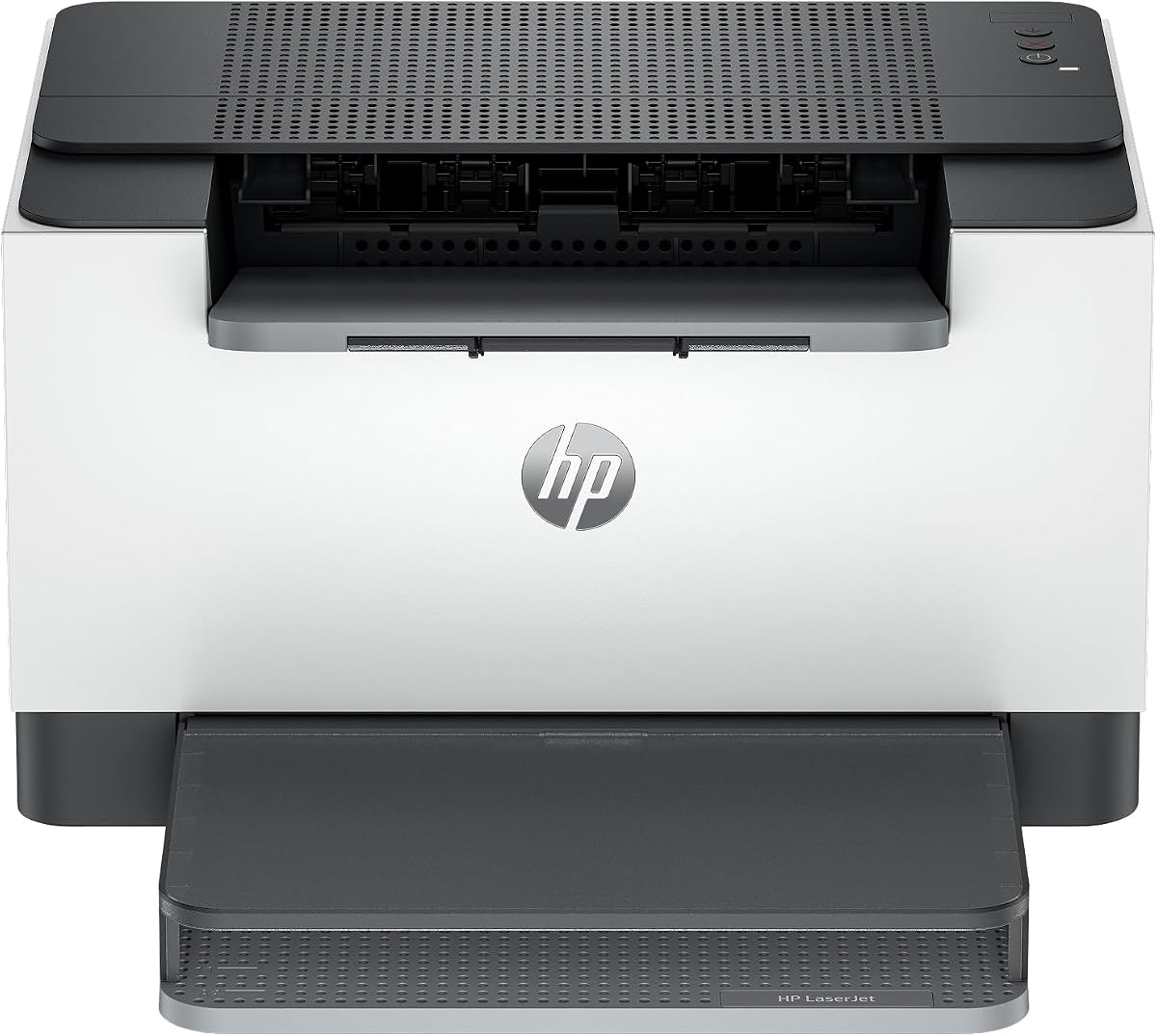
The HP LaserJet M110w is designed for small teams needing professional-quality documents. It prints up to 21 pages per minute with fast wireless setup. Its compact design fits anywhere, making it a world's smallest laser printer in its class.
We may earn a commission when you buy through this link, at no additional cost to you.
Wireless with self-reset helps stay connected even if issues arise. The HP Smart app eliminates repetitive tasks and enables scanning to the cloud. It works with various devices including Windows, Mac, and Android for broad compatibility.
Users should note that the printer blocks cartridges without original HP chips. This policy may limit third-party toner options. However, HP Genuine Toner ensures reliable performance and prevents clogs.
Choose this model if you need a reliable, small footprint printer for light team use. It works well for 1-3 people needing quick document access. Verify HP chip policy matches your toner budget preferences.
The HP Smart app allows scanning to cloud and copying directly from your smartphone.
Wireless with self-reset helps you stay connected and resolves issues automatically.
We may earn a commission when you buy through this link, at no additional cost to you.
The HP LaserJet M209dw features fast two-sided printing suitable for small teams. It prints up to 30 pages per minute with dual-band Wi-Fi for stable connections. The self-reset feature automatically resolves connectivity issues without user intervention.
We may earn a commission when you buy through this link, at no additional cost to you.
Security features protect the printer from potential attacks. Instant Ink eligibility allows flexible plans based on pages printed. This model is ideal for 1-5 people needing efficient black and white document output.
While more expensive than basic models, the added features justify the price. Automatic two-sided printing enhances productivity and reduces paper waste. The compact footprint fits easily in shared workspaces.
If you prioritize connectivity stability and security, this HP model is a strong choice. It balances speed and features well for small business use. Check if Instant Ink fits your usage patterns before buying.
Dual-band Wi-Fi with self-reset automatically detects and resolves connectivity issues.
Built-in security features help protect your printer from potential attacks.
We may earn a commission when you buy through this link, at no additional cost to you.
The Canon imageCLASS LBP122dw offers wireless duplex printing in a compact unit. It prints up to 30 pages per minute with high-capacity 071 toner. The small design fits almost anywhere, making it great for home use and personal printing needs.
We may earn a commission when you buy through this link, at no additional cost to you.
Canon PRINT app support allows mobile printing and management from the go. Duplex functionality saves paper without manual handling. It suits users needing fast double-sided documents without scanning features.
The paper tray capacity may require frequent refills for larger jobs. However, its speed and connectivity make up for this limitation in casual use. Energy efficiency is maintained during operation.
Select this printer for compact wireless duplex printing at home. It is ideal for students or individuals with moderate document needs. Ensure you check toner availability before committing to purchase.
Print on-the-go with Canon PRINT app and more for seamless workflow.
Uses Canon Genuine Toner 071 and 071 high-capacity for efficient printing.
We may earn a commission when you buy through this link, at no additional cost to you.
The HP LaserJet MFP M235sdw combines scanning, copying, and fast duplex printing. It prints up to 28 pages per minute and includes Ethernet for stable connections. Built-in security features protect office data effectively.
We may earn a commission when you buy through this link, at no additional cost to you.
Wireless printing works from mobile devices and tablets. It is ideal for offices printing brochures and business documents for 1-5 people. The fast two-sided speed helps finish multipage projects quickly.
Setup can be complex due to multiple features. Ensure the model matches your office workflow needs. The inclusion of Ethernet ensures reliable performance regardless of Wi-Fi issues.
Choose this model for robust office functionality. It suits environments needing secure, fast document processing. Confirm all connectivity options work with your network before buying.
Perfect for offices printing, scanning and copying black and white brochures.
Built-in security features help protect your printer from potential attacks.
We may earn a commission when you buy through this link, at no additional cost to you.
The Brother HL-L2480DW delivers exceptional multifunction capabilities for home offices. It prints, scans, and copies with speeds up to 36 pages per minute. The flatbed scan glass handles various document types with high clarity.
We may earn a commission when you buy through this link, at no additional cost to you.
A 2.7-inch touchscreen simplifies navigation for cloud apps like Dropbox. It includes a trial for the Refresh EZ Print Subscription Service. Dual-band wireless ensures stable connectivity for multiple users simultaneously.
The high rating reflects user satisfaction with speed and versatility. Automatic duplex printing reduces paper waste efficiently. However, the price is higher than basic printers.
Pick this printer for comprehensive scanning and fast printing needs. It suits small offices needing a versatile device. Verify that the touchscreen fits your workflow preferences.
Combines laser printer, scanner, and copier in one compact footprint.
Refresh EZ Print Subscription Service offers savings and supply management.
We may earn a commission when you buy through this link, at no additional cost to you.
When selecting a laser printer with cheap toner, consider several critical factors that influence both upfront and long-term costs. This guide breaks down what to look for to ensure you find the right model for your needs.
Look for printers that use toner cartridges with high page yields. A higher yield means fewer replacements and lower cost per page. Check if the printer supports generic or third-party toners to further reduce expenses.
Prioritize models where replacement toner is easy to find and reasonably priced to maintain affordable operation.
Speed is measured in pages per minute. Faster printers save time on large jobs. However, ensure the printer handles duplexing efficiently to prevent bottlenecks when printing double-sided documents regularly.
Select a speed that matches your typical job size to balance performance with cost.
Wireless connectivity allows printing from multiple devices without cables. Dual-band Wi-Fi improves stability. USB connections are useful for dedicated workstations but limit flexibility. Check if your network requires specific protocols.
Ensure the printer supports your devices and network setup to avoid setup issues.
Higher capacity trays mean less frequent refilling. Look for models with 250 sheets or more. Manual feed slots allow specialty paper printing. Proper handling reduces paper jams and maintenance.
Choose a capacity that supports your daily volume without constant refilling.
Calculate the total cost by adding printer price and toner expenses. Some cheaper printers have expensive toner. High-yield cartridges reduce this. Look for subscription services that offer discounts on supplies.
Focus on long-term cost per page rather than just the initial hardware price.
All-in-one models include scanning and copying. These save space compared to separate devices. Ensure scan speeds and quality meet your needs. Fax options may be unnecessary for modern offices.
Only pay for functions you actually use to avoid unnecessary costs.
A good warranty protects your investment. Check the duration and what it covers. Online and phone support should be accessible. Reliable service reduces downtime during maintenance.
Prioritize brands with strong reputations for customer support and parts availability.
Some printers offer toner subscriptions that deliver supplies automatically. These often include discounts. However, ensure you can cancel if needed. Compare subscription savings against buying directly from retailers.
Use subscriptions only if you consume toner regularly to maximize savings.
Place the printer on a flat, stable surface away from direct sunlight. Ensure ventilation is adequate to prevent overheating during operation. Keep the area free of dust and debris to maintain print quality and longevity.
Install drivers and software from the manufacturer's website. Run a test page to check alignment and quality. Connect via wireless or USB depending on your preference. Configure network settings to allow access from multiple devices.
Regularly clean the printer exterior and scanner glass with a soft cloth. Check toner levels before printing large jobs. Use only compatible toners to avoid damage. Update firmware periodically to fix bugs and improve security.
Cheap toner is achieved through high-yield cartridges and generic alternatives. Some printers allow third-party supplies while others restrict them. Check page yield and cost per page to compare options.
Generic toners can work well but may void warranties. They are cheaper than branded versions. Ensure they are compatible with your model. Test with one cartridge before buying in bulk.
Use draft mode for non-critical documents. Print double-sided whenever possible. Choose high-yield toner cartridges. Keep the printer maintained to prevent jams and waste.
Laser printers need minimal maintenance compared to inkjet. Clean the exterior and scanner regularly. Replace worn rollers if jams occur. Run test prints periodically to check quality.
Only multifunction models include scanning features. Check the specs before buying if you need this. Standalone printers only produce paper output. Ensure scan quality meets your document needs.
Store toner in a cool, dry place away from sunlight. Keep cartridges sealed until use to prevent drying. Avoid shaking or damaging the container. Check expiration dates before using.
These warnings indicate the cartridge is nearing empty. They may appear before complete depletion. Replace the toner when prints become faint. Some printers allow bypassing the warning.
We reviewed ten reliable laser printers balancing cost, speed, and functionality. Each model offers unique advantages depending on your needs. From budget-friendly options to premium all-in-one units, there is something for everyone.
Prioritize cost per page and compatibility with generic toners to save money long-term. Consider your workflow requirements such as duplexing and connectivity. Ensure you match the model to your volume and features.
Remember to check current prices and promotions before purchasing as these change often. Verify warranty details and toner availability in your region. Making an informed decision helps you get the best value today.