
GMKtec Mini PC, G3 PRO Intel Core i3-10110U
4.4Editor score
16GB DDR4 RAM included
Dual 4K HDMI output
2.5GbE Ethernet port
This guide compares the best Intel Core i3 Mini PC models for 2026, evaluating performance, connectivity, and design for home and business users.
Finding the right compact computer often feels overwhelming with so many options available today. An Intel Core i3 Mini PC offers a perfect balance of power and size for most daily tasks. These devices save space while delivering reliable performance for work, education, and entertainment needs.
We analyzed ten top models based on processor speed, memory capacity, storage options, and port availability. Our evaluation considers real-world use cases like office productivity, media streaming, and light creative work. Each product was assessed for build quality, thermal management, and overall value proposition.
Each pick highlights specific strengths so you can match a device to your unique workflow requirements. We included models ranging from budget-friendly options to premium business-class units with advanced features. Remember that availability and configurations can change frequently, so verify current specs before purchasing your next system.
4.4Editor score

4.6Editor score
4.9Editor score
This side-by-side comparison highlights key specifications across all ten models to help you make an informed decision based on your specific technical needs and budget constraints.




The GMKtec G3 PRO stands out as a highly affordable yet capable Mini PC for everyday office tasks. It features the Intel Core i3-10110U processor which provides strong single-core performance for web browsing and productivity applications. The device includes 16GB of DDR4 RAM ensuring smooth multitasking across multiple browser tabs and software tools simultaneously.
We may earn a commission when you buy through this link, at no additional cost to you.
Its connectivity options are robust with two HDMI ports supporting 4K resolution at 60Hz for dual monitor setups. Networking is handled by a 2.5GbE Ethernet port which offers faster speeds than standard Gigabit connections ideal for data transfers. Wi-Fi 6 and Bluetooth 5.2 ensure stable wireless connections for peripherals and internet access.
One trade-off is the older 10th generation processor which while efficient lacks the raw power of newer models. However for basic computing needs like email, spreadsheets, and video calls this is entirely sufficient. The thermal design uses an upgraded fan to manage heat though some noise may be present under load.
This Mini PC is ideal for small businesses or home offices needing a reliable machine without breaking the bank. It supports Linux and virtualization making it versatile for developers or IT professionals. Choose this if you prioritize RAM and storage options over having the latest CPU technology.
The system includes both a primary M.2 2280 slot and a secondary M.2 2242 slot allowing you to add extra storage easily for files and media libraries.
With two HDMI 2.0 ports you can connect two 4K monitors for a productive workspace without needing docking stations or adapters.
We may earn a commission when you buy through this link, at no additional cost to you.
This Mini PC delivers impressive graphics performance for its size thanks to the Iris Plus 655 integrated graphics. It handles 4K video streaming and casual gaming smoothly without needing a dedicated GPU. The processor runs at a 28W TDP allowing for sustained high clock speeds better than standard low-power chips.
We may earn a commission when you buy through this link, at no additional cost to you.
It comes with 12GB of RAM which is a unique configuration offering more memory than typical 8GB units at this price point. Storage is 256GB but you can add a second SSD up to 4TB total using the dual M.2 slots. This makes it adaptable for media servers or larger file collections.
Connectivity includes HDMI and DisplayPort for simultaneous dual 4K displays. This is excellent for financial trading or creative workflows needing multiple windows open at once. The unit supports Windows 11 Home and Linux offering flexibility for different user preferences and development needs.
Choose this model if you need better graphics and more RAM for light creative work. It is also great for home theater PCs due to its quiet operation and rich output options. Just be aware of the older architecture which may limit longevity compared to newer models.
The Iris Plus 655 GPU with 128MB eDRAM outperforms standard integrated graphics providing smoother playback and light gaming experiences.
Simultaneous HDMI and DisplayPort outputs allow you to extend your desktop across two 4K monitors for maximum productivity.
We may earn a commission when you buy through this link, at no additional cost to you.
The C3 Mini PC is engineered specifically for stability during long operational hours making it suitable for commercial signage or home servers. It uses the Core i3-5005U which is energy efficient with a low TDP ensuring it runs cool and quietly over time. The system boots quickly and maintains performance during extended use.
We may earn a commission when you buy through this link, at no additional cost to you.
It features a robust port layout including a USB-C port on the front for easy external drive connections. The internal storage is expandable to 4TB total using both M.2 and 2.5-inch SATA slots. This flexibility makes it a great choice for digital signage systems needing large media libraries.
However this device does not support Windows 11 officially limiting it to Windows 10 or Linux. This may be a drawback if you need the latest security features or software compatibility. The 3-year warranty provides peace of mind for business deployments requiring reliability.
Consider this unit if you need a dedicated workstation for kiosks or media servers. Its compact design and quiet operation fit well in retail environments or home setups. Ensure you are comfortable with Windows 10 or Linux before purchasing.
Optimized cooling and low power design ensure the system can run continuously without overheating or slowing down.
Supports both M.2 and 2.5-inch SATA drives allowing up to 4TB of total storage capacity.
We may earn a commission when you buy through this link, at no additional cost to you.
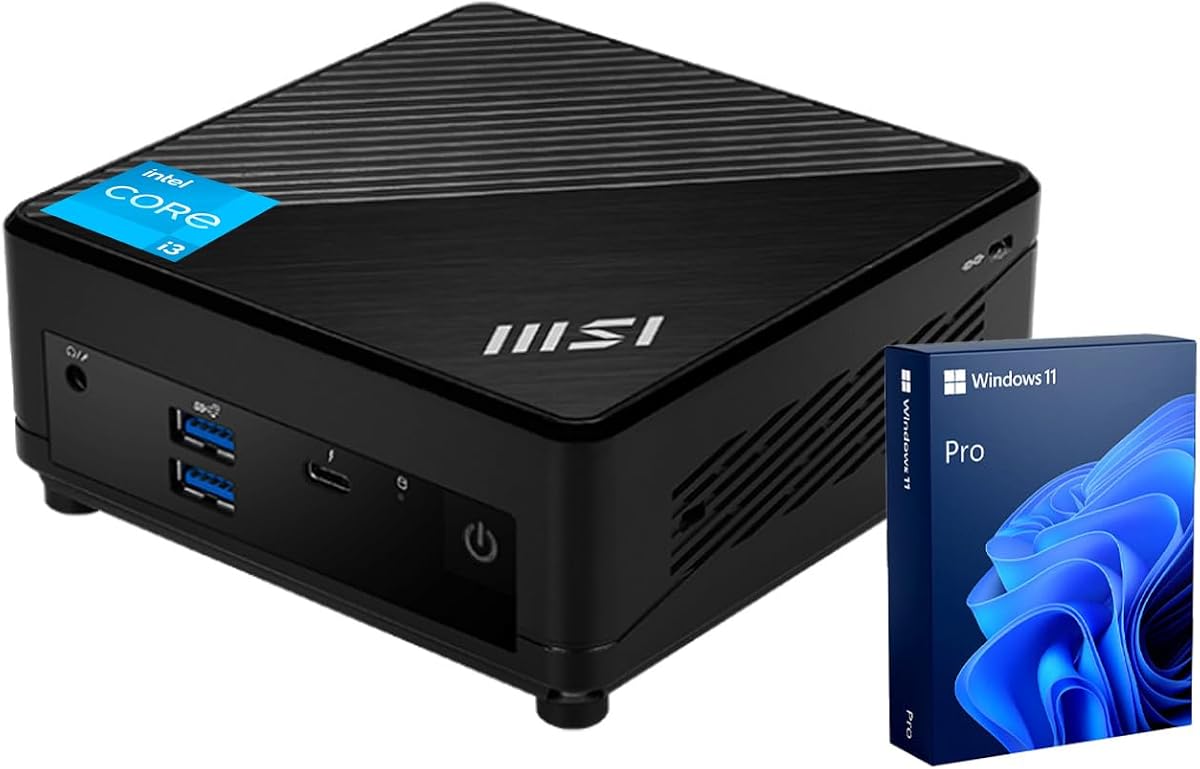
The msi Cubi 5 is a premium mini desktop offering advanced connectivity and modern processing power. It features the Intel Core i3-1215U processor which provides 6 cores for efficient multitasking. The inclusion of Windows 11 Pro adds enterprise features like Remote Desktop and BitLocker encryption.
We may earn a commission when you buy through this link, at no additional cost to you.
Thunderbolt 4 connectivity is a standout feature allowing for high-speed data transfer and daisy-chaining peripherals. You can connect up to three 4K monitors simultaneously making this ideal for professional traders or content creators. The 16GB RAM ensures smooth operation even with heavy application loads.
While the price is higher than budget models the build quality and feature set justify the cost. The thermal management is robust keeping noise levels low during intensive workloads. It serves as a compact yet powerful workstation replacing traditional desktop towers.
This is the right choice for professionals needing robust connectivity and multiple screen support. If you value speed and modern features over raw cost savings this model fits well. It is also a great candidate for digital signage requiring reliable performance.
Thunderbolt 4 provides up to 40Gbps speeds enabling fast transfers and connection to high-performance docks or external drives.
Supports three 4K monitors simultaneously allowing for complex workflows and better multitasking efficiency.
We may earn a commission when you buy through this link, at no additional cost to you.
Dell OptiPlex systems are known for reliability and this renewed Micro PC brings that quality to a lower price point. It runs Windows 11 Pro ensuring access to advanced security and management tools for business environments. The Core i3-8100T processor handles daily tasks with ease.
We may earn a commission when you buy through this link, at no additional cost to you.
Storage is limited to 128GB which may fill up quickly with modern applications and files. You can expand this via internal slots if your workflow requires more space. The compact design fits discreetly behind monitors or in tight office spaces saving valuable desk real estate.
As a renewed product it may show minor cosmetic signs of prior use but functions like new. This makes it an excellent option for budget-conscious buyers needing a corporate-grade system. It supports dual 4K displays via HDMI and DisplayPort for versatile setups.
Select this model for office deployments where cost and reliability matter most. It is perfect for POS systems or reception desks needing a sturdy desktop replacement. Ensure you check warranty terms provided by the seller for added security.
Designed for commercial environments this unit offers the robust build quality Dell is known for in their business lines.
Supports dual displays up to 4K resolution allowing efficient use of space for data monitoring or multitasking.
We may earn a commission when you buy through this link, at no additional cost to you.
The msi PRO DP21 brings a 13th generation processor to the mini PC space offering significant performance gains over older models. The Core i3-13100 features 4 cores and 8 threads handling productivity apps with speed. It comes with Windows 11 Pro pre-installed saving setup time for business users.
We may earn a commission when you buy through this link, at no additional cost to you.
Included accessories like a wired keyboard and mouse make this ready to use right out of the box. The 16GB RAM ensures you can run multiple applications without lag or slowdowns. NVMe storage provides fast boot times and quick application launches for daily efficiency.
Port selection includes USB-C and multiple USB 3.2 Gen ports for versatile connectivity. Dual 4K monitor support via HDMI and DisplayPort enables efficient workflows for data analysis or coding. The compact design saves space while keeping essential ports accessible on the chassis.
This model is an excellent all-rounder for small business setups needing reliability and speed. The inclusion of essential peripherals adds value that justifies the price point. Choose this if you want modern architecture without paying premium enterprise brand costs.
The 13th Gen CPU delivers significantly better single-core and multi-threaded performance compared to 8th or 10th gen units.
Includes a wired keyboard and mouse so you can start working immediately after unpacking without buying extras.
We may earn a commission when you buy through this link, at no additional cost to you.
ASUS ExpertCenter PB63 targets enterprise environments with TAA compliance and robust build quality. The 14th Gen Intel processors provide the latest performance for business tasks including video conferencing and web browsing. It ensures stability with automated tuning technology optimizing system resources in real time.
We may earn a commission when you buy through this link, at no additional cost to you.
Security is prioritized with a built-in Kensington lock slot to prevent theft in shared spaces. The unit comes with a 3-year warranty offering peace of mind for organizational IT deployments. Wireless connectivity is handled by Wi-Fi 6E and Bluetooth 5.2 ensuring fast stable internet speeds.
It supports stunning 4K resolution on dual displays allowing for high-resolution monitoring or dashboard views. The compact design fits easily into modern office environments or retail counters. This focus on durability and security makes it ideal for public facing setups.
Choose this if you need a system compliant with government procurement standards like TAA. It is also excellent for retail kiosks or office workstations requiring long term support. Ensure you verify RAM and storage configurations as they may vary by seller.
Built-in Kensington lock slot and advanced security features protect physical and data access in office environments.
Wi-Fi 6E support ensures ultra-fast wireless speeds and reduced latency for video calls and data transfers.
We may earn a commission when you buy through this link, at no additional cost to you.
Lenovo ThinkCentre Neo 50q Gen4 offers an ultra-compact 1L design that maximizes desk space. It features a 12th Gen Intel processor with 6 cores delivering smooth multitasking for business applications. The system comes with Windows 11 pre-installed ready for productive work immediately.
We may earn a commission when you buy through this link, at no additional cost to you.
Its energy efficiency is certified by ENERGY STAR reducing environmental impact and power costs. You can mount it behind a monitor using VESA brackets for an all-in-one look. This flexibility allows you to place it upright flat or hidden under a desk.
Graphics support allows for two 4K displays which helps when managing multiple windows or complex data sheets. The internal NVMe SSD ensures fast boot times and responsive performance for daily apps. It is built to be reliable for small businesses needing a modern desktop.
This is a perfect choice for clean modern workspaces needing powerful compact systems. The eco-friendly design and reliable performance make it suitable for home or office use. Just ensure you acquire the VESA mount separately if you want to hide it.
The 1L design allows you to free up desk space while maintaining professional performance capabilities.
ENERGY STAR certification ensures lower electricity usage and reduced heat output during regular office hours.
We may earn a commission when you buy through this link, at no additional cost to you.
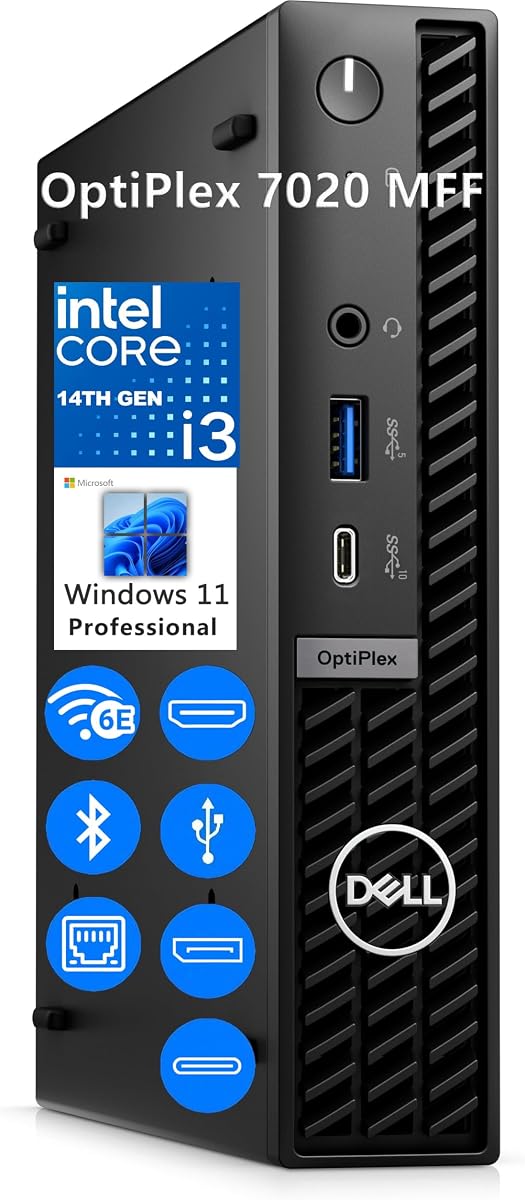
The Dell OptiPlex 7020 MFF brings high-end specs to a mini form factor for professional use. With 32GB of DDR5 RAM it handles memory-intensive tasks like multiple virtual machines or heavy browser tabs effortlessly. The 14th Gen Intel Core i3-14100T provides fast single and multi-core performance.
We may earn a commission when you buy through this link, at no additional cost to you.
Storage is generous with a 1TB NVMe SSD ensuring ample space for files and applications. It includes Windows 11 Pro with enterprise security features like BitLocker. Wi-Fi 6E provides ultra-fast wireless speeds and lower latency for video calls and cloud uploads.
Port options include front Type-C and multiple USB ports allowing easy peripheral connections. It supports up to three displays via HDMI and DisplayPort for expanded workspaces. The build quality is robust fitting seamlessly into corporate or high-end home office setups.
This is the premium choice for professionals needing maximum power in a small box. If you run many applications simultaneously this machine delivers without slowdown. The price is higher but justified by the DDR5 memory and massive storage included.
DDR5 RAM provides significantly faster speeds and efficiency compared to DDR4 ensuring smooth heavy workloads.
Connect up to three screens simultaneously via HDMI and DisplayPort for maximum workspace flexibility.
We may earn a commission when you buy through this link, at no additional cost to you.
This Dell OptiPlex 7020 offers a balanced entry into modern DDR5 technology for business users. The 14th Gen Intel processor ensures fast performance for daily tasks like email and spreadsheets. It runs Windows 11 Pro providing essential security and management tools.
We may earn a commission when you buy through this link, at no additional cost to you.
Storage is 256GB which is adequate for system files and some applications but may need external drives for media. You can expand RAM later since DDR5 slots are typically accessible. The compact form factor fits neatly in tight spaces without sacrificing connectivity.
Ports include USB-C with PowerShare allowing devices to charge from the machine. It supports up to three simultaneous displays via HDMI and DisplayPort. This makes it suitable for digital signage or multi-monitor office desks needing reliable performance.
Consider this if you want the latest processor generation without the cost of top-tier specs. It is a solid choice for general office work or light server tasks. Verify RAM and storage configurations as they may vary based on seller options.
The USB-C port with PowerShare allows you to charge mobile devices even when the computer is off.
Support for up to three simultaneous displays enhances productivity for data monitoring and multitasking tasks.
We may earn a commission when you buy through this link, at no additional cost to you.
Selecting the right Mini PC involves looking beyond just the brand name to understand how specific components match your daily workflow and usage environment.
The generation of the Intel Core i3 processor determines how long the device will remain relevant. Newer generations like the 14th and 13th Gen offer better efficiency and performance per watt than older 10th or 8th Gen models. If you plan to keep the device for several years investing in a newer generation ensures better longevity and software compatibility.
Look for processor names ending in specific codes like T for low power or U for mobile efficiency depending on your power needs.
Random Access Memory or RAM is critical for multitasking. While 8GB works for basic tasks, 16GB ensures smooth performance with multiple tabs and heavy applications open. Consider systems with expandable slots if you anticipate needing more memory in the future.
Always check if the RAM is soldered or upgradeable before buying to avoid performance bottlenecks later.
Solid State Drives or SSDs are essential for fast boot times and file access. NVMe SSDs are faster than SATA variants. Check if the device has extra slots for expansion so you can store more media or files without relying on external drives.
Aim for at least 512GB of storage if you plan to store large files locally on the device.
The number and type of ports define what peripherals you can connect. Ensure you have enough USB ports for your devices and that they are the right speed like USB 3.2. HDMI and DisplayPort support for monitors is crucial for productivity setups.
Check for Thunderbolt ports if you need high-speed data transfer or multiple external monitors.
Modern Wi-Fi standards like Wi-Fi 6 or 6E provide faster speeds and better range for internet access. Bluetooth version 5.2 ensures stable connections for wireless mice and headphones. Ethernet ports should be Gigabit or faster for stable wired networks.
Verify that the wireless adapters support the latest protocols if you rely heavily on internet speed.
Many Mini PCs come with Windows 11 Home or Pro pre-installed which simplifies setup. Some cheaper units might not include an OS or only offer Windows 10. Ensure the OS version supports the applications you need to run daily.
Pro versions offer better security and management features suitable for business use.
Mini PCs vary in size from 1-liter units to slightly larger boxes. Measure your available desk space to ensure the unit fits comfortably. VESA mount compatibility allows you to hide the PC behind a monitor for a cleaner look.
Consider noise levels as smaller units may have louder fans under load.
Standard warranties often cover one year but business models may offer three years. Check the manufacturer's support reputation for resolving hardware issues quickly. Extended warranties can be valuable for business deployments where downtime costs money.
Always review the terms for parts and labor before making your purchase decision.
When setting up your Mini PC ensure you place it in a well-ventilated area to prevent overheating. Avoid enclosing it tightly in cabinets without airflow which can cause the fans to spin faster and increase noise levels. Use the included or purchased power adapter to ensure stable voltage delivery.
Keep the exterior clean by dusting regularly with a soft dry cloth. Avoid using liquid cleaners directly on the chassis which can seep into ports and damage internal components. Use a compressed air can to clear dust from the ventilation grills on the back or sides.
For long term storage keep the device in a dry cool place inside a protective bag. Ensure you unplug the power cord and disconnect all peripherals before moving it to prevent port damage. Periodically check system updates to maintain performance and security features.
Intel Core i3 Mini PCs are generally designed for productivity and casual gaming rather than heavy AAA titles. They can handle lighter games like Minecraft or League of Legends especially if the model has strong integrated graphics. For high-end gaming you would need a desktop with a dedicated GPU.
Most Mini PCs allow upgrades but it depends on the specific model. Some have accessible slots for RAM and M.2 SSDs while others have soldered components. Always check the user manual or product specs before buying to confirm upgradeability.
Most standard Mini PCs do not include input devices and require you to purchase a keyboard and mouse separately. Some bundles or specific models may include these as extras but it is not the norm. Check the product description carefully to see what is included.
For a home office the msi PRO DP21 offers a great balance of performance and value with a modern 13th Gen processor. It provides enough power for multitasking and video calls while keeping noise levels manageable. The included Windows 11 Pro is also useful for security and management.
Yes most Intel Core i3 Mini PCs support dual or triple monitor setups via HDMI and DisplayPort. This is excellent for productivity workflows where you need to view multiple windows or data sources simultaneously. Ensure your monitors match the resolution supported by the video outputs.
Windows Pro offers advanced features like BitLocker encryption and Remote Desktop which are useful for business environments. Home version is sufficient for personal use and gaming but lacks these management tools. If you need to access your PC remotely choose a model with Pro included.
Renewed Mini PCs from reputable sellers can be reliable as they are tested before resale. They often cost less than new units but come with shorter warranties. Check the seller rating and warranty terms to ensure you get a dependable system.
Mini PCs typically consume between 15 to 60 watts depending on the processor load. This makes them very energy efficient compared to traditional desktop towers. Over a year this can lead to noticeable savings on your electricity bill.
The Mini PC market offers diverse options from budget-friendly units to premium business machines. Our top picks highlight the GMKtec G3 PRO for value, the msi PRO DP21 for modern performance, and the Dell OptiPlex 7020 for premium enterprise specs. Each model serves different needs whether for home office, commercial signage, or daily productivity.
Prioritize processor generation and RAM capacity to ensure the device remains useful for years. Connectivity options like USB-C and display ports should match your peripheral setup to avoid buying extra dongles. A well-selected Mini PC can streamline your workspace while delivering the power you need for modern software.
Prices and availability fluctuate frequently so verify current specs and configurations before finalizing your purchase. Always check for ongoing promotions or bundles that might include necessary accessories like keyboards. With the right choice you can enjoy a clean efficient desktop setup tailored to your requirements.