
SUNLU Filament Dryer Box S1 Plus
4.3Editor score
Fast drying fan
LCD display
Adjustable settings
This guide compares the top filament dryer box options for 3D printing, analyzing drying speed, capacity, and features to help you choose the right moisture
Filament dryer boxes are essential tools for 3D printing enthusiasts who want consistent print quality. These devices remove moisture from spools before and during printing to prevent defects like stringing or bubbling.
We compared ten leading models based on heating speed, capacity, user interface, and compatibility with different filament types. Each product was evaluated for its ability to maintain dry conditions while printing.
Every pick includes detailed specs and real-world performance notes to help you decide. Prices and availability change frequently, so check the current listings before making your final purchase decision today.
4.3Editor score

4.6Editor score

4.6Editor score
This side-by-side comparison highlights the key specifications and capabilities of each filament dryer box model featured in our guide to help you make an informed choice.


This top rated dryer box offers unmatched capacity for users who print frequently. Its dual chamber system allows drying two filament types simultaneously while maintaining consistent moisture removal.
We may earn a commission when you buy through this link, at no additional cost to you.
The independent heating chambers enable precise temperature settings for different materials like PLA or ABS. The sealed enclosure keeps spools dry during long printing sessions without needing to break the seal.
While it costs more than single spool options the efficiency gains justify the price for serious makers. The footprint is larger so ensure you have adequate bench space before purchasing.
Choose this model if you need to dry multiple spools at once or run multiple printers. It delivers reliable performance for demanding workflows requiring consistent filament quality.
Two independent zones allow different filaments to dry at their ideal temperatures simultaneously saving time.
Silicone seals prevent moisture re-absorption during printing pauses ensuring dry filament stays dry.
We may earn a commission when you buy through this link, at no additional cost to you.
The SUNLU S1 Plus is an excellent entry point for those new to filament drying. It features a fan design that speeds up moisture removal compared to passive dryers.
We may earn a commission when you buy through this link, at no additional cost to you.
Users can adjust temperature and time via the LCD screen to match specific filament needs. The compact size fits easily on most workbenches without taking up too much room.
It lacks the high heat of premium models which limits use for engineering filaments like polycarbonate. However for common materials like PLA and PETG it performs very well.
Buy this if you need a cost effective dryer for occasional use or hobbyist projects. It provides solid performance without breaking the bank.
The built-in fan circulates air to reduce drying time and improve moisture extraction efficiency.
Simple button layout and LCD make setting drying parameters quick and intuitive for all users.
We may earn a commission when you buy through this link, at no additional cost to you.
This official Creality unit offers high heat capacity ideal for demanding engineering filaments. It supports multiple printers via eight ports for maximum workflow efficiency.
We may earn a commission when you buy through this link, at no additional cost to you.
Independent heating chambers allow simultaneous drying of different materials with specific temp needs. The power saving modes reduce energy use when running single chamber operations.
Note that it recommends Creality RFID trays for best results which adds to the cost. The build quality is solid ensuring longevity in busy production environments.
Invest in this if you work with advanced materials or require high throughput. It sets a standard for professional level filament management.
High temperatures unlock drying for PC PA and other moisture sensitive engineering plastics effectively.
Eight ports allow feeding four printers simultaneously making it perfect for farm setups.
We may earn a commission when you buy through this link, at no additional cost to you.
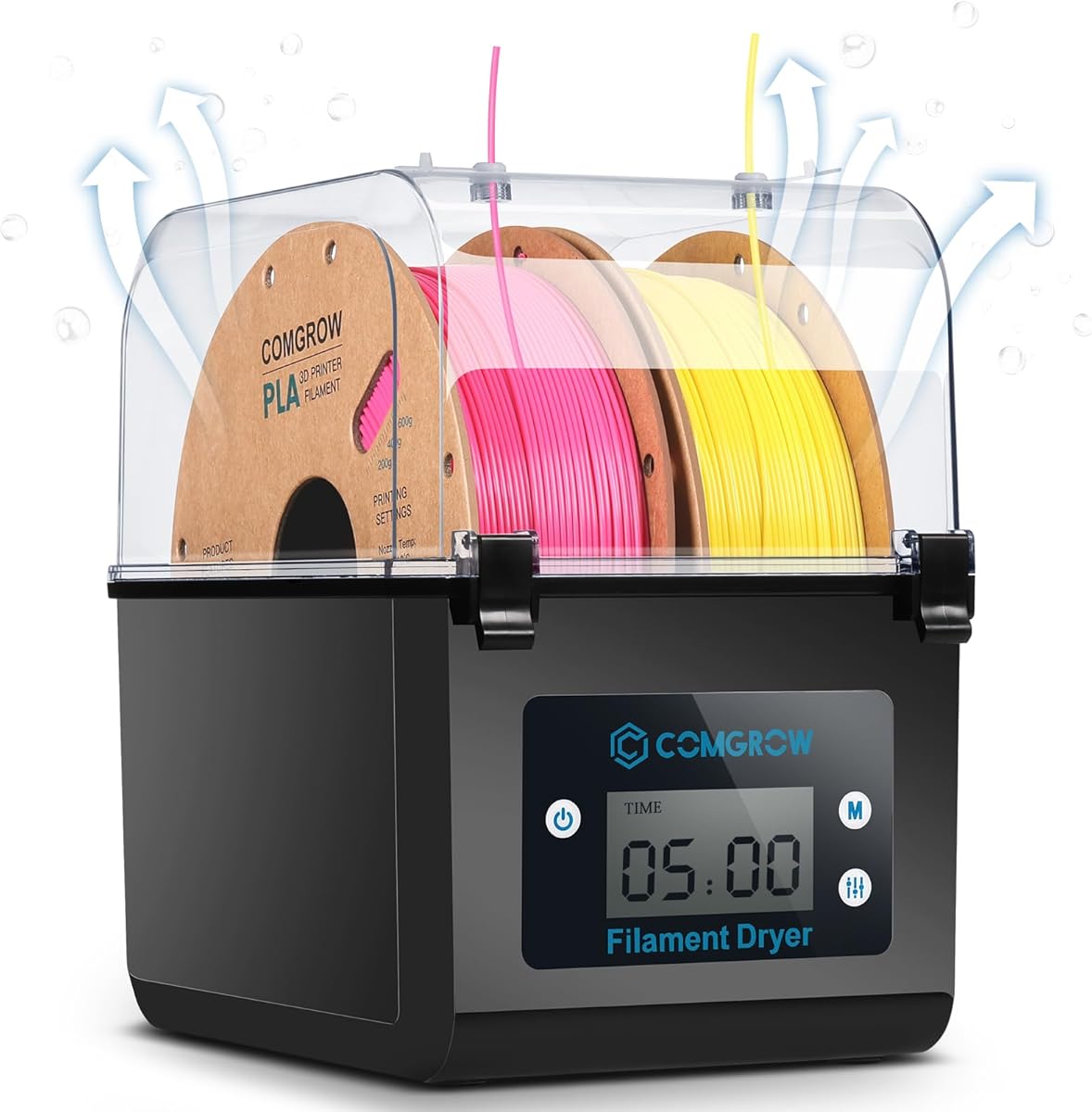
The Comgrow SH01 focuses on practical storage and drying for two spools simultaneously. It maintains dry conditions during printing with sealed outlets and humidity display.
We may earn a commission when you buy through this link, at no additional cost to you.
Temperature control is straightforward with touch buttons and a readable LCD screen. The design includes safety features like auto shutdown if work mode isn't displayed.
It lacks advanced heating tech found in newer models so drying times may be longer. But it remains a solid choice for standard materials under normal conditions.
Choose this if you want a simple reliable dryer for two spools without complex features. It delivers consistent results for common printing needs.
Built-in safety protocols prevent overheating and ensure user safety during extended drying cycles.
Stores two rolls comfortably allowing backup spools to be dried while printing.
We may earn a commission when you buy through this link, at no additional cost to you.
The Polymaker Polydryer is a passive storage solution rather than an active dryer. It uses seals and desiccant to keep filaments dry between prints.
We may earn a commission when you buy through this link, at no additional cost to you.
A built-in hygrometer lets you monitor humidity levels to verify storage conditions. This is ideal for long term storage or when active drying isn't needed.
It cannot actively dry wet filament which limits its use to maintenance and storage. But it simplifies workflows for those who store filament properly.
Use this for storing dry filament or maintaining dryness without electricity. It is a convenient accessory for organized filament management.
Sealed design preserves dryness without needing heat or fans during storage periods.
Built-in hygrometer helps you verify storage conditions easily without extra tools.
We may earn a commission when you buy through this link, at no additional cost to you.
The SUNLU S2 uses a spindle to keep filament spinning during drying for even moisture removal. Its translucent lid lets you check progress without opening the box.
We may earn a commission when you buy through this link, at no additional cost to you.
Users can set times up to ninety nine hours and temps up to seventy degrees. The large internal volume handles various spool sizes comfortably.
Its size means it takes up significant space on your desk. Also the fan can generate some noise during operation which may bother quiet environments.
Pick this if you value even drying and want to see inside while drying. It works well for larger spools needing thorough dehydration.
Continuous spinning ensures all sides of the filament get heated equally.
Translucent lid allows checking filament status without breaking the seal.
We may earn a commission when you buy through this link, at no additional cost to you.
The SH02 offers one key presets for nine filament types making setup very fast. It uses a PTC heater that warms up quickly to reach target temps.
We may earn a commission when you buy through this link, at no additional cost to you.
Sealing rings are used throughout to keep moisture out effectively. An alarm warns if the fan stops which protects the heater from damage.
If the fan fails the alarm sounds but you need to replace it manually. Also the max heat is lower than some rivals limiting engineering filament use.
Choose this if you want quick easy drying for common filaments. The presets save time and the safety features add peace of mind.
Factory settings for nine common filaments eliminate guessing and speed up start times.
PTC technology reaches target temperature in minutes reducing wait times.
We may earn a commission when you buy through this link, at no additional cost to you.
This model uses a 360 heating system to ensure uniform air flow for drying. The power off memory remembers settings after a outage saving reset time.
We may earn a commission when you buy through this link, at no additional cost to you.
The touch screen supports Fahrenheit and Celsius switching and offers twelve filament presets. A timer up to forty eight hours gives flexible drying schedules.
If the fan stops it may disrupt heating distribution so keep it clean. But for standard users the preset options make operation very easy.
Buy this if you want uniform heating and memory features. It balances performance and ease of use for general printing tasks.
360 circulating air ensures even temperature distribution throughout the drying box.
Remembers last settings after power loss avoiding manual reset after outages.
We may earn a commission when you buy through this link, at no additional cost to you.
The Plus model adds a real-time humidity monitor to the Space PI features. It handles two spools at once with 360 hot air circulation.
We may earn a commission when you buy through this link, at no additional cost to you.
Twelve presets cover more filament types than standard models. The touch screen makes navigation easy and the humidity display helps track progress.
Like others it depends on the fan for even heat so maintenance matters. But the humidity readout is a useful addition for monitoring.
Pick this if you want humidity tracking and dual spool drying. It is a smart upgrade for those needing precise conditions.
Real-time humidity display helps you confirm drying effectiveness accurately.
Dries two spools simultaneously to increase efficiency for multi color prints.
We may earn a commission when you buy through this link, at no additional cost to you.
This variant holds four spools with dual independent chambers for flexible heating. It supports high temps up to seventy five degrees for engineering filaments.
We may earn a commission when you buy through this link, at no additional cost to you.
An illuminated window allows viewing spools without breaking the sealed environment. The large capacity suits high volume users needing continuous supply.
The physical size is substantial so ensure you have adequate space. But the dual chamber setup adds significant flexibility for mixed material workflows.
Choose this if you need to dry four spools and high heat. It is a powerful tool for serious print farms.
Holds four spools to support multiple printers or extended printing sessions.
Separate zones allow different temps for different filaments in one unit.
We may earn a commission when you buy through this link, at no additional cost to you.
Selecting the right dryer depends on your filament types, capacity needs, and workflow. Consider these key factors before buying.
Decide how many spools you need to dry at once. Single spool units work for casual users while multi spool boxes suit farms.
Choose capacity that matches your printing volume to avoid bottlenecks.
Check the highest temperature the unit supports. Standard plastics need lower heat but engineering filaments need higher temps.
Ensure the max heat meets the needs of your filaments like ABS or PC.
Active dryers use heaters and fans to remove moisture quickly. Passive ones rely on desiccants and seals for storage.
Active units are better for drying wet filament while passive ones maintain dryness.
Look for silicone seals and tight-fitting lids to prevent moisture re-entry. Sealed outlets are crucial for keeping spools dry during printing.
Strong sealing ensures that once dried filaments stay dry.
Consider whether you prefer touch screens or physical buttons. Preset programs simplify operation for common filament types.
A clear display helps you track temperature and humidity easily.
Check for thermal protection alarms or auto shut off functions. Safety features prevent overheating and extend device life.
Always choose models with reliable safety systems for peace of mind.
Measure your workbench space before selecting a unit. Larger capacity boxes require more room but offer better throughput.
Balance size needs with available workspace to avoid clutter.
Verify the number of outlet ports if you run multiple printers. Some models support one while others support four or more.
Match port count to your number of active printers for best efficiency.
Place your spool inside the chamber ensuring the filament end passes through the sealed outlet port correctly. If your box has multiple ports choose one and seal the rest when not in use.
Set the temperature and timer based on your filament type. Avoid exceeding the max temperature to prevent melting or deforming the spool material.
Clean the sealing rings and outlet ports regularly to maintain effective moisture protection. Keep the interior dry and free of debris between drying cycles.
Drying time depends on filament material and moisture level. Most units need several hours for initial drying and less for maintenance. Check manufacturer presets for guidance.
Yes most active dryers allow printing simultaneously. They act as both dryer and spool holder keeping filament dry throughout the print.
Active dryers use heat and fans to remove moisture. Passive dryers rely on seals and desiccants for storage without power.
Yes clean the interior and seals occasionally to remove dust. This helps maintain consistent drying performance and proper sealing.
Most modern dryers support 1.75mm 2.85mm and 3mm filaments. Check specs to confirm compatibility with your specific spool diameter.
Many manufacturers offer replacement seals fans and trays. Contact support if parts are lost or damaged to restore full function.
A hygrometer helps monitor humidity to verify dry conditions. It is useful for storage to ensure filament stays dry over time.
Most units have safety features but avoid long unattended sessions. Ensure proper ventilation and check periodically if leaving for extended times.
The right dryer box saves time improves print quality and extends filament life. Top picks include the Creality Space Pi X4 for capacity and SUNLU S1 Plus for budget.
Prioritize capacity temperature range and sealing quality based on your specific workflow needs. High volume users should invest in dual chamber units for best throughput.
Always verify current prices and features before buying as models update frequently. Your investment in proper drying pays off in better prints and less waste.